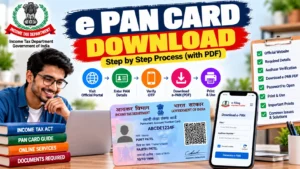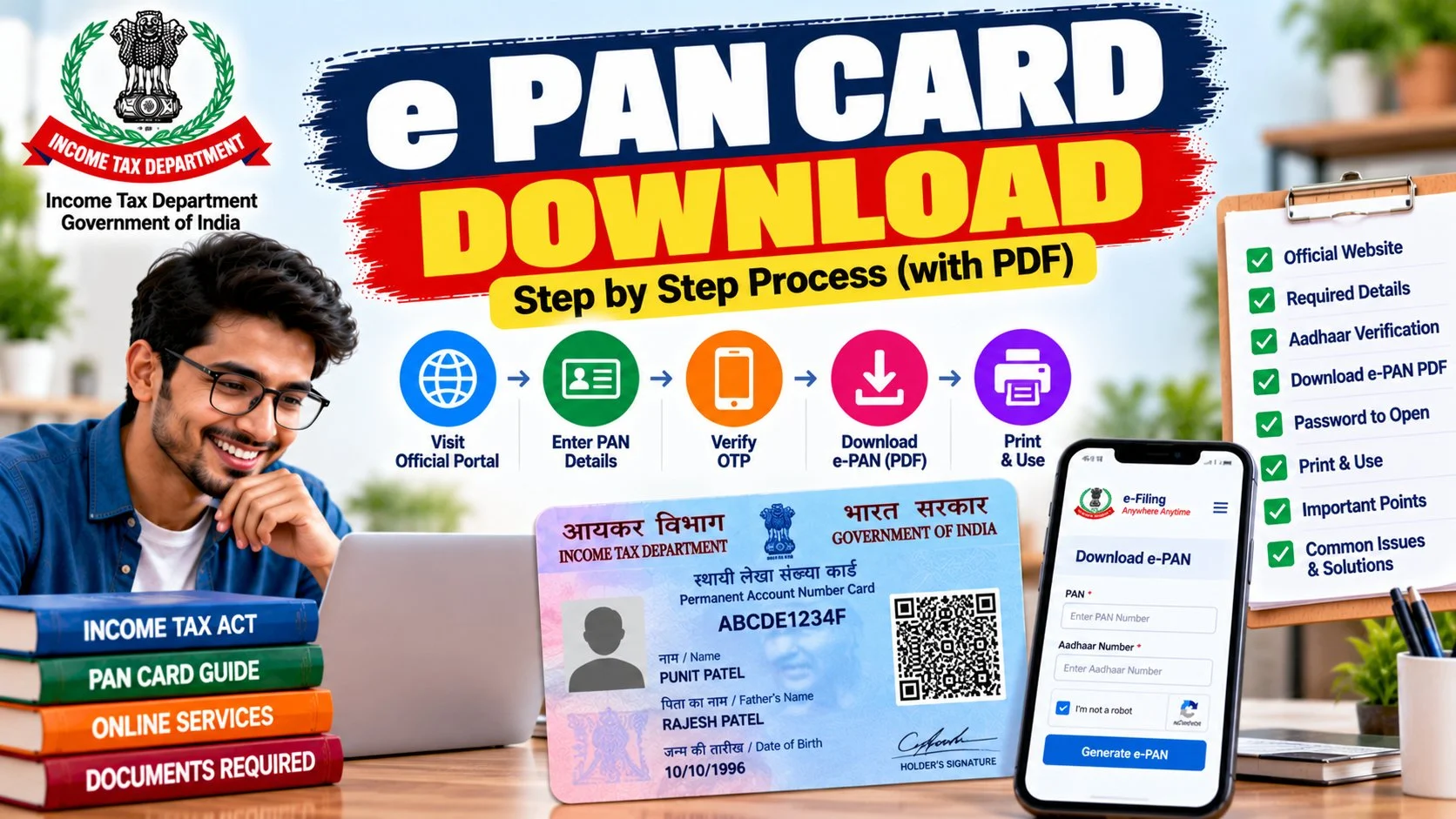

Lost your PAN card? Need it urgently for a bank account, ITR filing, or a job application? Here’s the good news: you don’t need to wait weeks for a physical card. An e PAN (e PAN) card download gives you a digitally signed, legally valid PAN card as a PDF in minutes — and it’s accepted everywhere the physical card is. In this guide, I’ll walk you through every method: instant e PAN from the Income Tax portal, reprint via NSDL/Protean, and download via UTIITSL.
✅ This guide is based on the official procedures of the Income Tax Department, Protean (NSDL e-Gov), and UTIITSL. Last verified: October 17, 2026. Portal interfaces and fees are revised from time to time — always cross-check on the official websites before proceeding.
What Is an e PAN Card? Is It Valid?
An e PAN is the electronic version of your PAN card — a PDF file digitally signed by the Income Tax Department. Let’s clear the biggest doubt first: yes, e PAN is 100% legally valid and accepted for all purposes where a physical PAN card is required — bank accounts, demat accounts, ITR filing, KYC verification, property transactions, everything.
There are actually two flavors you should know about:
- Instant e PAN: A free facility for people who don’t have a PAN yet. Using Aadhaar-based e-KYC on incometax.gov.in, you get a PAN allotted in near real-time, and the e PAN PDF is available for download immediately. No forms, no fees, no waiting.
- e PAN reprint/download: For people who already have a PAN but lost the card or never received it. You can download the e PAN PDF or order a physical reprint through NSDL (Protean) or UTIITSL for a small fee.
This guide covers both. Identify which situation you’re in and jump to the right section.
Method 1: Instant e PAN via incometax.gov.in (Free, for New PAN)
If you’ve never had a PAN card, this is the fastest route — completely free and paperless.
Eligibility for instant e PAN
- You must be an individual (not a company, firm, or HUF).
- You must have a valid Aadhaar with your mobile number linked (OTP comes to this number).
- Your date of birth on Aadhaar must be your complete DOB (not just the year).
- You must not already have a PAN — applying twice is an offense.
Step-by-step: instant e PAN application
Cost: Zero. The instant e PAN facility is completely free.
Method 2: e PAN Download via NSDL / Protean (for Existing PAN)
Already have a PAN but lost the card? NSDL (now called Protean eGov Technologies) lets you download the e PAN or order a physical reprint.
e PAN card download (PDF)
- Visit the Protean e PAN card download page (onlineservices.proteantech.in or via incometax.gov.in links).
- Enter your PAN number, Aadhaar number (for individual applicants), and date of birth.
- Verify with OTP sent to your registered mobile/email.
- If your e PAN was issued within the last 30 days OR your PAN was allotted recently, the download is free.
- Otherwise, a nominal fee applies (approximately ₹8–₹9 including GST for Indian addresses — check the portal for the current fee).
- Download the digitally signed PDF immediately after payment.
Physical PAN reprint via NSDL
Want the actual card delivered? On the same Protean portal, choose “Reprint of PAN card” instead of download. The physical card is dispatched to your registered address — typically within 2–3 weeks. The fee is slightly higher than the e PAN card download (covers printing and postage).
If your PAN details need correction (name spelling, DOB, photo), don’t use reprint — use the PAN card correction process instead.
Method 3: e PAN Download via UTIITSL (for Existing PAN)
UTI Infrastructure Technology and Services Limited (UTIITSL) is the other authorized agency. Use this method if your PAN was originally applied through UTIITSL, though both portals can generally serve any PAN holder.
- Go to the UTIITSL PAN portal (utiitsl.com).
- Navigate to the e PAN card download / reprint section.
- Enter your PAN, date of birth, and registered mobile number.
- Complete OTP verification.
- Pay the applicable fee online.
- Download the e PAN PDF or request physical dispatch.
NSDL vs UTIITSL: which should you use?
| Aspect | NSDL (Protean) | UTIITSL |
|---|---|---|
| e PAN card download | Available | Available |
| Physical reprint | Available | Available |
| Best for | PANs originally issued via NSDL | PANs originally issued via UTIITSL |
| Validity | Both are equally valid — issued under Income Tax Department authorization | |
PAN Card PDF Password Format
The downloaded e PAN PDF is password protected. This confuses almost everyone the first time. The password format is simple:
| Your Date of Birth | PDF Password |
|---|---|
| 15 August 1990 | 15081990 (DDMMYYYY) |
| 3 January 1985 | 03011985 (note the leading zero) |
Format: DDMMYYYY — your date of birth with no spaces or slashes. Include leading zeros for single-digit days and months. This is the standard password for e PAN PDFs from both NSDL and UTIITSL.
Troubleshooting: Common e PAN Download Problems
e PAN vs Physical PAN: What’s the Difference?
| Feature | e PAN (PDF) | Physical PAN Card |
|---|---|---|
| Legal validity | Fully valid everywhere | Fully valid everywhere |
| Delivery time | Minutes (instant download) | 2–3 weeks by post |
| Cost (new PAN) | Free (instant e PAN) | ~₹107 (application fee) |
| Best for | Urgent needs, digital KYC, backups | Wallet carry, places asking for “original” |
Pro tip: Download the e PAN immediately even if you’ve ordered a physical reprint. The PDF serves as your backup forever, and most digital KYC processes (bank accounts, mutual funds, Aadhaar-PAN linking) accept it without question.
e PAN for Specific Use Cases
Different situations need slightly different approaches. Here’s the fastest path for each:
Opening a bank account urgently
Banks accept e PAN for account opening under RBI’s KYC norms. Download the PDF, and either print it or show it digitally — most banks now do video KYC where you hold up documents to the camera. If the bank insists on “original,” escalate politely: the Income Tax Department’s circular clearly states e PAN’s validity, and bank staff sometimes just need reminding.
Filing ITR without a physical card
You don’t need any card at all for ITR filing — just the PAN number. But if you’ve forgotten the number itself, the e PAN card download is the recovery route. Once downloaded, use the number directly on the e-filing portal. Our ITR filing guide walks through the complete return process.
Applying for a passport or visa
Passport applications list PAN as a supporting document. The e PAN printout works fine. For visa applications (especially income-proof bundles), attach the e PAN alongside your ITR acknowledgments and bank statements.
Mutual fund / demat KYC
SEBI-registered intermediaries accept e PAN for KYC. During online KYC (Aadhaar-based e-sign), you’ll upload the e PAN PDF directly. The QR code on newer e PANs speeds up verification.
How to Verify Your e PAN Is Genuine
With fake documents circulating, knowing how to verify protects you — especially if someone sends you “their” e PAN:
- Digital signature: Open the PDF in Adobe Reader — it should show a valid digital signature from the Income Tax Department (or NSDL/UTIITSL as issuing authority). A missing or invalid signature is a red flag.
- QR code scan: Newer e PANs carry a QR code encoding the holder’s details. Scanning it should match the printed details.
- Official verification: The Income Tax Department’s e-filing portal has a “Verify PAN” facility where institutions can confirm PAN validity against the department’s database.
- Cross-check details: Name, father’s name, DOB, and photograph should match the holder’s Aadhaar and other IDs.
Never download e PAN from unofficial websites. Only incometax.gov.in, Protean (NSDL), and UTIITSL are authorized. Third-party “instant PAN download” sites are either scams or charge for a free service — and handing your PAN + Aadhaar + DOB to strangers is an identity-theft invitation.
After Download: Link Your PAN With Aadhaar
Downloading your e PAN is only half the job. Under current rules, every PAN must be linked with Aadhaar (with limited exceptions). An unlinked PAN can become inoperative — meaning you can’t use it for ITR filing, high-value transactions, or KYC.
The linking process:
- Go to incometax.gov.in → “Link Aadhaar” (under Quick Links).
- Enter your PAN and Aadhaar numbers, validate with OTP.
- If there’s a name/DOB mismatch between PAN and Aadhaar, fix it first via PAN correction — the linking will fail otherwise.
- A fee (currently ₹1,000) applies for linking after the original deadline — check the portal for the current amount.
- Once linked, the status reflects within a few days.
Our detailed Aadhaar-PAN linking guide covers every scenario including mismatches, NRI cases, and what “inoperative PAN” actually means for your money.
What If Instant e PAN Application Fails?
Sometimes the instant e PAN process throws errors. Here’s what each usually means:
| Error | Meaning | Solution |
|---|---|---|
| “PAN already exists” | A PAN is already allotted against your Aadhaar | Don’t apply again — use the download/reprint route for your existing PAN |
| “Aadhaar authentication failed” | Biometric/demographic mismatch or locked Aadhaar | Check Aadhaar status on UIDAI portal; unlock if needed |
| “DOB not available in Aadhaar” | Your Aadhaar has only birth year, not full DOB | Update Aadhaar with full DOB at a Seva Kendra, then retry |
| Minor applicant | Instant e PAN is for adults | Apply via Form 49A through NSDL/UTIITSL with guardian details |
Complete Fee Breakdown: Every e PAN Service
Confused about what costs what? Here’s every e PAN-related service and its fee in one place:
| Service | Channel | Fee (approx) |
|---|---|---|
| Instant e PAN (new allotment) | incometax.gov.in | Free |
| e PAN card download (recent) | NSDL / UTIITSL | Free (within ~30 days of issue) |
| e PAN card download (older) | NSDL / UTIITSL | ~₹8–9 |
| Physical PAN reprint | NSDL / UTIITSL | ~₹50 (India address) |
| New PAN application (Form 49A) | NSDL / UTIITSL | ~₹107 (India address) |
Note: Fees are revised periodically — treat these as indicative and confirm the exact amount on the payment page before paying. If a third-party site quotes dramatically higher “service charges” for e PAN card download, walk away; the official fee is nominal.
Storing e PAN in DigiLocker: Your Permanent Digital Vault
Once you’ve downloaded your e PAN, don’t let the PDF sit in your downloads folder gathering digital dust. DigiLocker — the government’s own cloud document wallet — is the ideal permanent home for it.
Why DigiLocker for e PAN?
- Government-issued documents: DigiLocker can pull your PAN directly from the Income Tax Department’s database as a verified “issued document” — no upload needed, no tampering possible.
- Accepted as original: Under the IT Act, documents in DigiLocker are deemed on par with originals. Showing your DigiLocker e PAN during verification carries full legal weight.
- Never lose it again: Phone lost, laptop crashed, email hacked — your DigiLocker copy survives everything, accessible from any device with your Aadhaar-linked login.
- One-tap sharing: Many banks and service providers now accept DigiLocker document sharing directly, skipping uploads entirely.
How to fetch PAN into DigiLocker
- Install the DigiLocker app or visit digilocker.gov.in, and sign up/in with your Aadhaar-linked mobile.
- Go to “Issued Documents” and search for “PAN” under the Income Tax Department.
- Enter your PAN details for verification — the system fetches it directly from department records.
- Once fetched, it’s permanently available in your locker, marked as a verified issued document.
Between the downloaded PDF backup, the DigiLocker issued copy, and (optionally) the physical card, you’ll never be caught without PAN proof again. For most digital-first users, the e PAN + DigiLocker combination has quietly made the physical card optional — though keeping one in your wallet doesn’t hurt.
Frequently Asked Questions
How can I do e PAN card download instantly?
If you don’t have a PAN yet, use the free “Instant e PAN” facility on incometax.gov.in with Aadhaar OTP — your e PAN is allotted within hours and the PDF is downloadable immediately. If you already have a PAN, download it via NSDL (Protean) or UTIITSL portals after OTP verification.
Is e PAN valid as address/ID proof?
Yes. The digitally signed e PAN PDF is legally equivalent to the physical card for all purposes — banking, ITR, KYC, property transactions. No authority can reject it for being “only a printout.”
What is the password for e PAN PDF download?
Your date of birth in DDMMYYYY format (e.g., 15081990 for 15 August 1990). Include leading zeros for single-digit days/months.
How much does NSDL PAN reprint cost?
The e PAN card download is free if issued within the last 30 days; otherwise a nominal fee (approximately ₹8–9) applies. Physical reprint costs more (printing + postage). Check the Protean portal for current exact fees.
Can I get e PAN without Aadhaar?
The instant e PAN facility requires Aadhaar with linked mobile. For reprint/download of an existing PAN, you can verify via your registered mobile/email instead — but Aadhaar linking makes everything smoother.
How long does instant e PAN take?
Usually a few hours after successful Aadhaar OTP validation. In some cases it can take up to 24 hours. You can check status and download using the “Check Status / Download PAN” option on the portal.
What if my mobile number is not registered with PAN?
Update it first — either through Aadhaar (if PAN-Aadhaar linked) or via the PAN correction process. OTP verification is mandatory for download, so this step can’t be skipped.
Can I download someone else’s e PAN?
No. OTP goes to the registered mobile/email of the PAN holder, and Aadhaar verification is personal. Downloading another person’s PAN is unauthorized access.
Does e PAN have a QR code?
Yes — newer e PANs include a QR code with demographic data, which helps institutions verify authenticity quickly.
What should I do after downloading e PAN?
Save a backup copy (cloud + local), note the PDF password, and ensure your PAN is linked with Aadhaar if not already done — our Aadhaar-PAN linking guide covers the process and the consequences of missing it.
Final Word
An e PAN card download is one of those things that takes 10 minutes but saves you weeks of waiting. If you’re getting a PAN for the first time, the free instant e PAN on incometax.gov.in is genuinely one of the best digital government services in India — no forms, no fees, no agents. If you already have a PAN, bookmark the NSDL or UTIITSL download page and grab your PDF today, before you urgently need it. Remember the DDMMYYYY password format, keep your mobile number updated in PAN records, and never pay a middleman for something the government gives you directly. Your PAN is your financial identity — keep a digital copy safe, always.