If you just got your first job and HR handed you a 12-digit number called UAN, you are probably wondering what to do next. UAN activation is the one-time process that switches on your Universal Account Number, and without it you cannot check your PF balance, download your passbook, or transfer funds when you change jobs. The good news? The process changed completely in 2026, and this guide walks you through the only method that works now.
✅ This guide is based on official government sources and notifications. Last verified: October 12, 2026. Scheme details, eligibility criteria, and benefit amounts are revised by the government from time to time — always cross-check the latest information on the official portal before applying.
⚠️ 2026 Update: The EPFO Portal Method Is Discontinued
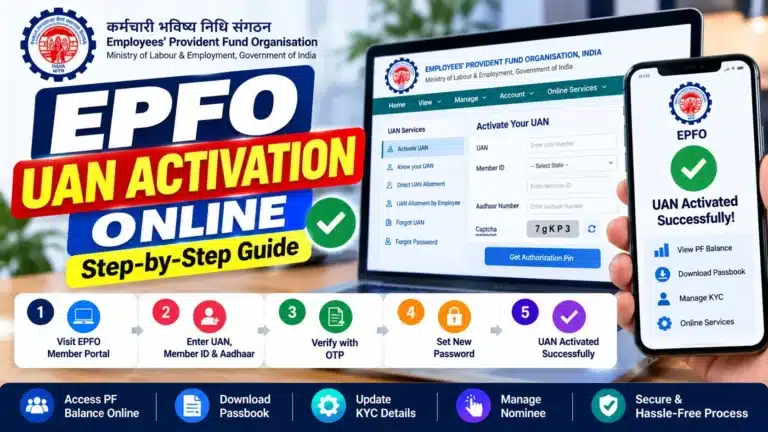
EPFO discontinued UAN activation on the member portal starting July 3, 2026 (phased rollout). If you open the old unified portal today, you will only see a notice directing you to the UMANG app — the “Activate UAN” button is gone.
Many old guides still ranking on Google (including a 2019 article) show the dead portal method. Do not follow them. The only working method for UAN activation in 2026 is the UMANG app with face authentication, explained step-by-step below.
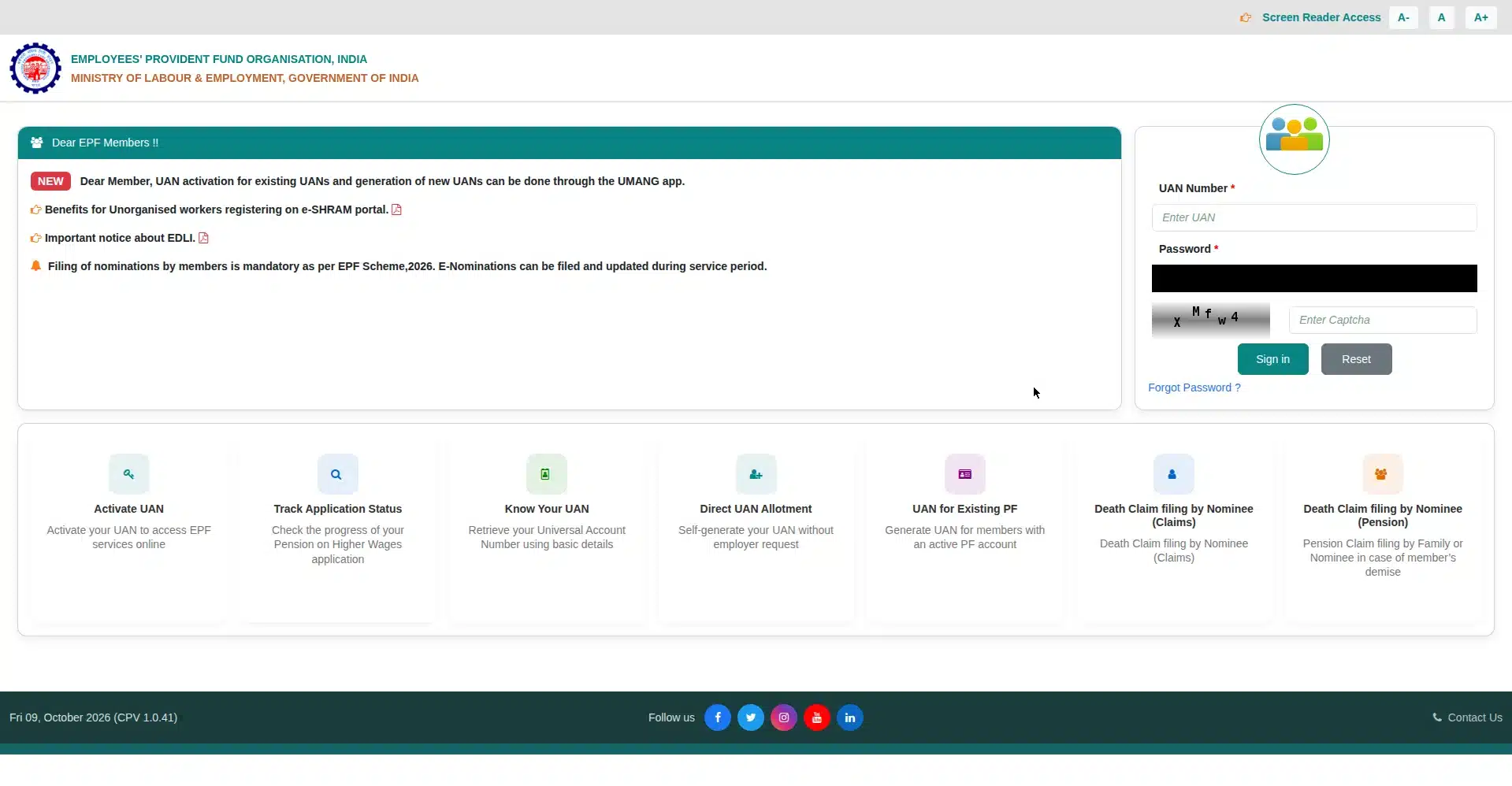
EPFO member portal — UAN activation has moved to the UMANG app (2026)
Old vs New: How UAN Activation Changed
| Point of Comparison | Old Method (Before July 2026) | New Method (2026 Onwards) |
|---|---|---|
| Platform | EPFO unified member portal (website) | UMANG mobile app only |
| Verification | OTP on Aadhaar-linked mobile | OTP + face authentication via Aadhaar Face RD app |
| Apps needed | None (browser was enough) | UMANG + Aadhaar Face RD (both free) |
| Password delivery | Set by user during activation | Temporary password sent via SMS |
| Status | ❌ Discontinued | ✅ Only working method |
What Is UAN and Why Does It Need Activation?
UAN stands for Universal Account Number. It is a 12-digit number that EPFO allots to every employee covered under the Employees’ Provident Fund scheme. Think of it as a permanent identity for your PF account. You get one UAN for life, no matter how many jobs you change. Every time you join a new company, a new 22-digit PF member ID is created and linked to the same UAN.
So why does UAN activation matter? When your employer first generates your UAN, it exists in EPFO’s records but in a dormant state. UAN activation is what brings it to life. Until you activate it, you cannot log in to the EPFO member portal, view your passbook, check claim status, update KYC, or file an e-nomination. In short, your PF money is safe but invisible to you.
Activation also sets up your login credentials. Once your UAN activation is complete, EPFO sends a temporary password to your registered mobile number, and you use your UAN plus that password to sign in for the first time.
Who Needs UAN Activation?
You need to complete UAN activation if any of these apply to you:
- First-time employees: You joined your first EPF-covered job and HR shared your UAN (usually printed on your salary slip).
- Employees who never activated: Your UAN was generated years ago but you never completed the activation step.
- Workers rejoining the formal sector: You are back in an EPF-covered job after a gap and cannot recall whether your UAN was ever activated.
- Anyone who lost portal access: You cannot log in and want to start fresh with a proper activation.
If you are unsure whether your UAN is already active, try logging in to the EPFO member portal with your UAN. If it lets you in, your UAN activation is already done and you can skip this entire process. If it throws an error saying the UAN is not activated, follow the steps below.
One important note: every person gets only one UAN for life. If you already have a UAN from a previous job, do not generate a new one. Using two UANs is against EPFO rules and creates a mess during withdrawals. If you suspect you have been allotted two UANs, get them merged through your employer instead of activating the second one.
Documents & Prerequisites Checklist for UAN Activation
Before you start the UAN activation process, gather everything on this list. Missing even one item is the most common reason people get stuck halfway.
- Your 12-digit UAN: Ask your HR department or check your salary slip. Without the UAN itself, activation cannot begin.
- Aadhaar number: Your 12-digit Aadhaar number. You can check Aadhaar status on the UIDAI website if you are unsure about your Aadhaar details.
- Aadhaar-linked mobile number: This is the #1 failure point. The OTP goes to the mobile number registered with your Aadhaar, not just any number you happen to use. If you changed your number recently, complete updating mobile number in Aadhaar first.
- Matching personal details: Your name, date of birth, and gender must match between your Aadhaar and EPFO records. Even a small spelling difference can block activation.
- Smartphone with a front camera: Face authentication needs a working front camera. No laptop or desktop workaround exists for the new method.
- UMANG app: Free on Google Play Store and Apple App Store.
- Aadhaar Face RD app: Also free. UMANG will prompt you to install it if it is missing. It powers the face scan.
- Good lighting: Do the face scan in a well-lit room, facing a light source. This single tip fixes most face-auth failures.
No physical documents need to be uploaded during UAN activation. The entire verification happens digitally through Aadhaar. That said, keep your PAN handy for the KYC seeding you will do right after activation.
How to Do UAN Activation in 2026: Step-by-Step (UMANG + Face Auth)
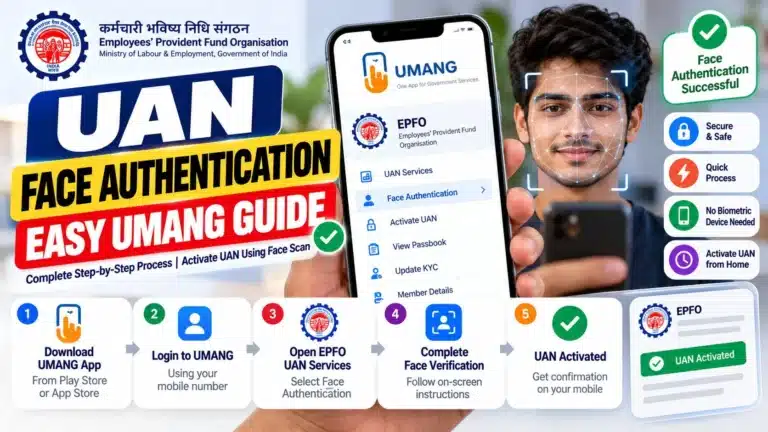
Here is the complete, working method for UAN activation. Follow these steps in order. For a deeper walkthrough of the biometric part, see our face authentication process guide. You can also read the detailed EPFO UAN activation guide for screenshots of each screen.
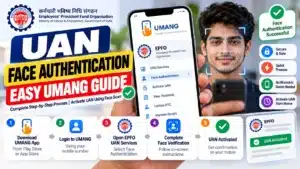
- Install UMANG and Aadhaar Face RD. Download the UMANG app from your phone’s app store and complete its basic registration with your mobile number. Also install the “Aadhaar Face RD” app by UIDAI. Both are free and official.
- Open UMANG and find EPFO services. On the UMANG home screen, search for “EPFO” or scroll to the EPFO services section.
- Tap “UAN Services Through Face Auth”. Inside EPFO services, look for the option labelled “UAN Services Through Face Auth” and open it.
- Select “UAN Activation”. You will see options for activation and allotment. Choose “UAN Activation” (allotment is only for people who do not have a UAN yet — covered in the next section).
- Enter your details. Type your 12-digit UAN, your Aadhaar number, and your Aadhaar-linked mobile number. Double-check every digit before proceeding.
- Give consent and request OTP. Tick the consent checkbox authorising Aadhaar-based verification, then tap “Send OTP” or “Get OTP”.
- Enter the OTP. Type the 6-digit OTP that arrives on your Aadhaar-linked mobile number. It is usually valid for about 10 minutes. Did not receive it? Your mobile is probably not linked to Aadhaar — see the errors section below.
- Start face authentication. UMANG will now hand over to the Aadhaar Face RD app. Hold your phone at eye level, about 30–40 cm from your face.
- Complete the face scan. An oval outline appears on screen. Keep your face inside it. The outline turns from red to green as the scan progresses. Blink once when prompted. Stay still and keep a neutral expression. Good lighting matters more than anything else here.
- Verify auto-fetched details. After a successful scan, your name, date of birth, and other details are pulled automatically from Aadhaar. Review them carefully on screen.
- Submit. Confirm and submit. Your UAN activation request is now complete.
- Note your temporary password. EPFO sends a temporary password to your registered mobile number via SMS. Save it — you will need it for your first login to the member portal.
The whole UAN activation process typically takes 10–15 minutes if your details are in order. Most of that time is the face scan and waiting for the OTP.
After activation, log in to the EPFO member portal with your UAN and the temporary password. The portal will ask you to set a permanent password immediately. The rules: 7–20 characters, minimum 4 alphabets (mix of upper and lower case), 2 digits, and 1 special character. Pick something strong — this account guards your retirement savings.
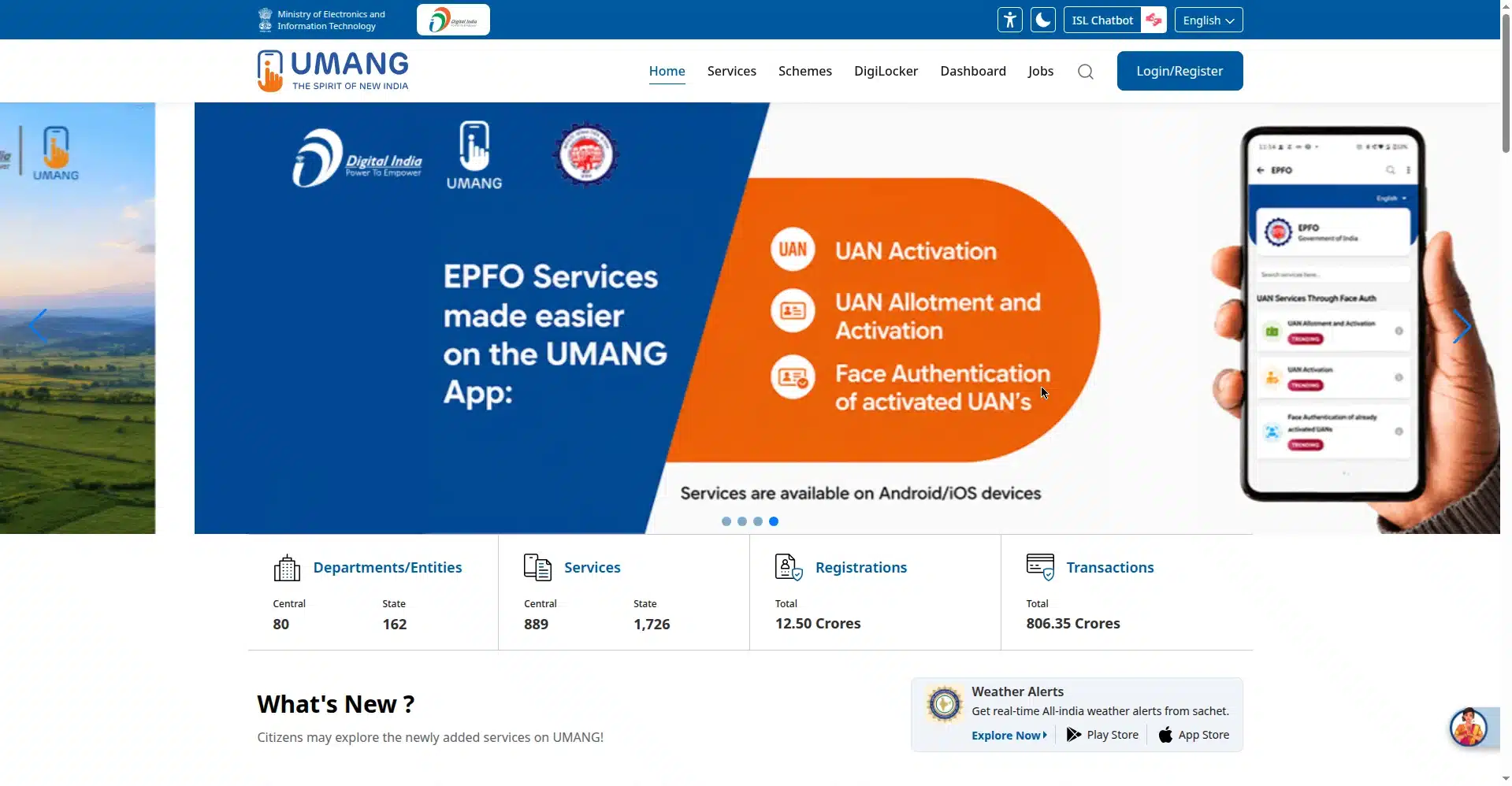
UMANG portal — search for EPFO services here
How to Generate a New UAN (If You Don’t Have One)
Do not confuse this with activation. UAN allotment means getting a UAN for the first time; UAN activation means switching on a UAN you already have. You only need this section if no UAN has ever been allotted to your Aadhaar.
In most cases your employer generates the UAN for you when you join. But if you need to do it yourself, the path is nearly identical to activation:
- Open the UMANG app and go to EPFO services.
- Tap “UAN Services Through Face Auth”.
- This time select “UAN Allotment and Activation”.
- Enter your Aadhaar number and Aadhaar-linked mobile number.
- Verify with OTP, then complete the face authentication scan.
- Your new UAN arrives via SMS on your registered mobile number.
This only works if your Aadhaar does not already have a UAN linked to it. If one exists, the system will refuse to create a duplicate — which is exactly what you want, because one person must have only one UAN. If your employer already generated a UAN for you, go back to the activation steps above instead.
UAN Activation Errors & Fixes
Something went wrong during your UAN activation? Find your error in this table and apply the fix. These cover the vast majority of failed attempts.
| Error / Problem | Fix |
|---|---|
| Face scan keeps failing or timing out | Move to a well-lit room facing the light. Clean your front camera lens. Update the Aadhaar Face RD app to the latest version. Hold the phone steady at eye level and blink exactly once when prompted. |
| OTP never arrives | The OTP goes to your Aadhaar-linked mobile number. If you changed numbers, update your mobile number in Aadhaar first, then retry after the update reflects (usually 24–48 hours). |
| Name / DOB / gender mismatch | Your Aadhaar and EPFO records must match exactly. Ask your employer to file a joint declaration to correct the EPFO record, or update the Aadhaar record via UIDAI. |
| “UAN already activated” message | Good news — your UAN activation is already complete. Just log in to the member portal with your UAN. Forgot the password? Use “Forgot Password” on the portal login page. |
| “Activate UAN” option missing on the EPFO portal | This is expected since July 2026. The portal method is discontinued. Use the UMANG app method described in this guide. |
| Aadhaar Face RD app not working / crashing | Update the app from the Play Store / App Store. Clear its cache. Reinstall if needed. Ensure your phone runs a supported Android/iOS version. |
| “Invalid UAN” error | Recheck the 12 digits with your HR or salary slip. A single wrong digit triggers this. Also confirm the UAN actually belongs to you. |
| Temporary password SMS not received | Wait 30 minutes and check spam/blocked lists. Ensure your mobile has network coverage. If it still does not arrive, contact the helplines below. |
| UMANG app shows a technical error | Update UMANG, clear cache, and retry during non-peak hours (mornings work best). EPFO’s servers slow down on salary-credit days. |
| Still stuck after trying everything | Call the EPFO toll-free helpline 14470 or 1800-118-005. For PF balance via missed call: 011-22901406 (from your registered mobile). |
What to Do After UAN Activation: Checklist
Completing your UAN activation is step one, not the finish line. Work through this checklist in your first week:
- Change your password on first login. Log in with the temporary SMS password and set a permanent one immediately (7–20 characters, 4+ alphabets with upper and lower case, 2 digits, 1 special character).
- Seed your KYC. In the member portal, add and verify your Aadhaar, PAN, and bank account details. KYC verification by your employer unlocks withdrawals and transfers. If you have not yet done it, link Aadhaar with PAN to avoid mismatches.
- File your e-nomination. Nominate who receives your PF in an unfortunate event. It takes two minutes online and saves your family enormous paperwork later.
- Check your passbook. Confirm your employer is actually depositing PF every month. The passbook updates a few days after each salary credit.
- Verify personal details. Make sure your name, DOB, and contact details on the portal match your Aadhaar exactly.
- Explore related social security: If you work in the unorganised sector or want extra retirement cover, read about the Atal Pension Yojana.
UAN Activation FAQs
1. Is UAN activation free?
Yes, completely free. EPFO charges nothing for UAN activation, and the UMANG and Aadhaar Face RD apps are free downloads. If anyone asks you for money to “activate” your UAN, it is a scam.
2. Can I still activate my UAN on the EPFO portal website?
No. Since July 3, 2026, the portal’s activation option has been discontinued in a phased rollout. The portal now shows a notice pointing you to UMANG. Any guide showing the old “Activate UAN” portal button is outdated — UAN activation in 2026 works only through the UMANG app with face authentication.
3. What if my mobile number is not linked to Aadhaar?
Then the OTP step will fail, because EPFO sends the OTP to your Aadhaar-registered mobile number. Get your number linked or updated at an Aadhaar enrolment centre (or via the mAadhaar app where supported), wait 24–48 hours for it to reflect, and then start your UAN activation.
4. What documents do I need for UAN activation?
No physical documents are uploaded. You need your 12-digit UAN (from HR or salary slip), your Aadhaar number, and your Aadhaar-linked mobile number. Your name, date of birth, and gender must match between Aadhaar and EPFO records. Keep PAN handy for the KYC step that follows activation.
5. Why does my face authentication keep failing?
Nine times out of ten it is lighting. Face a bright light source, clean your front camera lens, and hold the phone steady at eye level about 30–40 cm away. Also update the Aadhaar Face RD app, and blink exactly once when the outline prompts you. Our face authentication process guide covers advanced troubleshooting.
6. What is the difference between UAN allotment and UAN activation?
Allotment means a UAN is created for you for the first time (usually by your employer, or via UMANG’s “UAN Allotment and Activation” option). Activation means switching on an existing UAN so you can log in and use EPFO services. You cannot activate a UAN that has not been allotted, and you should never get a second UAN allotted if you already have one.
Conclusion
UAN activation in 2026 is simpler than the old portal process once you know the new route: UMANG app, EPFO services, face authentication, done. The biggest mistakes people make are following outdated portal guides, using a mobile number that is not linked to Aadhaar, and attempting the face scan in poor lighting. Avoid those three traps and your activation should complete in about 15 minutes.
Once your UAN is active, do not stop there. Change your password, seed your KYC, file your e-nomination, and check that first passbook entry. Your PF is a major part of your financial future — now you can actually see it and control it.
Found this guide useful? Share it with a colleague who just joined and is staring at a UAN number wondering what to do next. For official updates, visit the EPFO website or UIDAI’s portal for Aadhaar services.