Applied for a new Aadhaar card or requested an update to your existing one? The Aadhaar card status check lets you track exactly where your application stands — whether it’s under review, approved, or ready for download. In this complete guide, I’ll show you every method to check your Aadhaar enrolment status and update status online, what each status message means, and how to fix common problems.
✅ This guide is based on official government sources and notifications. Last verified: October 18, 2026. Scheme details, eligibility criteria, and benefit amounts are revised by the government from time to time — always cross-check the latest information on the official portal before applying.
What Is Aadhaar Card Status?
Aadhaar card status refers to the current stage of your Aadhaar enrolment or update request in UIDAI’s system. When you enrol for a new Aadhaar or request changes to your name, address, mobile number, or biometrics, UIDAI processes your request through several verification stages. Checking your Aadhaar card status online tells you whether your request is still being processed, has been approved and your Aadhaar generated, or was rejected and needs correction. You only need your 14-digit Enrolment ID (EID) from the acknowledgement slip to track it.
How to Check Aadhaar Enrolment Status Online: Step by Step
Checking your new Aadhaar application status takes less than two minutes on the official UIDAI portal. Here’s the exact process:
- Go to the official UIDAI website at myaadhaar.uidai.gov.in
- Click on “Check Enrolment & Update Status” under the My Aadhaar tab
- Enter your 14-digit Enrolment ID (EID) — you’ll find it on the acknowledgement slip given at the enrolment centre (format: 1234/12345/12345)
- Enter the date and time of enrolment exactly as printed on your slip (format: DD/MM/YYYY HH:MM:SS)
- Solve the captcha and click Submit
- Your current Aadhaar card status will appear on screen
Important: The Enrolment ID is different from your Aadhaar number. Your Aadhaar number is generated only after your enrolment is approved. Until then, the EID is your only tracking reference — keep your acknowledgement slip safe.
How to Check Aadhaar Update Status Online
If you requested a correction — name spelling, address change, mobile number update, or biometric refresh — track it with your Update Request Number (URN):
- Visit myaadhaar.uidai.gov.in and select “Check Enrolment & Update Status”
- Choose the URN option (instead of Enrolment ID)
- Enter your 12-digit Aadhaar number and the URN from your update acknowledgement slip
- Complete the captcha and submit
- You’ll see whether your update is under process, approved, or rejected with a reason
Most demographic updates (name, address, mobile) are completed within 7 working days. Biometric updates can take up to 15 working days because they need additional quality verification. If you’re also planning corrections to other documents, our PAN card correction guide follows a similar online process.
Check Aadhaar Status on the mAadhaar App
Prefer your phone? The official mAadhaar app (by UIDAI, available on Android and iOS) lets you check status without a browser:
- Download mAadhaar from the Play Store or App Store — verify the developer is UIDAI
- Open the app and tap “Check Aadhaar Status” on the home screen
- Enter your Enrolment ID or URN with the date-time stamp
- Complete the captcha to view your status
The app also lets you download a digital Aadhaar, lock/unlock biometrics, and order a PVC Aadhaar card — handy once your status shows as approved.
What Each Aadhaar Status Message Means
UIDAI shows different messages depending on where your request stands. Here’s what each one means and what to do:
| Status Message | What It Means | What To Do |
|---|---|---|
| Under Process | Your request is being verified | Wait; check again after 2–3 days |
| Aadhaar Generated | Approved! Your Aadhaar number is ready | Download e-Aadhaar immediately |
| Update Successful | Your correction request was approved | Download the updated e-Aadhaar |
| Rejected | Request failed verification | Read the reason; re-apply with correct documents |
| On Hold | Needs additional document verification | Visit the enrolment centre with originals |
How Long Does Aadhaar Status Take to Update?
Timelines depend on the type of request:
- New enrolment: Aadhaar is usually generated within 7–15 working days of enrolment
- Demographic update (name, address, DOB, mobile, email): up to 7 working days
- Biometric update (fingerprints, iris, photo): up to 15 working days
- Address update via online document upload: up to 30 days in some cases
If your status hasn’t changed after the expected time, don’t panic — first double-check that you entered the EID/URN and date-time exactly as printed. A single wrong digit shows no result at all.
Aadhaar Status Not Showing? 6 Fixes That Work
Run through this checklist if the portal shows no result or an error:
If everything is correct and you still see nothing after 48 hours, call the UIDAI toll-free helpline 1947 (free, available in multiple languages) or email [email protected] with your EID and enrolment date.
What to Do After Your Aadhaar Is Approved
Once your status shows “Aadhaar Generated” or “Update Successful”:
- Download e-Aadhaar from myaadhaar.uidai.gov.in — it’s equally valid as the physical card
- Link Aadhaar with PAN if you haven’t already — it’s mandatory for income tax filing. See our Aadhaar-PAN linking guide
- Update your mobile number in Aadhaar if it’s not current — OTPs for most government services go to your registered mobile
- Order a PVC Aadhaar card online for ₹50 if you want a durable physical copy
- Check update charges before your next correction — some updates are free, others have a nominal fee. Details in our Aadhaar update charges guide
Documents Needed for Aadhaar Enrolment and Updates
Keep these ready before visiting an enrolment centre or applying online:
| Purpose | Documents Accepted |
|---|---|
| Proof of Identity | Passport, PAN card, voter ID, driving licence, government photo ID |
| Proof of Address | Passport, bank statement, electricity bill (not older than 3 months), ration card, rent agreement |
| Proof of Date of Birth | Birth certificate, SSLC marksheet, passport, PAN card |
| For Children (under 5) | Birth certificate + parent’s Aadhaar (biometrics not captured) |
How to Download e-Aadhaar After Status Shows Approved
Once your Aadhaar card status shows “Aadhaar Generated”, download your e-Aadhaar immediately — don’t wait for the physical card by post, which can take 2–3 weeks extra:
- Go to myaadhaar.uidai.gov.in and click “Download Aadhaar”
- Enter your 12-digit Aadhaar number (shown on the status page) or 16-digit Virtual ID
- Enter the captcha and click “Send OTP”
- Enter the OTP received on your registered mobile number
- Click “Verify & Download” — your e-Aadhaar PDF downloads instantly
The PDF is password-protected: the password is the first 4 letters of your name (in CAPS) + your birth year. For example, if your name is Rahul Sharma and you were born in 1990, the password is RAHU1990. This digitally signed e-Aadhaar is valid for every official purpose — banks, telecom, government schemes, and as travel ID within India.
PVC Aadhaar Card: Order Online for ₹50
Want a durable, wallet-sized physical card instead of the paper printout? UIDAI’s PVC Aadhaar card looks like an ATM card and survives daily use:
- Cost: ₹50 (inclusive of GST and speed-post delivery)
- How to order: myaadhaar.uidai.gov.in → “Order Aadhaar PVC Card” → enter Aadhaar/VID → OTP verification → pay online → delivered in 5–15 working days
- Security features: QR code with photo, hologram, ghost image, and micro-text — harder to forge than a printout
- Who can order: Anyone with a registered mobile number in Aadhaar. Without a registered mobile, you’ll need to visit an enrolment centre first
If your mobile number isn’t registered with Aadhaar yet, that update itself requires a centre visit (it can’t be done fully online for security reasons) — plan for it.
Common Mistakes That Delay Your Aadhaar Status
Most “stuck” applications trace back to avoidable errors at enrolment time. Avoid these:
- Name mismatch across documents: Your name must match character-for-character on your ID proof and the enrolment form. “Rahul Kumar” vs “Rahul Kr.” triggers manual review.
- Old address proof: Utility bills older than 3 months are rejected. Carry a recent bill or bank statement.
- Blurry document scans: At-home uploads for address update often fail on image quality. Scan at 200+ DPI with all four corners visible.
- Wrong mobile number: OTPs go to the number you provide at enrolment. A typo means you never receive verification codes.
- Duplicate enrolment: Applying twice “just to be safe” flags your record for fraud review and delays both applications. Never enrol twice.
- Ignoring the acknowledgement slip: Without the EID, you can’t track anything. Photograph the slip immediately as backup.
Aadhaar Status for Children: Baal Aadhaar Tracking
Children under 5 get a Baal Aadhaar (blue-coloured card) without biometrics — only a photo is captured, linked to a parent’s Aadhaar. Tracking works the same way with the child’s Enrolment ID from the slip. Two things to remember:
- Baal Aadhaar is valid until the child turns 5, then biometrics must be updated (free of charge)
- A second mandatory biometric update is required at age 15
- If you miss these updates, the Aadhaar gets deactivated — check status promptly after each update
Is It Safe to Check Aadhaar Status Online?
Yes — as long as you use only official UIDAI domains: myaadhaar.uidai.gov.in, uidai.gov.in, and the official mAadhaar app. Warning signs of fake sites:
- They ask for payment to “check status” (the real service is free)
- The URL isn’t a .gov.in domain
- They ask for your bank details or full fingerprint scans
- They promise “instant Aadhaar” for a fee
Never share your EID, Aadhaar number, or OTP with anyone claiming to “speed up” your application — UIDAI never calls citizens asking for these details.
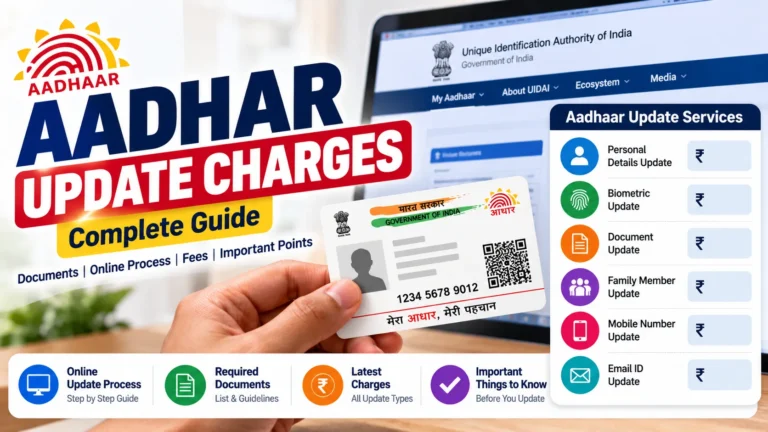
Aadhaar Update Charges in 2026: What Costs What
Not every Aadhaar service is free. Here’s the current fee structure so you’re never surprised at the centre:
| Service | Fee | Mode |
|---|---|---|
| New enrolment | Free | Enrolment centre |
| Mandatory biometric update (age 5–7 and 15–17) | Free | Enrolment centre |
| Demographic update (name, address, DOB) | ₹50 | Online or centre |
| Biometric update (optional) | ₹100 | Enrolment centre only |
| PVC Aadhaar card | ₹50 | Online |
For the complete breakdown with exemptions, read our detailed Aadhaar update charges guide.
Linking Aadhaar: The Services That Need It Most
Your Aadhaar becomes truly useful once linked to key services. Priority order:
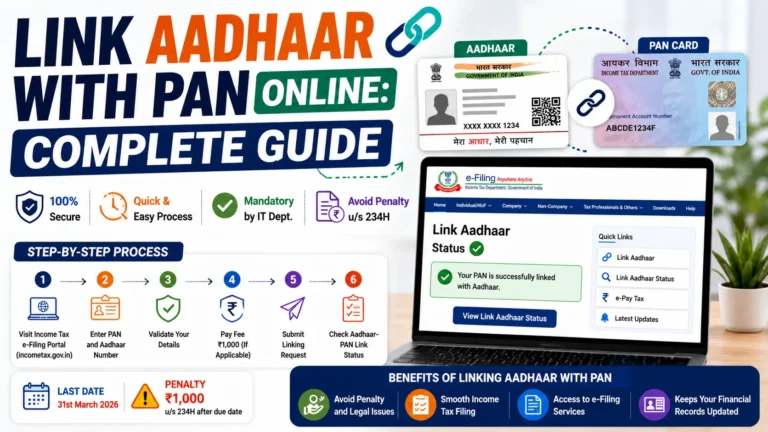
- PAN card — mandatory for income tax; unlinked PAN becomes inoperative. Link Aadhaar with PAN here
- Bank account — required for DBT benefits (scholarships, LPG subsidy, PM-KISAN)
- Mobile number — needed for OTP-based Aadhaar services
- EPF/UAN — speeds up PF withdrawals and KYC verification
- Ration card — for PDS benefits under the National Food Security Act
How to File a Complaint About Aadhaar Services
If an enrolment centre overcharges, refuses service, or your grievance via 1947 goes nowhere, escalate formally:
- Go to uidai.gov.in → “Grievance Redressal” → “File a Complaint”
- Select the category (enrolment centre issue, update delay, charges dispute)
- Enter your EID/URN, Aadhaar number (if generated), and registered mobile
- Describe the issue with dates and centre name/address
- Note the complaint ID — track it on the same portal; UIDAI typically responds within 15 working days
For charge-related disputes, keep your payment receipt — centres must issue one for every paid service. Our charges guide lists the official rates you can quote.
Frequently Asked Questions
How can I check my Aadhaar card status without the acknowledgement slip?
Unfortunately, you need the 14-digit Enrolment ID from your slip to check status online. If you lost the slip, visit the enrolment centre where you applied — they can reprint it using your biometrics. Alternatively, call 1947 with your registered mobile number for help.
Why is my Aadhaar status showing “rejected”?
Common reasons include blurry documents, mismatched names across documents, poor biometric quality, or duplicate enrolment detection. The portal usually shows a reason — fix that specific issue and re-apply. You won’t be charged again for a genuine re-application after rejection in most cases.
Can I check Aadhaar status by SMS?
UIDAI discontinued the old SMS-based status service. Use the myaadhaar.uidai.gov.in portal or the mAadhaar app instead — both are free and show real-time status.
How do I check Aadhaar update status with URN?
Go to myaadhaar.uidai.gov.in → “Check Enrolment & Update Status” → select URN → enter your 12-digit Aadhaar number and the URN from your update slip → submit. The URN is generated for every update request and works the same way as EID tracking.
Is e-Aadhaar valid everywhere like the physical card?
Yes. The e-Aadhaar downloaded from UIDAI is digitally signed and legally valid for all purposes — bank accounts, SIM activation, government schemes, and travel ID. If someone insists on a physical copy, order the PVC Aadhaar card online for ₹50.
How long is the Enrolment ID valid for status tracking?
Your EID remains trackable until your Aadhaar is generated. After generation, use your 12-digit Aadhaar number for all future services. Keep the slip until you have your Aadhaar number safely noted.
What is the difference between EID and URN?
EID (Enrolment ID) is the 14-digit number given when you first enrol for Aadhaar. URN (Update Request Number) is generated each time you request a correction to an existing Aadhaar. Both work on the same “Check Enrolment & Update Status” page — just select the right option before entering the number.
My Aadhaar status has been “under process” for a month. What now?
First, verify your entries are exactly right. If yes, call 1947 or email [email protected] with your EID, enrolment date, and centre name. In rare cases, applications get stuck in manual review queues — a grievance on the UIDAI website usually unsticks them within a week.
Can someone else check my Aadhaar status for me?
Technically yes, if they have your EID and date-time — the portal doesn’t require OTP for status checks. But treat your EID like a semi-private document: share it only with family or trusted helpers, since it reveals that you’ve applied for Aadhaar and when.
Do I need to link Aadhaar with my bank account separately?
Yes — Aadhaar generation doesn’t auto-link it anywhere. For DBT scheme benefits (scholarships, subsidies, PM-KISAN), seed your Aadhaar with your bank via the bank’s branch, netbanking, or ATM. NPCI’s Aadhaar mapper decides which account receives DBT credits.
Final Thoughts
Checking your Aadhaar card status online is simple once you know where to look — the UIDAI portal and mAadhaar app both give you real-time updates with just your Enrolment ID or URN. Most requests clear within a week or two, and the status messages tell you exactly what’s happening. Keep your acknowledgement slip safe, double-check your entries, and don’t hesitate to call 1947 if something looks stuck. And once your Aadhaar is ready, make sure it’s linked where it matters — starting with PAN.