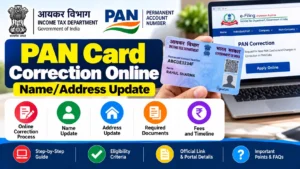
Is your name spelled wrong on your PAN card? Did you recently move and need to update your address? A wrong detail on your PAN card can quietly create big problems — from ITR filing failures to bank KYC rejections. The good news is you can fix all of this from your phone or laptop in about 20 minutes, without visiting any office.
In this guide, you will learn exactly how to do pan card correction online, compare the two official portals (Protean vs UTIITSL), understand the fees, use the paperless Aadhaar e-KYC method, and track your application status.
✅ Quick facts (verified October 15, 2026):
- Last verified: October 15, 2026
- Official portals: Protean (protean-tinpan.com) and UTIITSL (pan.utiitsl.com)
- Your PAN number never changes after a correction — only the printed details update
- Correction fee: ₹107 (physical card, India) or ₹66–72 (e-PAN only), inclusive of GST
- Timeline: e-PAN in 2–3 working days; physical card in 15–20 days
What Is PAN Card Correction?
PAN card correction means updating or fixing the personal details printed on your PAN card and stored in the Income Tax Department’s database. Your 10-digit PAN number stays exactly the same — only the details you change (name, address, date of birth, photo, signature, father’s name) get updated.
It is different from a fresh PAN application. You apply for correction using Form PAN CR-01 (for individuals) or Form PAN CR-02 (for non-individuals like companies and trusts), which came into effect from 1 April 2026 under the revised Income-tax Rules.
When Do You Need PAN Card Correction?
Here are the most common situations where a correction is required:
- Name spelling error: Your name is misspelled on the card (for example “Rajesh” vs “Rajehs”).
- Name change after marriage: You changed your surname and want the card to match your new name.
- Name mismatch with Aadhaar: The name on PAN and Aadhaar does not match exactly, which blocks PAN-Aadhaar linking.
- Address change: You moved to a new city or state and want the correct communication address.
- Date of birth error: Wrong DOB printed on the card.
- Photo or signature update: Old photograph or signature needs replacement.
- Father’s name error: Incorrect father’s name on the card.
- Gender correction: Wrong gender selected at the time of application.
Protean vs UTIITSL: Which Portal Should You Use?
There are two official, government-authorised portals for PAN card correction in India. Both are equally valid — you can pick either one.
| Feature | Protean (formerly NSDL) | UTIITSL |
|---|---|---|
| Official website | protean-tinpan.com | pan.utiitsl.com |
| Application type | Changes or Correction in existing PAN Data / Reprint of PAN Card | Correction/Changes in PAN |
| Paperless e-KYC | Yes — “Submit digitally through e-KYC & e-Sign” | Yes — Aadhaar OTP based |
| Token/acknowledgement | Token number on email + 15-digit acknowledgement number | Application Coupon Number |
| Status tracking | PAN track status page with acknowledgement number | trackpan.utiitsl.com with coupon number or PAN |
| Payment options | Online payment, demand draft, Paytm | Online payment |
| Best for | Most widely used; detailed step tracking | Simple interface; address update via Aadhaar e-KYC reported as smooth |
Our take: Protean is the more widely used portal with more detailed tracking, so most guides (including this one) walk through its screens. UTIITSL is equally official and some users find its interface simpler. Either works — pick one and stick with it, because applying on both portals at the same time can cause a duplicate-application rejection.
Documents Required for PAN Card Correction
The documents you need depend on what you are correcting. Here is the accepted proof for each type of correction:
| Correction Sought | Acceptable Proof Documents |
|---|---|
| Name change | Aadhaar card, passport, marriage certificate, gazette notification |
| Date of birth | Birth certificate, passport, matriculation certificate (Aadhaar alone may not be accepted for DOB changes) |
| Address | Aadhaar card, utility bill, bank statement, passport, voter ID |
| Photo / signature | New scanned photograph and signature in the portal’s specified format and size |
| Proof of identity (base) | Aadhaar card preferred; alternatively voter ID, passport, or driving licence |
Important: If you choose the paperless Aadhaar e-KYC route, your address and photograph are fetched directly from your Aadhaar data, and you usually do not need to upload any documents at all.
PAN Card Correction Fees (2026)
The fee depends on whether you want a physical card delivered to you or just the digital e-PAN, and whether your address is in India or abroad:
| Service | Indian Address | Foreign Address |
|---|---|---|
| Correction with physical card + e-PAN | ₹107 (incl. GST) | ₹1,017 (incl. GST) |
| Correction with e-PAN only (digital) | ₹66–72 (incl. GST) | ₹66–72 (incl. GST) |
| Reprint (no changes) | ₹50 (incl. GST) | ₹959 (incl. GST) |
Fees are revised periodically by CBDT, Protean, and UTIITSL. Always confirm the exact current fee shown on the official portal before paying.
Reprint vs Correction: Know the Difference
People often mix these up, and choosing the wrong option wastes time and money:
- Correction (change in PAN data): Use this when any detail on the card is wrong or has changed — name, address, DOB, photo, signature, father’s name, gender. Your PAN number stays the same; only the details update.
- Reprint (no change in data): Use this only when your card is lost, stolen, or physically damaged and you want an identical replacement. No details change. It costs less (₹50 for an Indian address) but you cannot fix anything through it.
If your card has an error AND you also lost the physical card, choose correction — you will get the corrected physical card delivered anyway.
How to Do PAN Card Correction Online: Step-by-Step (Protean)
Follow these steps on the Protean portal. The process is almost identical on UTIITSL.
Step 1: Open the Protean PAN portal
Go to the official Protean TIN-PAN website. Under Application Type, select “Changes or Correction in existing PAN Data / Reprint of PAN Card”. Under Category, choose Individual.
Step 2: Fill the basic application form
Enter your existing 10-digit PAN number, name exactly as on your Aadhaar card, email ID, mobile number (the one registered with Aadhaar — you will need it for OTP), and the captcha. Click Submit.
Step 3: Note your token number
You will receive a token number on your email ID. Click “Continue with PAN Application Form” to proceed.
Step 4: Choose the paperless e-KYC option
Select “Submit digitally through e-KYC & e-Sign (Paperless)”. Enter the last 4 digits of your Aadhaar number. Choose whether you want the same photograph as your Aadhaar on the PAN card.
Step 5: Select the fields to correct
Tick the checkbox next to each detail you want to change — Name, Address, Date of Birth, and so on. Enter the corrected details exactly as they appear on your proof documents. Double-check spelling before continuing.
Step 6: Fill contact and other details
Enter your new address (if changing it), attach address proof if not using Aadhaar e-KYC, and fill the declaration section with your name.
Step 7: Upload photograph and signature
Upload your photograph and signature in the format and size specified by the portal. If you chose Aadhaar e-KYC, your Aadhaar photo may be fetched automatically.
Step 8: Preview and pay the fee
Preview the entire form carefully. Then pay the correction fee online (cards, net banking, UPI, or other available modes).
Step 9: Complete Aadhaar authentication
After successful payment, Aadhaar authentication happens via the UIDAI server. An OTP is sent to your Aadhaar-registered mobile number. Enter it to verify.
Step 10: e-Sign and download acknowledgement
Use the OTP to e-Sign the application, accept the terms and conditions, and download the acknowledgement form. Note your 15-digit acknowledgement number — you will need it for status tracking.
PAN Card Correction via UTIITSL
The UTIITSL process follows the same logic with slightly different screen names:
- Go to the official UTIITSL PAN portal.
- Look for “Correction/Changes in PAN” and click Apply Now.
- Enter your existing PAN number and fill the online form.
- Choose the paperless e-KYC/e-Sign option using your Aadhaar-linked mobile number.
- Select the fields to correct, upload supporting documents (if not using Aadhaar OTP), photo, and signature.
- Pay the fee, complete OTP verification, and note your Application Coupon Number.
Remember: use only one portal per application. Never submit the same correction on both Protean and UTIITSL simultaneously.
How to Track PAN Correction Status
You can track your application with the acknowledgement or coupon number you received:
On Protean:
- Open the Protean PAN track status page.
- Select Application Type as “PAN – New / Change Request”.
- Enter your 15-digit acknowledgement number and the captcha, then submit.
On UTIITSL:
- Open the UTIITSL tracking portal (trackpan.utiitsl.com).
- Enter your Application Coupon Number — or your existing 10-digit PAN if you lost the coupon number.
- Enter your date of birth and captcha, then submit.
Processing timeline: e-PAN is usually generated within 2–3 working days of successful e-KYC. The physical card typically reaches you in 15–20 days. If your application shows “Under Processing” for more than 15 days, do NOT submit a fresh application — duplicates can get both applications rejected.
How to Download e-PAN After Correction
Once your correction is approved, the digital e-PAN is the fastest way to get your updated card:
- Instant e-PAN is available when your Aadhaar and mobile number are linked — it can often be downloaded within a few days of approval.
- You can download it from the same portal where you applied, using your acknowledgement number and date of birth.
- The e-PAN is a password-protected PDF. The password is your date of birth in DDMMYYYY format.
- e-PAN is legally valid for all purposes, including ITR filing and KYC.
Common Mistakes to Avoid
- Spelling errors in the new entry: Type your corrected name exactly as on your Aadhaar or proof document. Avoid abbreviations in the name field.
- Applying on both portals: Submitting parallel applications on Protean and UTIITSL causes duplicate rejections.
- Wrong mobile number: The e-KYC OTP goes to your Aadhaar-registered mobile. Update your mobile with UIDAI first if it has changed.
- Skipping the preview: Always preview the full form before payment — corrections after submission need a new application.
- Resubmitting too early: Do not file a second application if the first is under processing for less than 15 days.
- Name mismatch blocking PAN-Aadhaar linking: If your names differ between PAN and Aadhaar, correct PAN first, then link — this is the most common linking failure reason.
PAN Card Correction vs PAN-Aadhaar Linking
These are related but separate tasks. Correction fixes the details on your PAN. Linking connects your PAN with your Aadhaar on the Income Tax e-filing portal. If your name or DOB does not match between the two documents, linking will fail — so do the correction first, wait for it to be processed, and then complete the linking. We have a detailed guide on how to link Aadhaar with PAN online.
What to Do If Your PAN Correction Application Is Rejected
Rejections happen, and most of them are avoidable. Here are the most common rejection reasons and how to fix each one:
- Document mismatch: The proof document you uploaded does not support the change you requested. Fix: upload a document that clearly shows the corrected detail.
- Blurry photo or signature: The scanned photo or signature did not meet the portal’s specifications. Fix: scan again in good light, keep the file within the size limits, and use a plain background for the photo.
- Name not matching proof: The name you typed differs from the name on your proof document. Fix: copy the name character-for-character from your Aadhaar or other proof.
- Duplicate application: You submitted on both Protean and UTIITSL, or filed a second application while the first was processing. Fix: wait for the first application’s final status, then apply afresh if needed.
- Invalid PAN entered: A typo in your existing PAN number. Fix: cross-check the 10-digit PAN from your old card before submitting.
- Aadhaar authentication failure: The OTP did not arrive or expired. Fix: ensure your mobile is the Aadhaar-registered one and has network coverage; request a fresh OTP.
If rejected, you can apply again — the fee is charged per application, so get it right the second time by fixing the exact reason mentioned in the rejection message.
PAN Correction for NRIs
If you live outside India, the correction process is the same, but the fee is higher (₹1,017 for a physical card, inclusive of GST). A few NRI-specific points:
- e-PAN only option: At ₹66–72, this is the cheapest and fastest choice for NRIs who do not need a physical card by post.
- Address proof: You can use your foreign address proof as per the portal’s accepted document list.
- OTP issue: Aadhaar OTP goes to your registered Indian mobile number. If you changed your number, update it with UIDAI first through an Aadhaar centre or the mAadhaar app before starting the PAN correction.
- Delivery time: Physical cards to foreign addresses take longer — allow 25–30 days including international courier time.
PAN 2.0: What Is Changing
The government is rolling out PAN 2.0, a digital upgrade of PAN services with a common business identifier, QR-code-enabled cards, and a unified portal experience. Important facts to know:
- Your existing PAN remains fully valid. You do not need to apply for a new PAN under PAN 2.0.
- Corrections continue on the same portals (Protean and UTIITSL) with the revised forms PAN CR-01 and PAN CR-02 that took effect from 1 April 2026.
- QR code on new cards: Cards issued under the upgraded system carry an enhanced QR code with your latest demographic data.
- Free e-PAN upgrade: Existing holders can get the upgraded e-PAN; check the official portal for the current facility.
The core correction process described in this guide remains the same under PAN 2.0 — only the backend systems and card features are being modernised.
Frequently Asked Questions
1. Can I do pan card correction online without visiting any office?
Yes, completely. Both Protean and UTIITSL let you submit the correction from home. With Aadhaar OTP-based paperless e-KYC, no physical visit is needed at all.
2. Does my PAN number change after correction?
No. Your 10-digit PAN number remains exactly the same for life. Only the printed details (name, address, photo, etc.) get updated.
3. How long does pan card correction take?
e-PAN is usually generated within 2–3 working days of successful e-KYC verification. The physical card is dispatched within 15–20 working days.
4. What is the fee for pan card name correction?
₹107 (inclusive of GST) for a physical card delivered within India, or ₹66–72 for e-PAN only. Fees are the same regardless of which detail you correct.
5. What is the difference between reprint and correction?
Reprint gives you an identical duplicate of your existing card (use when lost or damaged — ₹50 for Indian address). Correction changes the actual details on the card. If anything needs fixing, choose correction.
6. What if my name on PAN and Aadhaar does not match?
First correct the name on your PAN to match your Aadhaar exactly, then complete PAN-Aadhaar linking on the Income Tax e-filing portal. Linking fails when names do not match.
Final Words
Pan card correction is one of those small tasks that quietly protects you from much bigger headaches — rejected ITR filings, failed KYC verifications, and blocked PAN-Aadhaar linking. The paperless Aadhaar e-KYC route has made it genuinely easy: fill the form, verify with an OTP, e-sign, and you are done in about 20 minutes.
Pick one official portal (Protean or UTIITSL), keep your Aadhaar-registered mobile handy, double-check every field before paying, and save your acknowledgement number. Your corrected e-PAN will be ready in days, and the physical card will follow by post.