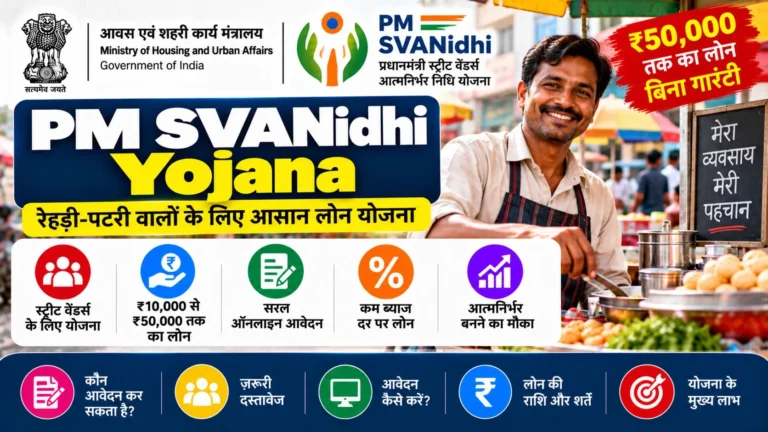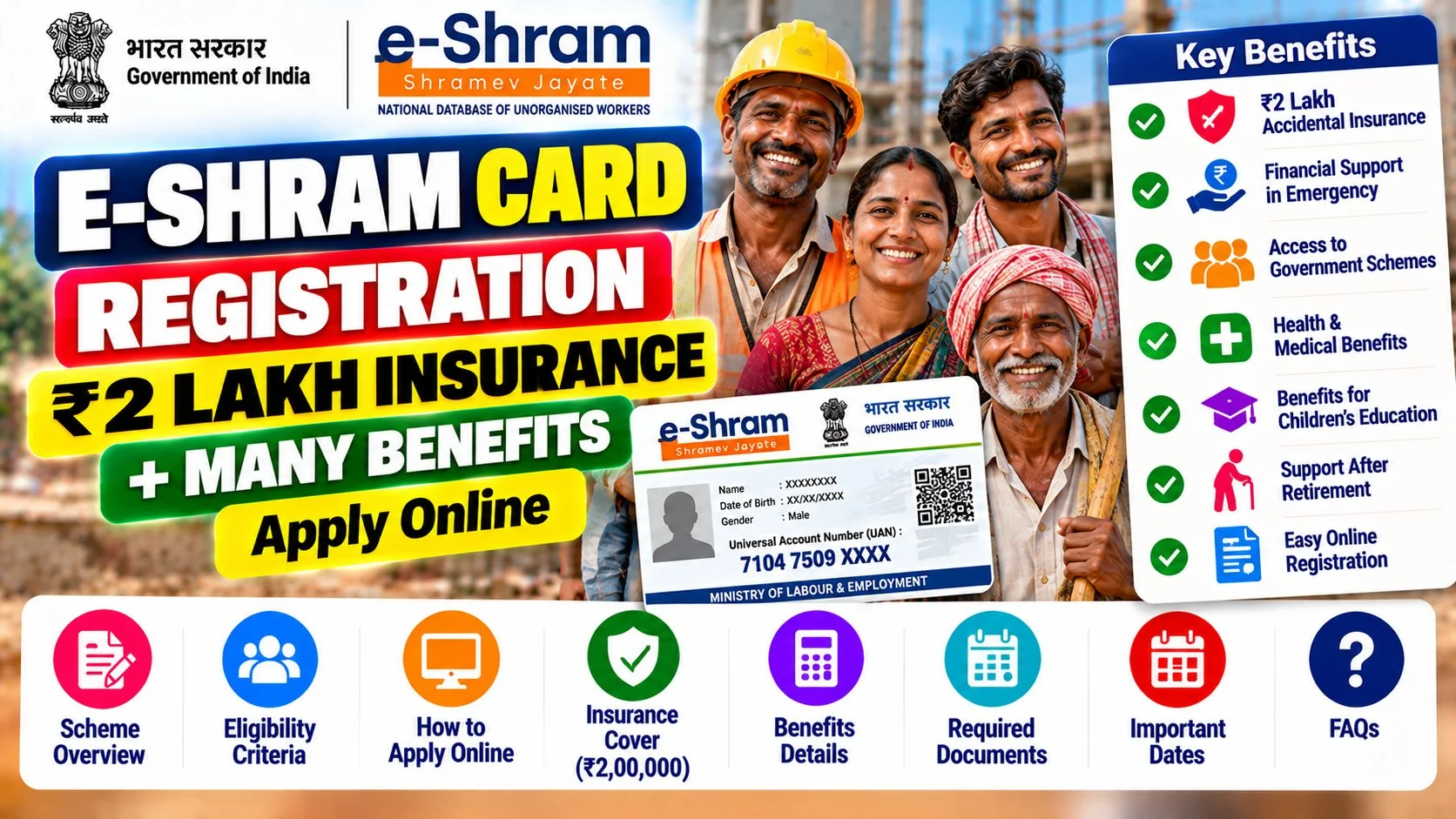

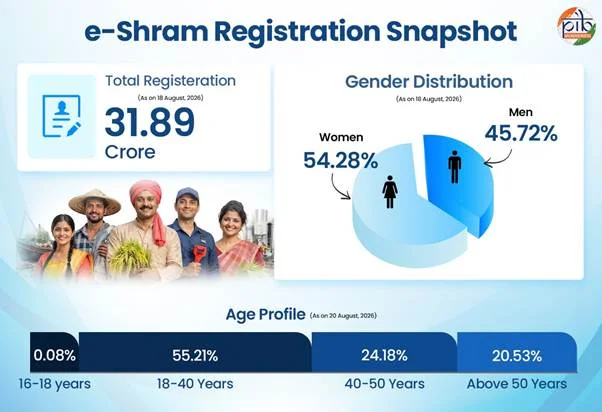
If you are a construction worker, delivery partner, street vendor, domestic help, or any kind of daily-wage or gig worker in India, the e-Shram card is one of the most important government documents you can get. Over 31.89 crore workers have already registered on the e-Shram portal as of August 2026, according to the Press Information Bureau. But here is the problem — most websites give you wrong or half-baked information about it. This guide fixes that. You can do your e-shram card registration on the official portal.
✅ This guide is based on official government sources (Ministry of Labour & Employment, PIB) and notifications. Last verified: October 14, 2026. Scheme details, eligibility criteria, and benefit amounts are revised by the government from time to time — always cross-check the latest information on the official portal before applying.
⚠️ The Big Truth Nobody Tells You About E-Shram Card
on the official portal is the fastest way to get your 12-digit UAN.
Let me be honest with you right from the start, because this matters more than anything else in this article.
Many websites claim that registering for an e-Shram card automatically gives you ₹1,000 per month. This is NOT true. There is no central government scheme that pays every e-Shram cardholder ₹1,000 every month just for registering.
Here is what is actually true:
- The e-Shram card is a registration and identity document — think of it like a gateway, not a cash machine.
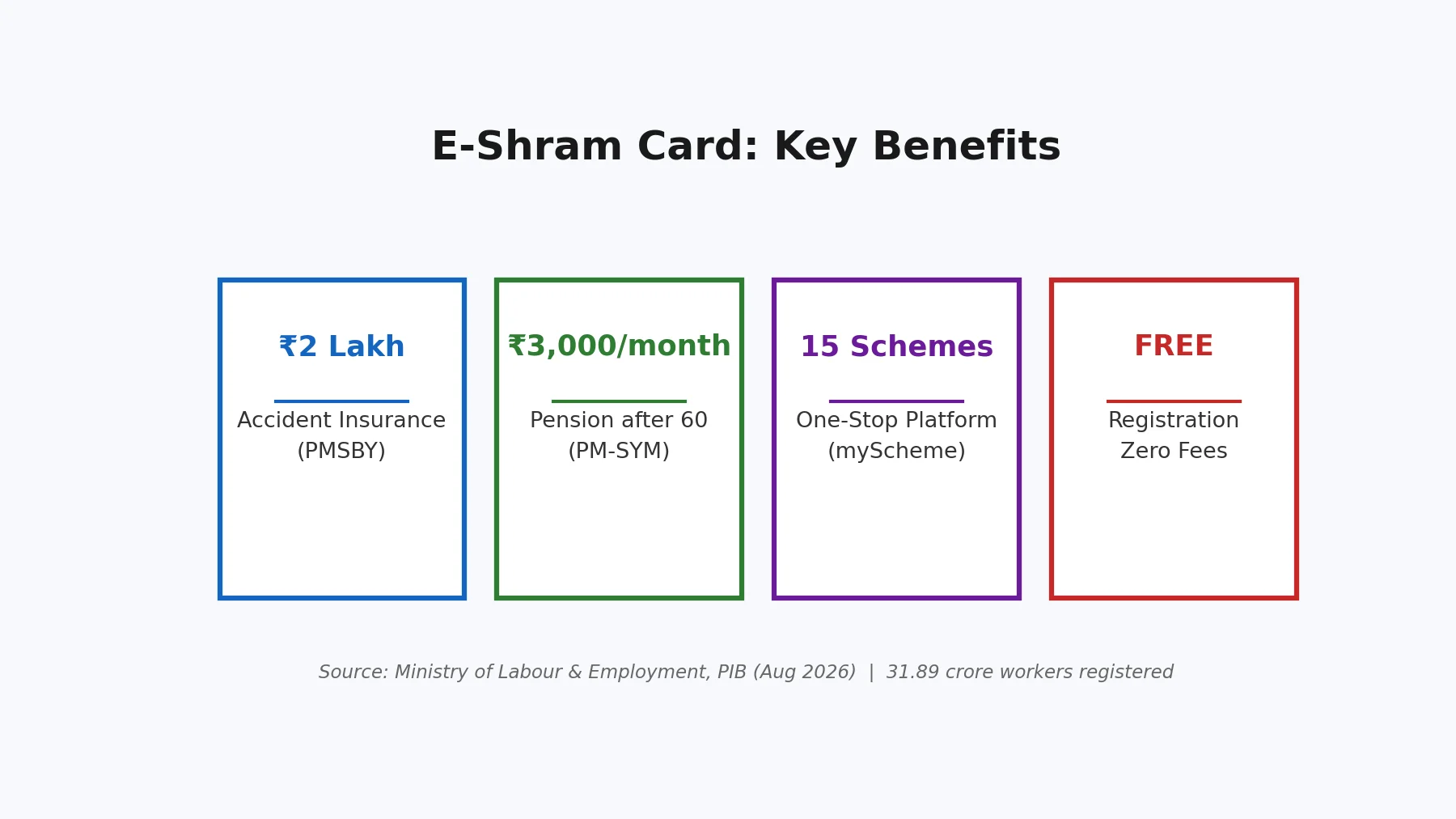
- It gives you ₹2 lakh accident insurance automatically (free of cost).
- It makes you eligible for various central and state welfare schemes.
- Some state governments (like Uttar Pradesh) have announced separate payments (e.g., ₹1,000) for registered workers — but that is a state-specific scheme, not an automatic e-Shram benefit.
Why am I telling you this? Because I do not want you to register with wrong expectations and then feel cheated. The e-Shram card is genuinely valuable — but for the right reasons, which I will explain in detail below.
What Is the E-Shram Card?
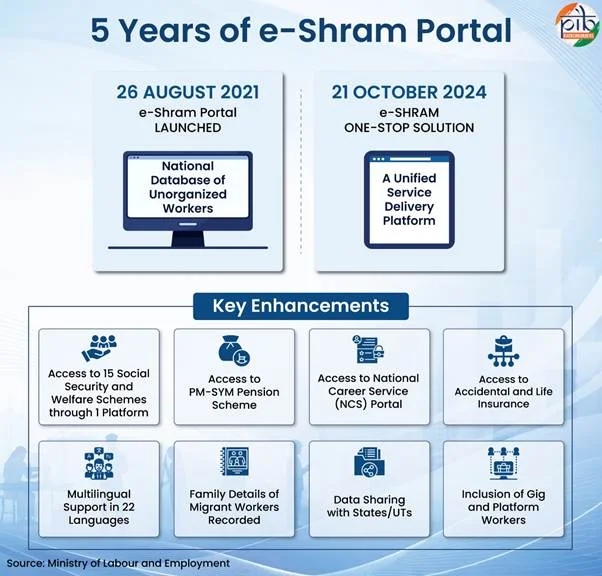
The e-Shram card is a digital identity card issued by the Ministry of Labour & Employment, Government of India, for workers in the unorganized sector. It was launched in August 2021 as part of the National Database of Unorganized Workers (NDUW).
The unorganized sector includes roughly 90% of India’s workforce — construction workers, street vendors, domestic workers, agricultural labourers, auto drivers, tailors, fishermen, delivery partners, and millions of others who do not have formal employment records, PF accounts, or company-provided insurance.
Before e-Shram, there was no single national database of these workers. That meant when the government wanted to deliver benefits — like during COVID-19 — it had no reliable way to find and reach them. The e-Shram portal fixes this by creating a Universal Account Number (UAN) for every registered worker, linked to their Aadhaar.
When you register, you get:
- A 12-digit UAN (your permanent e-Shram number)
- A downloadable e-Shram card (PDF) with your photo, name, occupation, and UAN
- Automatic enrollment in the PMSBY accident insurance scheme (₹2 lakh cover)
- Visibility in the national database for future welfare schemes
E-Shram Card Benefits: The Complete List
Festive season also brings extra payouts for many workers — see the Diwali Bonus 2026 announcement for this year’s bonus figures.
Let us go through every benefit clearly, so you know exactly what you get and what you do not.
| Benefit | Details | Automatic or Apply Separately? |
|---|---|---|
| Accident Insurance (PMSBY) | ₹2 lakh for accidental death / total disability; ₹1 lakh for partial disability. Premium paid by the government. | Automatic on registration |
| Pension (PM-SYM) | ₹3,000/month pension after age 60. Contribution ₹55–₹200/month depending on entry age (18–40 years). | Separate enrollment needed |
| Health Insurance (PM-JAY) | ₹5 lakh/year family health cover under Ayushman Bharat for eligible families. | Eligibility-based (SECC criteria) |
| National Database Visibility | Your details are available to central and state governments for targeted welfare delivery. | Automatic |
| State Scheme Eligibility | States like UP, Bihar, and others link their worker welfare payments to e-Shram registration. | As per state announcements |
| Job & Skill Opportunities | The portal is being integrated with employment exchanges and skill development programs. | Ongoing development |
For workers in Gujarat: alongside e-Shram, also check the Manav Garima Yojana, which provides a free toolkit (28 trades covered) to eligible workers — a practical extra benefit on top of your e-Shram insurance cover.
The ₹2 Lakh Insurance — How It Actually Works
This is the one benefit that is genuinely automatic. When you register on e-Shram, you are enrolled in the Pradhan Mantri Suraksha Bima Yojana (PMSBY) at no cost to you. The government pays the annual premium.
- Accidental death: ₹2,00,000 paid to nominee
- Total irrecoverable disability (loss of both eyes, both hands/feet, or one eye + one limb): ₹2,00,000
- Partial disability (loss of one eye or one hand/foot): ₹1,00,000
To claim, your nominee needs to contact the bank where your e-Shram-linked account is held, or approach the nearest CSC (Common Service Centre) with the death/disability certificate, your e-Shram card, and Aadhaar details.
The ₹3,000 Pension — What You Must Know
The Pradhan Mantri Shram Yogi Maan-Dhan (PM-SYM) pension scheme gives ₹3,000 per month after you turn 60. But — and this is important — you must enroll separately and pay a monthly contribution.
- Entry age: 18 to 40 years
- Monthly contribution: ₹55 to ₹200 (depends on your age at entry; younger = less)
- The government matches your contribution equally
- Pension starts at age 60: ₹3,000/month guaranteed
- If you die, your spouse gets 50% as family pension
You can enroll for PM-SYM at the same CSC where you do e-Shram registration, or through the maandhan.in portal.
Who Is Eligible for E-Shram Card?
You can register if you meet ALL of these conditions:
- You are an unorganized worker — meaning you do not have PF, ESI, or NPS (government) coverage through an employer
- Your age is between 16 and 59 years
- You are not an income tax payer
- You have a valid Aadhaar number
- You have a mobile number linked to Aadhaar (for OTP verification)
- You have a bank account (for benefit transfers)
Who Cannot Register?
- Workers already covered under EPFO (PF) or ESIC
- Income tax payers
- Workers enrolled in NPS (government)
- Government employees
Which Occupations Are Covered?
The portal lists over 400 occupations. The main categories include:
- Construction: masons, helpers, painters, electricians, plumbers, welders
- Street vending: vegetable/fruit vendors, tea stalls, hawkers
- Domestic work: house help, cooks, caretakers, drivers
- Agriculture: farm labourers, sharecroppers, dairy workers, fishermen
- Transport: auto/rickshaw drivers, truck helpers, loaders
- Services: barbers, tailors, dhobis, cobblers, security guards
- Gig/platform workers (NEW): food delivery partners, ride-hailing drivers, e-commerce delivery agents — added after the 2025 Budget announcement extending social security to gig workers
- Others: beedi workers, brick kiln workers, handloom workers, sanitation workers, and many more
Documents Required for E-Shram Registration
You need only three things — the process is deliberately simple:
| Document | Why It Is Needed | Notes |
|---|---|---|
| Aadhaar Card | Identity verification + UAN generation | Mobile number MUST be linked to Aadhaar for OTP |
| Mobile Number | OTP verification during registration | Should be the one linked to your Aadhaar |
| Bank Account Details | For DBT benefit transfers + insurance linkage | Account number + IFSC; preferably Aadhaar-seeded |
What if your mobile number is NOT linked to Aadhaar? Then you cannot do self-registration online. You must visit the nearest CSC (Common Service Centre), where the operator can verify you using biometric authentication (fingerprint). This is completely free.
E-Shram Card Registration: 10-Step Online Process
Follow these steps carefully. The whole process takes about 10–15 minutes if your Aadhaar-linked mobile number is active.
Step 1: Go to the Official Portal
Open eshram.gov.in in your browser. This is the ONLY official website. Be careful of fake websites with similar names — the government never charges any fee for e-Shram registration.
Step 2: Click “Register on eShram”
On the homepage, you will see a “Register on eShram” button. Click it. You will be taken to the self-registration page.
Step 3: Enter Your Aadhaar-Linked Mobile Number
Enter the mobile number that is linked to your Aadhaar. Enter the captcha code shown on screen, then click “Send OTP”.
Step 4: Verify the OTP
You will receive a 6-digit OTP on your mobile. Enter it and click “Verify”. If you do not receive the OTP within 2–3 minutes, click “Resend OTP”.
Step 5: Enter Your Aadhaar Number
Now enter your 12-digit Aadhaar number. Accept the consent checkbox (allowing UIDAI verification) and click “Submit”. Another OTP will be sent — this time for Aadhaar authentication.
Step 6: Verify Aadhaar OTP
Enter the Aadhaar OTP. Once verified, the system will auto-fill your name, date of birth, gender, and address from the Aadhaar database. Check that the details are correct.
Step 7: Fill Personal Details
Complete the remaining fields:
- Marital status
- Category (General/OBC/SC/ST)
- Blood group (optional)
- Nominee details (name, relationship, date of birth) — important for the insurance claim
Step 8: Fill Occupation & Address Details
- Select your primary occupation from the dropdown (e.g., “Construction Worker”, “Street Vendor”)
- Select secondary occupation if applicable
- Confirm your current address (or update if different from Aadhaar address)
- Enter your bank account details — account number, IFSC code, and bank name
Aur jankari ke liye Sukanya Samriddhi Yojana par hamara detailed article padhein.
Step 9: Review and Submit
Review ALL the details on the preview screen carefully. Check your name spelling, occupation, bank details, and nominee information. Once satisfied, click “Submit”.
Step 10: Download Your E-Shram Card
After successful submission, your 12-digit UAN will be displayed on screen. You can immediately download your e-Shram card as a PDF. Save it and take a printout — the physical card is useful when visiting government offices or CSCs.
You will also receive a confirmation SMS on your registered mobile number.
How to Register via CSC (Offline Method)
If you do not have a smartphone, internet access, or an Aadhaar-linked mobile number, visit your nearest Common Service Centre (CSC / Jan Seva Kendra).
- Find a CSC: Ask at your local panchayat office, or search on digitalSeva portal, or call the e-Shram helpline 14434 (toll-free).
- Carry: Your Aadhaar card and bank passbook/account details.
- Biometric verification: The CSC operator will verify your fingerprint against Aadhaar — no mobile OTP needed.
- Cost: Registration is completely free. If any CSC operator demands money, report it to the helpline.
- Time: 15–20 minutes. You will get a printed e-Shram card on the spot.
Gig Workers & Platform Workers: New in 2025
This is a significant recent development. In the 2025 Union Budget, the government announced that gig and platform workers — such as food delivery partners (Zomato, Swiggy), ride-hailing drivers (Ola, Uber), and e-commerce delivery agents — would be brought under social security coverage through the e-Shram portal.
If you are a gig worker:
- You can and should register on e-Shram under the gig worker occupation category.
- The government is working on a framework where platform companies contribute to a social security fund for gig workers.
- Your e-Shram registration makes you visible for these upcoming benefits.
- The ₹2 lakh accident insurance is especially relevant given the road risks in delivery work.
If you later move into a formal job where PF is deducted from your salary, make sure you activate your UAN so you can track your provident fund balance and manage claims online.
How to Check E-Shram Payment Status
Many workers ask: “I registered — has any money come to my account?” Here is how to check:
- Go to eshram.gov.in and click on “Already Registered? Update” or the payment status link (varies by state scheme).
- Enter your UAN or Aadhaar-linked mobile number.
- Verify with OTP.
- Your registration details and any linked scheme payments will be displayed.
Important: The e-Shram portal itself does not disburse monthly payments. If a state government has announced a payment (like UP’s worker assistance), check that state’s labour department website for the payment status — not just the e-Shram portal.
You can also check your bank account directly for DBT credits, or use the PFMS (Public Financial Management System) “Know Your Payments” feature on pfms.nic.in with your bank account number.
How to Download / Reprint Your E-Shram Card
Lost your card or need a fresh copy? It takes 2 minutes:
- Go to eshram.gov.in
- Click “Already Registered? Update / Download UAN Card”
- Enter your UAN or mobile number + OTP verification
- Click “Download UAN Card” — the PDF will download immediately
You can also update your mobile number, address, occupation, or nominee details through the same “Update” option.
E-Shram Card vs Other Labour Cards: Key Differences
| Card / Scheme | Issued By | Coverage |
|---|---|---|
| E-Shram Card | Central Govt (Ministry of Labour) | All unorganized workers, pan-India |
| BOCW Card | State Building & Construction Workers Board | Only construction workers; state-specific benefits (often more generous) |
| Labour Card (State) | State Labour Department | Varies by state |
Tip: If you are a construction worker, get BOTH — the e-Shram card (national database + insurance) AND your state’s BOCW card (which often has better state-level benefits like children’s education assistance, marriage assistance, and tool kits).
For daughters’ education specifically, Gujarat families should also look at the Vahali Dikri Yojana, which offers up to ₹1.10 lakh for a daughter’s education and wedding expenses.
Common Problems & Solutions
Problem 1: “OTP not received”
Solution: Wait 3–5 minutes and click Resend. Make sure your mobile has network coverage. If the number is not linked to Aadhaar, visit a CSC for biometric registration instead.
Problem 2: “Aadhaar details mismatch”
Solution: If your name or date of birth on Aadhaar is wrong, update it first at an Aadhaar Seva Kendra. The e-Shram portal pulls data directly from UIDAI.
Problem 3: “Already registered” error
Solution: You may have registered earlier and forgotten. Use the “Download UAN Card” option with your mobile number to retrieve your existing UAN. Do NOT create a duplicate registration.
Problem 4: “Bank account not verified”
Solution: Ensure your bank account is active and preferably seeded with Aadhaar (ask your bank for “Aadhaar seeding”). Wrong IFSC codes are the most common cause — double-check.
Problem 5: “Occupation not in list”
Solution: The list has 400+ occupations. Try searching with different keywords, or select the closest match under “Others”. Your exact job title matters less than being in the database.
Also read: Labour Welfare Scholarship 2026: ₹25,000 for Workers’ Children | Aadhaar Update Charges in 2026: Fees & Free Options
Frequently Asked Questions (FAQ)
Q1. Is e-Shram card registration free?
Yes, 100% free. There is no registration fee, no annual charge, and no hidden cost — whether you register online yourself or through a CSC. If anyone asks for money, it is a scam. Report it to the toll-free helpline 14434.
Q2. Will I get ₹1,000 per month after registering?
No — not automatically. The e-Shram card itself does not pay a monthly amount. It gives you ₹2 lakh accident insurance and makes you eligible for government schemes. Some states have announced separate payments for registered workers, but those are state-specific schemes with their own rules, not an e-Shram benefit.
Q3. What is the e-Shram card helpline number?
The national toll-free helpline is 14434 (available in multiple languages). You can also email [email protected] for support.
Q4. Can I register if I already have a PF account?
No. If you are covered under EPFO (Provident Fund) or ESIC through an employer, you are considered an organized-sector worker and are not eligible for e-Shram.
Q5. Is the e-Shram card valid for lifetime?
Your UAN is permanent — it stays with you for life, even if you change jobs, cities, or occupations. However, you should update your details (mobile number, address, occupation, nominee) whenever they change, so benefit delivery is not disrupted.
Q6. Can gig workers like Zomato/Swiggy delivery partners register?
Yes. Following the 2025 Budget announcement, gig and platform workers are explicitly covered. Select the gig worker / delivery occupation category during registration. This also positions you for upcoming platform-worker social security benefits.
Conclusion
The e-Shram card is one of the most valuable free documents an unorganized worker can hold in India. With 31.89 crore registrations and counting, it has become the backbone of worker welfare delivery in the country.
To summarize what you actually get:
- ✅ ₹2 lakh accident insurance — free, automatic, genuinely useful
- ✅ A permanent 12-digit UAN — your identity in the national worker database
- ✅ Eligibility gateway — for PM-SYM pension (₹3,000/month), PM-JAY health cover, and state schemes
- ❌ NOT automatic monthly cash — do not believe websites that promise ₹1,000/month for just registering
Registration takes 10–15 minutes on eshram.gov.in and costs nothing. If you are an eligible unorganized worker — or a gig worker — there is no reason to delay. And if you know someone who works as a daily-wage labourer, street vendor, domestic help, or delivery partner, share this guide with them. The biggest barrier for most workers is simply not knowing the process — and now you know it step by step.