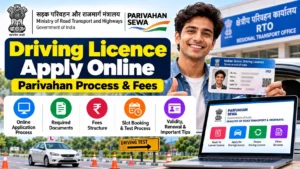
Getting your driving licence apply online process done in India used to mean multiple painful trips to the RTO — standing in queues, dealing with agents, and wasting full days. That has changed. Today, almost the entire process runs on the official Sarathi portal run by the Ministry of Road Transport and Highways, and in many states you can even take your Learner’s Licence test from home.
✅ You can apply for a driving licence online in India through the official Sarathi portal (sarathi.parivahan.gov.in). First get a Learner’s Licence (₹200), clear the online LL test, wait 30 days, then apply for the permanent DL (₹200 + ₹300 test fee) and pass the RTO driving test. Last verified: October 15, 2026 against the Ministry of Road Transport and Highways (MoRTH) portal.
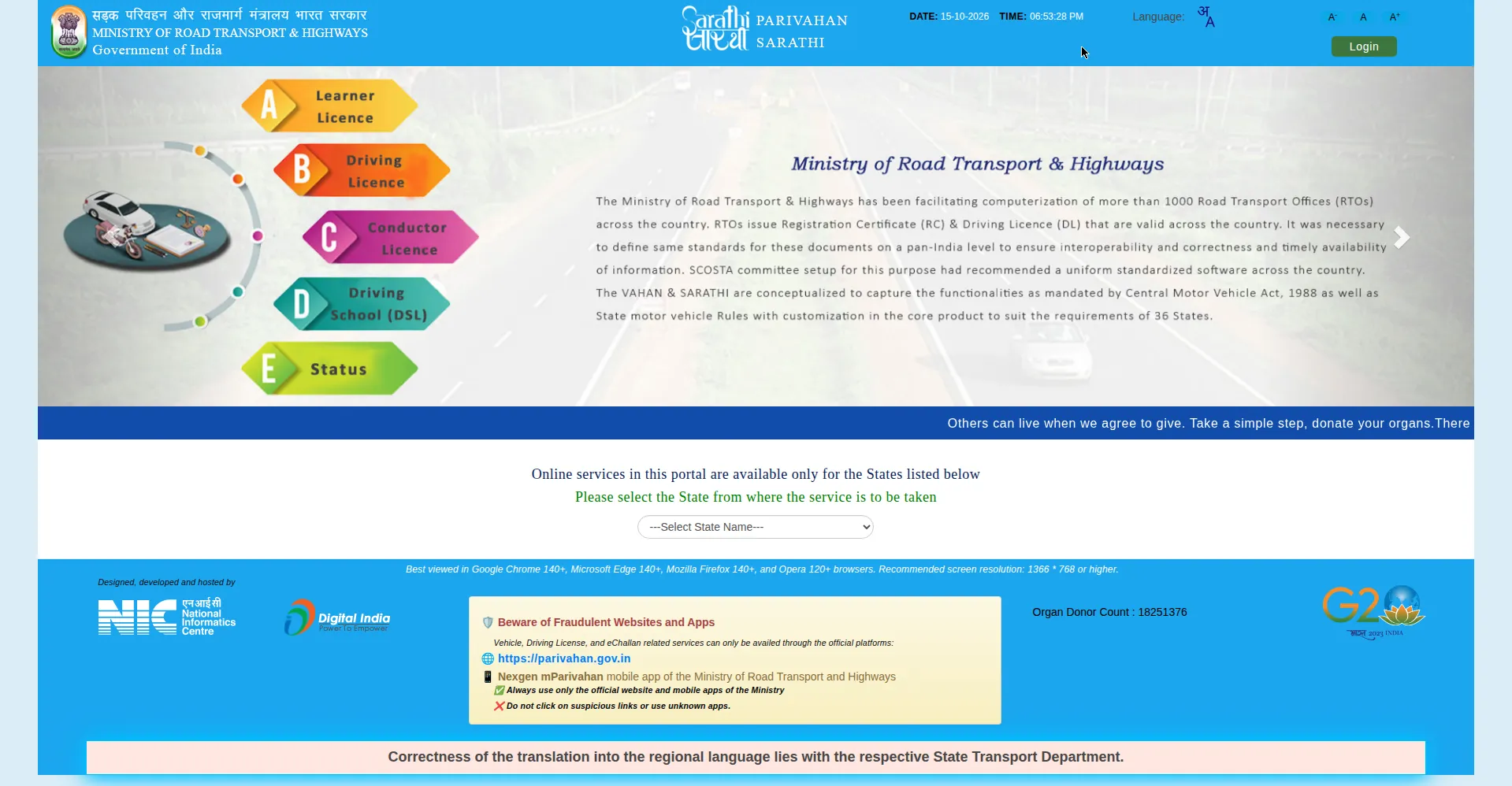
In this guide, I will walk you through the complete driving licence online apply process step by step — the documents you need, the exact fees, how the LL test works, how to book your driving test slot, how to check your DL status, and the mistakes that get applications rejected. Everything is based on the official Parivahan/Sarathi system, so you can skip the agent and do it yourself.
Driving Licence in India: Key Facts at a Glance
| Item | Details |
|---|---|
| Official portal | sarathi.parivahan.gov.in (Sarathi) under parivahan.gov.in |
| Two stages | Stage 1: Learner’s Licence (LL) → Stage 2: Permanent Driving Licence (DL) |
| LL fee | ₹200 total (₹150 issue + ₹50 test) per vehicle class |
| DL fee | ₹200 issue + ₹300 driving test, per vehicle class |
| LL validity | 6 months; apply for DL after 30 days, before LL expires |
| DL validity | 20 years or till age 50, whichever is earlier (non-transport) |
| Minimum age | 16 (gearless, below 50cc) / 18 (car, geared bike) / 20 (commercial) |
| Agent needed? | No. The full process can be done yourself online. |
Types of Driving Licence in India
Before you start the driving licence apply online process, pick the right licence class. Applying for the wrong class is one of the most common reasons people have to redo their application. Here are the main classes you will see on the Sarathi portal:
| Licence Class | Vehicle Type | Min. Age |
|---|---|---|
| MC 50CC / MCWOG | Gearless two-wheelers — scooters, mopeds (below 50cc for MC 50CC) | 16 years (parental consent needed below 18) |
| MCWG | Motorcycles with gear, any engine capacity | 18 years |
| LMV-NT | Light Motor Vehicle (non-transport) — cars, jeeps, small vans for personal use | 18 years |
| LMV-TR | Light Motor Vehicle for commercial/transport use | 20 years |
| HMV / HGMV / HPMV | Heavy motor vehicles — trucks, buses, trailers | 20 years (+ valid LMV licence + training) |
Most first-time applicants choose MCWG + LMV (bike + car). You can apply for both classes in a single application — you will pay the fee per class, but you save yourself a second round of paperwork. If you only ride a scooter, MCWOG is enough.
Eligibility for Driving Licence Online Apply
The eligibility rules are the same across India because they come from the Motor Vehicles Act. Check these before you apply:
- Age: 16 for gearless two-wheelers below 50cc (with parent/guardian consent if under 18), 18 for geared motorcycles and cars, 20 for commercial vehicles.
- Learner’s Licence first: You cannot skip the LL. You must hold a valid LL for the same vehicle class for at least 30 days before applying for the permanent DL.
- Medical fitness: You must be medically fit to drive. If you are 40 or older, or applying for a commercial (transport) class, you need a medical certificate in Form 1A signed by a registered medical practitioner. For other applicants, a self-declaration in Form 1 is enough.
- No disqualification: You should not be disqualified from holding a driving licence by any court order.
- Knowledge of traffic rules: You must pass the LL theory test on traffic rules and road signs.
Documents Required for Driving Licence
Keep scanned copies ready before you start. The portal usually accepts JPEG files between 10 KB and 200 KB for photo and signature. Blurry or oversized uploads are a top reason for application hold-ups.
| Document Type | Accepted Documents (any one) |
|---|---|
| Age proof | Birth certificate, Class 10 marksheet, passport, PAN card |
| Address proof | Aadhaar card, passport, voter ID, utility bill (not older than 3 months), registered rent agreement |
| Identity proof | Aadhaar card, PAN card, passport, voter ID |
| Photograph & signature | Recent passport-size photo and signature scan (JPEG, 10–200 KB) |
| Form 1 | Self-declaration of physical fitness (required for all non-transport applicants) |
| Form 1A | Medical certificate from a registered doctor (only if 40+ or commercial class) |
| Learner’s Licence | Valid LL number (only when applying for the permanent DL) |
Pro tip: If your name or date of birth on Aadhaar does not exactly match your other documents, fix that first. Even a single-character mismatch can fail Aadhaar verification on the portal and stall your application.
How to Apply for Driving Licence Online: Step-by-Step
The driving licence apply online process has two stages. Do not try to jump to the permanent licence — the portal will not let you. Here is the exact flow on the official Sarathi portal.
Stage 1: Apply for Learner’s Licence (LL)
Step 1 — Open the Sarathi portal and select your state. Go to sarathi.parivahan.gov.in and choose your state from the dropdown. Every state’s page looks slightly different, but the options below are the same everywhere.
Step 2 — Click “Apply for Learner Licence”. You will see an option to continue with or without Aadhaar authentication. Choosing Aadhaar-based authentication is better — in many states it makes the process contactless, meaning no RTO visit for document verification.
Step 3 — Fill Form 2. Enter your personal details exactly as they appear on your documents: full name, date of birth, address, mobile number, and the vehicle class (MCWG, LMV, etc.) you are applying for. Double-check the spelling of your name — this is what gets printed on your licence.
Step 4 — Upload documents, photo, and signature. Upload your age proof, address proof, Form 1 (self-declaration), and your photo and signature scans. The portal shows the accepted size and format on the upload screen itself — follow it exactly.
Step 5 — Pay the LL fee online. The fee is ₹150 for issue of the Learner’s Licence plus ₹50 for the LL test, per vehicle class. Pay by UPI, debit/credit card, or net banking. Save the payment receipt — take a screenshot immediately. If payment succeeds but the application does not submit, do not pay again; contact the Sarathi helpdesk with your transaction ID.
Step 6 — Book your LL test slot. After payment, book a slot for the computer-based LL test. In many states this test is now conducted online from home through the STALL (Sarathi Test for All Learner’s Licences) system with AI-based proctoring and Aadhaar authentication. Other states still ask you to visit the RTO.
Step 7 — Take the test and download your LL. Pass the test (details below) and download your Learner’s Licence (Form 3) as a PDF directly from the portal. Your LL is valid for 6 months.
Stage 2: Apply for Permanent Driving Licence (DL)
Wait at least 30 days after your LL is issued — this waiting period is mandatory and the portal enforces it. But do not wait too long: your LL expires after 6 months, and you must apply for the DL before that.
Step 1 — Click “Apply for Driving Licence”. On the Sarathi portal, select your state and choose “Apply for Driving Licence”. Enter your Learner’s Licence number and date of birth.
Step 2 — Fill Form 4. Complete the DL application form. Most of your details will be pre-filled from your LL record — verify them carefully.
Step 3 — Upload documents. Upload your valid LL, and Form 1A (medical certificate) if you are 40+ or applying for a commercial class.
Step 4 — Pay the DL fee. ₹200 for DL issuance plus ₹300 for the driving test, per vehicle class. So for bike + car (MCWG + LMV), the test fee is ₹300 × 2 = ₹600.
Step 5 — Book your driving test slot. Choose a date and RTO for your on-track driving test. Morning slots fill fast — book early.
Step 6 — Appear for the driving test. Visit the RTO on your slot date with your original LL, application receipt, and original documents. Bring your own vehicle of the same category. A Motor Vehicle Inspector will evaluate you on the test track.
Step 7 — Receive your DL. If you pass, your permanent driving licence is processed and dispatched to your registered address. The digital version usually appears within a few days; the smart card arrives by post in a few weeks.
Learner’s Licence Test: Pattern, Syllabus & Passing Tips
The LL test is where most first-timers feel nervous, but it is genuinely easy if you prepare for one evening. Here is exactly what to expect:
- Format: Computer-based multiple-choice questions (MCQs) with 3–4 options each.
- Questions: 20 questions in most states (some RTOs ask 15).
- Pass mark: 60% — that means at least 12 correct out of 20 (or 9 out of 15 where applicable).
- Time: 30 seconds per question; the full test runs about 10 minutes.
- Syllabus: Traffic rules and regulations, road signs and signals, right-of-way rules, speed limits, parking rules, and documents you must carry while driving.
- STALL online test: In supported states, you take the test from home on a laptop/PC with webcam verification, Aadhaar authentication, and a Safe Exam Browser. You log in with your application number, password, and date of birth.
How to prepare (one-evening plan): Read the traffic signs chart on the Parivahan portal — roughly half the questions are sign identification. Learn the mandatory signs (red circle = prohibition), cautionary signs (red triangle = warning), and informatory signs (blue rectangle = information). Revise right-of-way rules: vehicles on your right get priority at intersections, and emergency vehicles always get a free passage. If you fail, you can retake the test after 7 days by paying the ₹50 test fee again.
RTO Driving Test: What Happens on Test Day
The practical driving test is conducted on an RTO test track — you cannot take it from home. Here is what the inspector checks:
- Two-wheelers: The classic “8-figure” (figure of eight) track. You must ride through it without putting your feet down or touching the boundary lines.
- Four-wheelers: The “H” or “T” pattern — forward and reverse driving between marked lines, plus parallel parking in some RTOs.
- What is marked: Smooth vehicle control, correct use of indicators and mirrors, reversing skill, stopping at the stop line, and knowledge of road signs the inspector may ask about.
- Bring: Your own vehicle of the same category, original LL, application receipt, and original documents.
Tips that actually matter: Practice the 8-figure or H-pattern at least a few times before test day — most failures come from touching a line, not from bad driving. Keep both hands on the wheel, use indicators even on the track, and do not rush. If you fail, you can reappear after 7 days.
Driving Licence Fees in India: Complete Table
Here is the full official fee structure. These are the central government-prescribed fees; states may add small smart-card or service charges on top.
| Service | Fee |
|---|---|
| Learner’s Licence issue (per class) | ₹150 |
| Learner’s Licence test / repeat test | ₹50 |
| Permanent DL issue | ₹200 |
| Driving test / repeat test (per class) | ₹300 |
| DL renewal | ₹200 |
| Renewal after grace period | ₹300 + applicable fees |
| Duplicate DL | ₹200 |
| Adding another vehicle class to DL | ₹500 |
| International Driving Permit (IDP) | ₹1,000 |
| Change of address on DL | ₹200 |
Total cost estimate: For a first-timer applying for bike + car, expect roughly ₹200 (LL) + ₹500 (DL issue + tests for two classes) = around ₹700–₹1,000 including payment gateway charges. Anyone quoting you ₹3,000–₹5,000 as an “agent fee” is overcharging — the whole point of the online system is that you do not need one.
How to Book Your Driving Test Slot Online
Slot booking happens inside the Sarathi portal after you submit your application and pay the fee:
- Go to sarathi.parivahan.gov.in, select your state.
- Under “Appointments”, choose “Slot Booking” → “LL Test Slot Booking” or “DL Test Slot Booking” as applicable.
- Enter your application number and date of birth.
- Pick your preferred RTO, date, and time slot from the available calendar.
- Confirm and save/print the appointment slip — carry it on test day.
If your preferred date shows no slots, check early morning — new slots are typically released in batches, and cancellations free up spaces. For the DL test, weekday morning slots are usually easier to get than weekends.
Driving Licence Status Check Online
After applying, track your application instead of visiting the RTO repeatedly. You have three official options:
Method 1 — Sarathi portal (application status): Go to sarathi.parivahan.gov.in, select your state, click “Application Status”, and enter your application number, date of birth, and the captcha. You will see exactly which stage your application is at — document verification, test result, approval, printing, or dispatch.
Method 2 — mParivahan app: Download the official mParivahan app (Ministry of Road Transport and Highways), tap “Driving Licence”, and enter your DL number and date of birth. It shows validity, holder name, issuing RTO, and authorised vehicle classes.
Method 3 — DigiLocker: Your DL is issued digitally to DigiLocker, where it is legally valid as an original document. Handy for traffic checks — and if you ever face an e-challan, you can read our guide on how to check and pay e-challan status online.
If your status has not moved for 2–3 weeks, first check for SMS/email updates from the RTO, then contact your RTO with the application number. Payment-done-but-not-submitted cases need the transaction ID, so always save your payment receipt.
How to Download Your Driving Licence Online
Once issued, you do not have to wait for the smart card to use your licence:
- Parivahan print: On the Sarathi portal, use “Print Driving Licence” under the Driving Licence menu — enter your application/DL number and DOB to get a printable PDF.
- DigiLocker: Log in to DigiLocker (or the app), and your DL appears under issued documents. This digital copy is legally equivalent to the physical card.
- mParivahan app: Shows your DL details on your phone anytime.
DL Renewal and Duplicate Licence
Renewal: A non-transport DL is valid for 20 years or till you turn 50, whichever comes first. Apply for renewal on the Sarathi portal before expiry — the fee is ₹200. If you apply after the grace period, it is ₹300 plus applicable fees, and you may need a fresh medical certificate.
Duplicate DL: Lost your licence? Apply for a duplicate on the portal (fee ₹200). You will need an FIR copy for a lost licence. The duplicate carries the same validity as the original.
7 Mistakes That Get Driving Licence Applications Rejected
- Name/DOB mismatch with Aadhaar: The single biggest cause of verification failure. Match your Aadhaar exactly.
- Blurry or oversized uploads: Stick to the portal’s stated size limits (usually 10–200 KB, JPEG).
- Wrong vehicle class selected: Applying for LMV when you trained on a bike wastes a full cycle.
- Applying for DL before 30 days: The portal blocks it — the 30-day LL holding period is mandatory.
- Letting the LL expire: You have 6 months from LL issue to get your DL. Miss it and you start over.
- Paying twice after a payment glitch: If money is deducted but the application is not submitted, screenshot the transaction and contact the helpdesk — do not pay again immediately.
- Old mobile number on Aadhaar: OTPs go to the Aadhaar-linked number. Update it first if you have changed numbers.
FAQs: Driving Licence Apply Online
1. What is the official website to apply for a driving licence online in India?
The official website is the Sarathi portal at sarathi.parivahan.gov.in, run by the Ministry of Road Transport and Highways. Select your state on the homepage to access all driving licence services. Avoid third-party sites that charge extra “service fees” — the government portal itself is free to use apart from the official fees.
2. How can I apply for a learning licence online?
Go to sarathi.parivahan.gov.in, select your state, click “Apply for Learner Licence”, fill Form 2 with your details, upload documents, pay ₹200 (₹150 issue + ₹50 test), book your LL test slot, and pass the computer-based test. You can then download your Learner’s Licence (Form 3) as a PDF.
3. What is the driving licence fee for a car and bike in India?
For the Learner’s Licence: ₹200 per vehicle class. For the permanent DL: ₹200 issuance + ₹300 driving test per class. So bike + car works out to roughly ₹200 (LL for two classes) + ₹1,000 (DL issue + two tests) ≈ ₹1,200 in official fees, plus minor gateway charges.
4. How many days does it take to get a driving licence after the test?
The digital licence usually appears within a few days of passing the driving test, and the physical smart card is dispatched by post within 2–4 weeks. You can track progress with the Application Status option on the Sarathi portal using your application number.
5. Can I take the learner’s licence test from home?
Yes, in many states. The STALL (Sarathi Test for All Learner’s Licences) system lets you take the LL test online from home on a laptop/PC with webcam verification and Aadhaar authentication. Availability varies by state and RTO, so check the option when booking your slot.
6. How do I check my driving licence status online?
Visit sarathi.parivahan.gov.in, select your state, click “Application Status”, and enter your application number, date of birth, and captcha. Alternatively, use the mParivahan app with your DL number, or check your issued documents in DigiLocker.
Final Words
The driving licence apply online process in India is genuinely DIY-friendly now. The official fees are under ₹1,200 for most applicants, the LL test can be taken from home in many states, and every step — from slot booking to status check to download — lives on the Sarathi portal. Prepare your documents, match your Aadhaar details, practice the test track pattern once, and you will have your licence without paying a single rupee to any agent.
Found this guide useful? Share it with someone who is about to apply — it might save them an agent’s fee and two RTO trips.