I clicked “publish” on my first blog post in 2015, hands shaking a little, convinced nobody would read it. I had no idea what I was doing. The font was wrong, the images were massive, and I had spent two days fighting with a theme I picked because it looked pretty in the demo. That post got four views in its first week. Three of them were me.
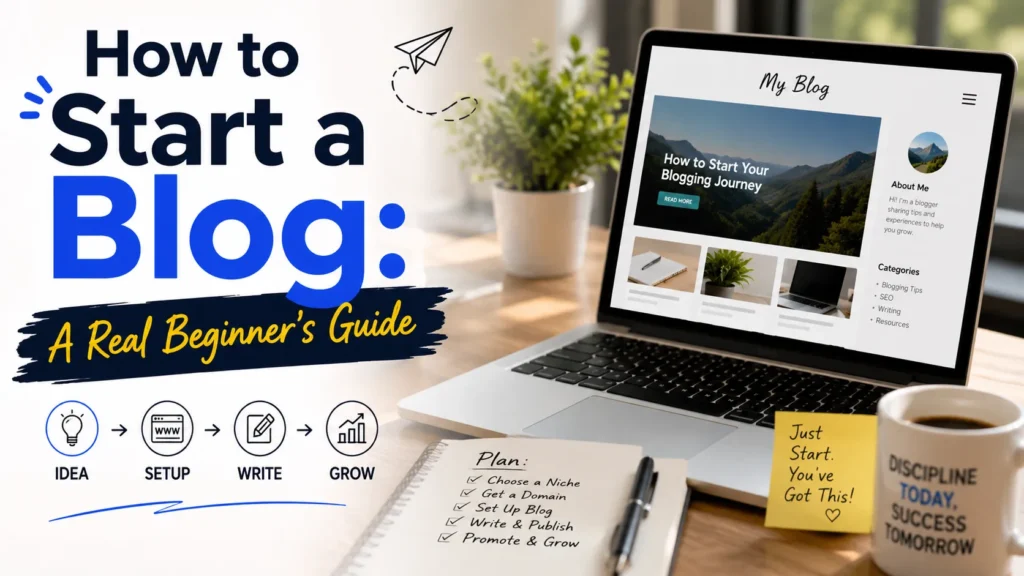
If you’re reading this, you’re probably in the same spot I was — you want to start a blog, you have an idea, and you have a low‑grade panic that you’ll do it wrong. The good news: starting is the easy part. Building one that actually gets read and (if you want) makes money is where the work is. I’ve done it more than once, taught others to do it, and watched a lot of people quit in month three because nobody warned them about the boring middle.
This guide is what I wish someone had handed me. No fluff, no “just follow your passion” pep talk, and no upsell on a $997 course. Just the steps, the mistakes, and the reality of what works.
Part 1 — Starting Your Blog
Before a single word gets written, you need the foundation right: a niche you won’t abandon, a platform you control, and a setup that doesn’t eat your weekends. This part covers the unglamorous decisions that separate blogs that survive from blogs that quietly die in month three.
Why Most New Blogs Fail (Before You Even Start)
Let’s get the awkward part out of the way. Around 800 million blogs exist online in 2026, and roughly 7.5 million new posts go live every single day. Yet only about 14% of bloggers earn any income from their work, and fewer than 7% of those who monetize make more than $1,000 a month. (Sources: Backlinko, Best Writing, Semrush.) That’s not to scare you off — it’s so you set the right expectations.
The reason most blogs die isn’t competition. It’s that the owner burns out, gets discouraged by silence, or spends three months tweaking their logo instead of writing. Every successful blogger I know went through a phase where they were writing into a void. The ones who stuck it out treated the blog like a slow-growing asset, not a slot machine.
So before you pick a platform or buy a domain, get honest about three things:
- Why are you starting? To build a business, to support an existing one, to land a job, or just to have a place to write? Each answer changes what your blog should look like.
- What can you realistically publish? Two posts a week for two years? One a month for six months? Pick a schedule you can actually keep.
- Who is this for? “Anyone interested” is not an audience. Specificity wins.
Once you have answers, the rest of the steps fall into place. Let’s walk through them in order.
Step 1: Pick a Niche You’ll Actually Stick With
A niche is the topic lane your blog lives in. “Food” is too broad. “Quick weeknight dinners for families with picky eaters” is a niche. The narrower you go, the easier it is to rank in Google, the easier it is to be known for something, and the easier it is to monetize later.
When I started my second blog, I picked “budget home office setups for remote workers” because I had just spent two years of my own money figuring out what was junk and what actually held up. That narrowness made every blog post easier to write because I had real experience and a clear reader in mind.
A few rules I use when picking a niche:
- It overlaps with what you already know or do. You don’t need to be an expert on day one. You need to be curious enough to out-research the average person.
- It has paying intent somewhere downstream. If nobody ever spends money in the topic area, monetizing will be an uphill fight. Personal finance, business, health, tech, and home goods all have plenty of affiliate programs and product categories.
- It isn’t so tiny that you’ll run out of things to write about. Run your topic through a free keyword tool like Google Keyword Planner, Ubersuggest, or AnswerThePublic. If you can find 30–50 related questions people are actually asking, you have enough runway.
If you genuinely don’t know, write down five things you could talk about for 30 minutes without notes. That’s your starting list.
Step 2: Choose the Right Blogging Platform
This is where people lose the most time. There are dozens of “best blogging platform” lists, and half of them contradict each other. Here’s the honest breakdown.
| Platform | Best for | Cost to start | Ownership | SEO potential |
|---|---|---|---|---|
| WordPress.org (self-hosted) | Bloggers who want full control and a long-term home | ~$3–$15/month for hosting + domain | You own everything | Excellent |
| Wix | Beginners who want a quick, polished site with no setup | Free plan available; paid plans from ~$17/month | Locked into Wix — no full export | Good, but limited compared to WP |
| Squarespace | Creatives, portfolios, design-first brands | From ~$16/month | Locked into Squarespace | Good, fewer SEO tools |
WordPress powers about 43% of all websites on the internet, and there’s a reason it’s the default for serious bloggers. You own your content, you can move hosts anytime, and you can extend it with plugins for SEO, email, caching, and almost anything else. It does have a learning curve, but with one-click installs from most modern hosts, you can be live in an hour.
Wix is the easiest to start with — drag, drop, done. The trade-off is that you can’t export your site if you outgrow it. For a quick project or a small business site, that’s fine. For a blog you want to grow over years, it becomes a ceiling.
Squarespace wins on design. Their templates look more polished out of the box than anything you’ll find on WordPress for free. If your blog is mainly there to showcase visual work and you don’t care much about deep SEO, it’s a great fit.
My recommendation for most beginners: start with self-hosted WordPress. Use a beginner-friendly host like Bluehost, SiteGround, or Hostinger, pick a clean theme like Astra or GeneratePress, and don’t install a single plugin you don’t need. If you want zero technical setup and you don’t plan to scale traffic, Wix is also a legitimate starting point — just know what you’re trading.
A quick note: Medium, Substack, and LinkedIn newsletters are not “blogs” in the traditional sense. They’re rented land. If your priority is to write and build an audience fast, they work. If you want something you control forever, they don’t. Some bloggers use them as satellites around a real blog.
Step 3: Get Your Domain and Hosting Set Up
A domain is your web address (like yourblogname.com). Hosting is the computer that actually serves your site to visitors. You need both.
Picking a domain name
- Keep it short, easy to spell, and easy to say out loud.
- Prefer .com if you can get it. People default to typing it.
- Skip hyphens, numbers, and clever spellings. They hurt when you say your URL out loud on a podcast.
- Make sure it loosely matches your niche, but don’t lock yourself in. “PineCrestStudio.com” can cover a lot more than pine trees.
Domain registration costs around $10–$15 per year. Namecheap, Cloudflare Registrar, and Google Domains are all good places to buy one.
Picking a host
For most new bloggers, shared or managed WordPress hosting is the right starting point. As of late 2026, entry-level prices look roughly like this (introductory, with renewals higher):
| Host | Entry price | Renewal range | Standout feature |
|---|---|---|---|
| Hostinger | ~$2.99/mo | $7.99–$10.99/mo | Cheap, custom panel, good for budget starters |
| Bluehost | ~$2.95/mo | $9.99–$11.99/mo | Officially recommended by WordPress.org, free domain first year |
| SiteGround | ~$2.99/mo | $17.99–$29.99/mo | Best support, Google Cloud infra, great caching |
| Cloudways (VPS) | ~$14/mo | $14+/mo | More control, better performance, for when you outgrow shared hosting |
The actual setup
Once you have hosting, most providers offer a one-click WordPress install. You’ll:
- Log into your hosting dashboard.
- Click “Install WordPress.”
- Pick a username and strong password (not “admin”).
- Connect your domain.
- Enable a free SSL certificate (the little padlock in the browser bar).
That gets you to a working, blank blog. The rest is design and content.
Step 4: Install Only the Plugins You Actually Need
One of the most common beginner mistakes is installing 30 plugins in the first week because a YouTube video said so. Every plugin is a small piece of code that can slow your site, conflict with others, or get abandoned by its developer. Keep it tight.
For a brand-new blog, six plugins cover almost everything:
- An SEO plugin — Rank Math or Yoast. Both walk you through on-page SEO and add schema markup. I use Rank Math on most of my projects because the free version is more generous.
- A caching plugin — LiteSpeed Cache (if your host runs LiteSpeed), WP Super Cache, or W3 Total Cache. This makes your site load faster, which Google cares about.
- A backup plugin — UpdraftPlus. Set it to back up weekly to Google Drive or Dropbox. You’ll thank yourself the first time something breaks.
- A security plugin — Wordfence or Solid Security. Blocks bad logins and scans for malware.
- An image optimization plugin — ShortPixel or Smush. Compresses images automatically so your pages stay fast.
- An email capture plugin — OptinMonster, MailerLite’s WP plugin, or ConvertKit’s. Set up a sign-up form before you need it.
That’s it. You can build a profitable blog on this stack. Anything else you think you need, wait 30 days and see if you still want it.
Step 5: Design Your Blog Without Losing a Weekend
I made this mistake on blog number one. I spent eight hours trying to make the homepage look like a magazine. I could’ve written three blog posts in that time. Please learn from me.
A clean, fast blog with clear navigation beats a beautiful blog that’s confusing to use. Aim for:
- One readable font family for body text, one for headings. That’s it.
- Two to three colors total — one for the brand, one for accents, one neutral background.
- A header with no more than five menu items (Home, Blog, About, Contact, plus one resource or shop link if you need it).
- White space. A cluttered blog looks amateur faster than anything else.
- A mobile-first layout. More than half of your readers will visit on a phone. Preview every page on your phone before publishing.
For WordPress themes, Astra, GeneratePress, Kadence, and Twenty Twenty-Five (the free default) are all fast, well-coded, and good-looking. Pair any of them with the starter templates plugin if you want pre-built designs you can swap in with one click.
Don’t agonize. You can change anything later. Most successful bloggers look back at their first design and cringe. That’s normal.
Part 2 — Writing SEO-Optimized Blog Posts
Here’s the truth nobody tells beginners: your first posts will be rough, and that’s fine. Writing is a skill that compounds. The bloggers who eventually publish 3,000–5,000 words a day didn’t start there — they started with messy 500-word drafts, learned what worked, and built a repeatable process. This part gives you that process: how to go from a blank page to a published post that’s actually optimized to rank.
Step 6: Write Your First Blog Post (The Right Way)
Your first post is rarely going to be great. That’s fine. The point of the first post isn’t to go viral — it’s to break the seal. Pick a specific question your target reader is asking and answer it well. That’s it.
A simple first-post framework
- Pick one keyword that has some search volume. Use Ubersuggest, Ahrefs’ free keyword generator, or Google Search Console once your site is verified.
- Look at the top 5 results for that keyword. Notice what they cover, what they miss, and how they’re structured.
- Outline 4–7 main points that cover the topic better than what’s already there. Add one point the competitors skipped.
- Write a hook in the first two sentences — a problem, a question, or a striking fact. Don’t open with a dictionary definition.
- Use H2 and H3 subheadings so people (and Google) can scan.
- Add at least one image, one list, and one example.
- End with a clear next step — another post to read, a question to answer, or an email signup.
Length matters less than people think. The average blog post in 2026 is around 2,400 words, but the right length is the one that fully answers the question. Some posts need 1800 words. Some need 3,000. Don’t pad.
Featured snippet optimization
A “featured snippet” is the boxed answer that sometimes shows up above the first organic result. To win one, structure part of your post like this:
- After a subheading, give a 40–60 word direct answer in plain language.
- Then expand with the rest of the section.
For example, a post titled “How to Start a Blog” might have an H2 called “How much does it cost to start a blog?” followed by a tight two-sentence answer, then the breakdown. Google often pulls that tight answer for the snippet.
What to Avoid Before You Start Writing
After writing for more than hundreds of blog posts and millions of words online, I have seen some of the common patterns where newbie bloggers get stuck and fail at writing the content.
But you don’t have to be the one, here are the things that you need to avoid before writing any content
Overthinking
The biggest cause for any newbie blogger who is not able to write content is overthinking, they overthink every sentence they type, and sometimes they press the backspace key before the sentence gets even completed.
The reason behind this is they think about the things that matter at last
- Can I make this sentence even better?
- Should I write this sentence?
- Can I make it sound good?
They get into the loop of perfection and are never able to complete the blog post for their website and in the end, they feel “ content writing is not for me” which leads them to failure.
So you don’t have to overthink while writing the content, you need to write in the beginning and everything will get sorted at the end.
Writing and editing at the same time
The other mistakes that people make, writing and editing at the same time, and to be honest I also used to make these mistakes, it wasted my time and energy and distracted me from writing the content.
To avoid this – you simply need to understand that writing is a two-step process. The first is writing and the second is editing, and you follow both the process of writing the content, not only one.
Using the AI tools or ChatGPT
One thing that I am fortunate about is that in my time there were no AI tools – which meant fewer distractions and more hard work, but nowadays there are plenty of AI tools available in the market.
However I am not against any AI tools, but the thing is :
Many newbie bloggers think that they can make money from the blog without putting effort into writing the content, but let me say it loud
At first, you should focus on learning the skill of content writing instead of just wasting your time chasing the shortcuts to make money that leads to failure.
English is Not Good
I can understand that some people are not able to write the content in English, but many people are just making excuses and escaping from doing the actual work.
Not be the one at least you need to pat your back that you are aware that your English is not good, now you have the opportunity to work on it and improve it.
I also came from a non-English background, and I also faced difficulties in writing the content in English but one thing that has helped me is my learning attitude – I have learned about English
Still, I am working on my English to improve it, and you can do the same start working on it, and soon you will become good at writing content in English.
For the people – Who are not able to write the content in English, you can write in other languages but in the beginning, you have to focus on building the habit of writing or getting good at it.
You have heard this quote many times “Perfection is the enemy of progress” and it is true for writing as well, the more you chase perfection the more frustrated you will become.
To get rid of perfection, you simply need to focus on giving your best and not comparing yourself with anyone else.
No one is good at anything from the day they start it, and learning is a gradual process you need to invest time in learning things, practice, and get better at it.
In short: You need to focus on giving your best and then focus on making everything perfect.
The main motive for sharing points is to build the right mindset from the start, everyone can teach you the technicalities but the things that matter most is mindset.
Now let’s jump into the main things – How to write a blog post for SEO
The Writing Process: From Idea to Optimized Outline
First of all, let me make it clear that writing the content is not a one-time activity, you need to practice it regularly.
But to write the content, the first thing that you need is the topic or the keyword on which you will create your blog post, which brings us to our first point
Brainstorm the Ideas
The first step of writing the blog post is: finding the topic ideas on which you will write the content, and it is the most crucial step that you need to consider.
But if you don’t have the content ideas or are confused about which topics to write about, you can check out our keyword research guide for beginners.
Here are some of the ways to find the content ideas to write the content
- Check out the competitor sites, see their content
- Find the question using Quora & forum of your niche
- Use the keyword research tools to find content ideas
But if you already have a list of topics to write about, you can select one of them and move into the next steps of writing.
However, If you want me to cover one post on “how to find the content ideas”, please mention that in the comment section.
Now let’s move to the next point on our list
Finding the relevant keyword
Finding the topics to write the content is one thing but the next vital thing to consider is: finding the relevant keyword for your blog post.
Adding the relevant keyword in your content helps the search engine discover the topics of your content and help you rank higher on Google.
Now you may have the question: how to find the relevant keyword?
In this section, we will share the three methods that you can use to find the relevant keyword for your blog.
Google Related keyword
The best way to find the relevant keyword is to use Google, and many SEO professionals like Brain Dean, suggest something to find the relevant keywords
Here are the 3 steps to find the google related keywords
- Search your content ideas on Google for example – how to connect Bluetooth headphones
- Scroll down to the bottom, and you see the list of the keyword
- Now you can copy these relevant keywords and add them to your blog post.
Using the keyword research tool
Another method that you can use to find the relevant keyword is using the keyword research tools, for most keyword research purposes I use the ahrefs paid version, but you can use the free version as well.
Here are the steps to find the relevant keyword using the ahrefs free version of the keyword research tool.
- Visit the ahrefs keyword generator to find the keywords
- Type the content ideas, that you have
- You will see the list of keywords to add to your blog posts
Check the competitors
The method that I use mostly is to check the competitors, some of the things that you can check out
- Number of subheadings they have covered
- Types of keywords they have added
- Variations of keywords they are using
Checking the competitor will help you find the keyword that they are using in their content and getting the traffic to their sites and it is one of the best strategies to find the relevant keywords.
Creating the Outline (Content Structure)
90% of your content writing problem will get solved if you create the outline for your blog post, creating the outlines for the blog is like planning the road trip -where you decide the destination, the medium of travel, and most importantly set the budget.
The same goes with the content outlining you have to plan everything that you will cover in your article – from writing the title – adding the subheading – and ending with a conclusion.
Some of the things to consider while outlining the content
- Always ensure to add the subheading
- Add the bullet points or table to break the sentence
- Add the images or infographics
- Add the important FAQs
If you want to see the example of the outline, you can check the below pic
Screenshot of the outline
Golden tip – You can use any tools for creating the outline but I generally use Google Docs to create the outline and write the content
Writing and Optimizing Your Draft
Start writing the content
Once you have the outline for the content, it becomes easier for you to write the content, you need to fill in the heading and subheading of the outline.
Another thing that you need to consider is don’t try to complete the article in one go, taking some breaks between writing the article will refresh your mood, kill your frustration level, and help you get some new ideas and perspectives.
Most importantly when you are writing the content, just be the writer, not the editor, if you try to edit the content while writing, it will waste your precious time and you will not be able to complete the article on the same day.
Now let’s talk about some of the things that you should consider while writing the blog post for your blog
Things to consider while writing content
As you know writing is the medium of connecting your thoughts or ideas to your reader, but the things that play a very vital role in writing are: connecting with people and grabbing their attention
Here are a few things that you should consider to make your article more engaging to your readers
Explain as if your audience knows nothing about the topic:
↳ Use simple words, not fancy ones, so everyone gets what you say.
↳ Break your writing into small parts. It’s easier for people to understand.
↳ Make your content easy, even if someone new to the topic can grab it.
Establish a connection through your content (Really Important):
↳ Write like you’re talking to friends. It feels nice for readers.
↳ Share your own stories to connect with readers. It makes them like you more.
↳ Tell folks what you’ve learned from your journey. They’ll feel closer to you.
Write concise, clear sentences
↳ Give real help, not extra stuff that doesn’t matter.
↳ Split big parts into smaller sections with titles. It’s easier to read.
↳ Use pictures or graphs. They make things easier to understand.
Whenever you write the content, always implement the above point, as it helps you craft the content that converts and helps your reader get engaged with your blog post. Our Common Social Media Mistakes explainer keeps things simple for beginners. When you are ready, dive into our full How to Delete Instagram & write-up.
Believe it or not, I have been using the same strategies for my blog and it has given me tremendous results, and an increase in affiliate sales.
Now once you have completed the article, it’s time to optimize it, so let’s jump to the point of article optimizations.
Content optimization
The motive of writing the content is to help the reader solve their problem but it will only reach the reader when it gets optimized properly for the ranking.
Now let’ see how to optimize the content for SEO to get better ranking and drive traffic
Here are the steps to optimize your content for SEO
- Title – Always add your main keyword to the title of your article
- Intro – Add the keyword in the first 100 words of your article
- Image – Add the images to make it more readable
- Subheading – Add the variation of the keyword on the subheading
- Bullet point – Use the bullet point to make your content readable
- Include keyword – add keyword throughout the content
- Create content that fulfills the intent of the users
If you want to learn more about optimizing the content for SEO, you need our guide on on-page SEO. It will give you a clear idea about optimizing the content that ranks in Google.
Edit Like a Pro Before You Publish
Editing the articles makes it more engaging and attention-grabbing for the user, that’s the reason it’s important to edit the article before publishing.
And here are the things that you need to keep in mind while editing the article.
Cut down the useless stuff
What does it mean? It means you have to add a sentence that provides value to your reader, don’t add the words just to make your article longer.
Always try to make your sentence short, clear, and to the point, and value the time of your readers.
To put it simply – whenever you are editing think, about how can you make the sentence shorter and clearer for the audience
Read aloud
Reading your article aloud helps you realize where you are making mistakes, and it can be – grammatical errors, spelling errors, and many other mistakes.
These steps helped me a lot and I read the article 2-3 times before publishing it, it always gives some new ideas to add to the article and makes it even more valuable to the readers.
Most importantly, while you are reading your article put your phone or any distraction away and concentrate on improving your article.
Make it grammatically correct
Many newbie bloggers ignore these steps of editing but as per my experience of working on more than 100 websites, focusing on grammar issues is very important.
As you have heard many times – The first impression is the last, so it is important to make your first so good that people come to blog again.
For grammatical and spelling issues, you can use the free tool Grammarly, which will assist you with all the grammar and spelling errors and make your content more readable.
Don’t forget about the punctuation
I know it’s the small things but also matters in the online writing world, always use the right punctuation at the right time.
Adding punctuation can change the meaning of the sentence and that’s why you should consider this in your editing process.
For this process – You can get help from the Grammarly tool, or you can use the inbuilt editor of Google Docs
Now it’s come to the most interesting part of the article that you are waiting for – advanced tips for content writing.
Advanced Tips That Separate Good Posts from Great Ones
The title must be BLOCK letters
Whenever you are writing the title for your blog post, always ensure to make it a block letter as you can see in the below examples
- How to connect Bluetooth headphones – Wrong way
- How to Connect Bluetooth Headphones – Right way
I know it’s a small thing but it matters and sets the impression of your whole post, so make sure you take care of the small things.
Write with confidence
Write like you are a master of the topic that you are writing about, but that does not mean you need to fake it, you can collect and research about the topic – but your confidence should be visible in your content.
Most importantly you need to build the mindset that you know everything about the niche and you know more than most of the people.
Another thing is – confidence comes from knowledge so focus on gaining more information about the topic you are writing about, you can
- Watch the YouTube videos
- Read the forum of that niche
- Read the blog related to your niche
Let us understand this with an example, there is one question
Can I use Spotify on my desktop?
The first writer writes like this “May yes, you can use it”
and the second writer writes like this – Yes you can use it and I am using it daily on my PC
If see the sentence carefully you see that the first writer is not confident in their writing, but you look at the second writer he is so confident that the reader will trust him.
So focus on writing the content with confidence and be the best resource of your niche.
Always use the first person – I and we
Writing in the first person helps you build a more personal connection with your audience and they will feel more engaged with your content.
Additionally, it also helps them to learn from their own mistakes, stories, and insight, but always make sure that the professional and respectful tone, considering the first person overall enhances the reading experience.
Don’t add keywords in capital letters in content
I have seen some people think – that writing the keyword in the capital letter helps Google to identify the content faster, but it’s just a myth.
It impacts the user experience and they might get bounced from your site, so never use the keyword in capital letters in the content.
Another important thing – Don’t fill the content just with the keywords and focus on writing the content for the users.
Add reference and proof in your article
Adding the reference proof or stats helps the reader to trust you and they will treat you as a useful resource for their problems, and it’s also a good signal for Google.
Whenever you add the proof, ensure to add the external links to the resource that you are referring but another thing to consider while adding the link is always to link to the right and genuine source like Wikipedia.
You can also add the stats and data to make your point even more clear, people trust things that are backed with the data.
Change the Font style
Changing the font style means highlighting the important points, paragraphs, or steps with bold and italic font style as it puts more emphasis on the eye of the readers.
But that does not mean that you have to change the font style of everything that you write, always make sure to change the font style of the important points or steps.
Use the variations of the keyword
I know it sounds obvious but many bloggers make these mistakes and add the same keyword all over the content, and spam the content.
Adding the variations of the keyword helps you rank on different keywords, and it also increases the reading experience
So use the variation of the keywords in your content and increase your chances of ranking on more keywords.
Avoid using the Jargons
Jargons are the words and phrases that are difficult for your readers to understand and implement which can have a negative impact on your users.
So whenever you write the content always ensure to use the simple words and phrases that help your reader understand the topics without any trouble.
These are the points that you need to consider whenever you are writing a blog post for your blog or others the end I just wanted to say that
Writing is not a difficult task but most people make it difficult because they don’t know the right process or steps to write the content
But now you have everything you need to write the content that converts and ranks on Google and drives traffic to your sites.
Part 3 — Growing Your Blog
Publishing is only halftime. A blog that nobody reads is a diary. This part covers the traffic, SEO, and monetization fundamentals that turn a new blog into a growing asset.
Step 7: SEO Basics That Actually Matter for New Blogs
SEO (search engine optimization) is how Google decides whether to show your post when someone searches. You don’t need to be an expert. You do need the basics right from day one, because retrofitting SEO onto old posts is painful.
The only SEO checklist I use on every new post:
- Put the main keyword in the title, the first 100 words, one H2, the URL, and the meta description.
- Write a meta description of 140–155 characters that reads like a sentence, not a keyword salad. Search engines don’t always use it, but readers do use it to decide whether to click.
- Use short, descriptive URLs like
/how-to-start-a-blog, not/2025/11/03/12/45/my-first-post. - Link to other posts on your blog when relevant. Internal links help Google understand your site structure and keep readers around.
- Add alt text to every image that describes what’s in the picture. Include the keyword when it fits naturally.
- Compress images before uploading. A free tool like TinyPNG or ShortPixel will cut image size in half with no visible quality loss.
- Aim for Core Web Vitals in the green. That means the page loads quickly, becomes interactive fast, and doesn’t jump around as it loads. Good hosting and a light theme handle most of this.
Don’t obsess over SEO score tools. They measure rules, not outcomes. Use them as a sanity check, not a religion.
Step 8: Get Traffic When Nobody Knows You Exist
This is where most new blogs stall. You write a great post, hit publish, and hear crickets. Welcome to month one. It happens to everyone.

Traffic comes from three main places at the start, and you can influence all three:
1. Search (Google, Bing, DuckDuckGo)
This is the long game. A new post can take 3–6 months to start ranking, but when it does, it brings readers for free, forever. To speed it up:
- Target specific, lower-competition keywords at first (long-tails with 3+ words).
- Build clusters — one big “pillar” post that covers a topic broadly, plus several smaller posts that cover sub-questions and link back to it.
- Update older posts every few months. Google rewards freshness.
2. Social media
Pinterest still drives a lot of blog traffic, especially in food, home, fashion, and lifestyle niches. X (Twitter), LinkedIn, and Reddit each work for specific audiences. Pick one or two platforms you can keep up with, not all of them. Share every post, but also spend time commenting and engaging. The biggest mistake I see is bloggers who only broadcast.
3. Email
This is the underdog channel that quietly outperforms everything else. According to multiple studies, blogs with email lists earn roughly 7x more per visitor than blogs without one. From day one, put a sign-up form on your site and offer something in return — a checklist, a free mini-guide, a printable, a short email course.
I waited two years to start an email list. That was the single biggest mistake of my first blog. Don’t be me. Set it up in week one.
A few specific tactics that work in 2026
- Repurpose every post. One blog post becomes an X thread, a LinkedIn post, three Pinterest pin designs, a YouTube short, and a newsletter issue. The same hour of writing feeds a month of promotion.
- Guest post on real sites in your niche. Not for SEO links — for getting in front of an established audience. One good guest post on a mid-sized site can drive more subscribers than six months of tweeting.
- Answer questions on Reddit, Quora, and niche forums. Don’t drop links. Just answer well. People will check your profile and find your blog.
- Comment thoughtfully on other blogs. The old “leave a comment” trick still works in small communities. Be a real human, not a marketer.
Step 9: Monetization — When Bloggers Actually Make Money
Let’s talk about money, because the search intent behind “how to start a blog” usually has a quiet second half: “…and maybe make some money from it.”
The honest version: most blogs make nothing in year one. The blogs that do make money usually combine two or more income streams rather than relying on one. Here are the main ones, ranked by what works for most beginners:
1. Affiliate marketing
You recommend a product, you link to it with a special code, and you earn a commission if someone buys. Amazon Associates, ShareASale, Impact, Awin, and individual brand programs (like ConvertKit, Bluehost, or Teachable) all run affiliate programs. Best niches for affiliate revenue include personal finance, tech, business tools, and home goods. The catch: you need real traffic and real trust to convert. The win: it scales without you creating anything new.
2. Display ads
Services like Google AdSense, Mediavine, Raptive, and Ezoic pay you per thousand page views. AdSense is the easiest to qualify for; Mediavine and Raptive require around 50,000–100,000 monthly sessions to join and pay much more per visitor. Display ads are truly passive once installed, but they only become meaningful around 10,000+ monthly visitors.
3. Digital products
Ebooks, templates, mini-courses, Notion dashboards, printables, paid newsletters. You build it once, sell it many times. Margins are nearly 100%, and you control the price. This is the income stream I most often recommend new bloggers grow into. Start small — a $9 checklist or a $19 guide — and expand from there.
4. Sponsored content and reviews
Brands pay you to write a post or feature a product. Most beginner blogs can’t command this until they have a real audience, but it can become a five-figure revenue line once you do.
5. Services
Coaching, consulting, freelance writing in your niche, done-for-you services. This isn’t “blog income” in the traditional sense, but it’s where many bloggers make the bulk of their actual money, especially early on. A blog that lands you three $2,000 freelance clients a year is a profitable blog.
Realistic income math
If you average $12 RPM (revenue per 1,000 visitors) from display ads and you have 50,000 monthly page views, that’s $600 a month from ads alone. Add an affiliate conversion here, and a digital product there, and a 50,000-visitor blog can realistically pull $2,000–$5,000/month. The point isn’t the exact number — it’s that this is a real, achievable range for a focused blog after 12–18 months of consistent work.
Step 10: The Beginner Mistakes That Quietly Kill Blogs
I’ve made most of these. Watch out for them.
- Buying the most expensive theme before writing a single post. I did this. The theme changed three times in the first year anyway.
- Trying to launch on five platforms at once. Pick one, do it well, then expand.
- Waiting until everything is perfect to publish. Publish the imperfect post, then improve it next month. You can’t optimize a draft.
- Chasing viral topics that have nothing to do with your niche. A viral post that drives 100,000 visitors who never read another thing is worse than 500 visitors who subscribe.
- Ignoring email because it feels old-school. It’s the highest-ROI channel you have.
- Stopping after the first quiet month. Month three or four is where most blogs die. Plan for it now.
- Not learning basic analytics. Install Google Analytics 4 (or a simpler tool like Plausible) and check it once a week. You can’t improve what you don’t measure.
- Treating your blog like a hobby for two years, then expecting business results. Pick your lane early. You can always change later.
Your 30-Day Launch Plan
If you want a literal checklist, this is the one I share with people I coach. It assumes a WordPress setup, but the principles apply anywhere.
Week 1 — Foundation
- Pick your niche, write a one-paragraph mission statement, and brainstorm 20 post ideas.
- Buy a domain. Sign up for hosting. Install WordPress.
- Install the six core plugins.
- Pick a theme and set up your About, Contact, and Blog pages.
Week 2 — Design and basics
- Customize colors, fonts, and logo. Set up a clean navigation menu.
- Install an email tool (MailerLite, ConvertKit, or Buttondown) and add a sign-up form.
- Create a free lead magnet — a checklist, a template, a short PDF — to offer in exchange for emails.
- Submit your site to Google Search Console.
Week 3 — Content sprint
- Write and publish your first pillar post (1,200–1,800 words).
- Write and publish two shorter supporting posts (600–900 words each).
- Link them together and link them to your About page.
- Share each post on one social channel with a personal note (not just a link).
Week 4 — Promotion and review
- Send your first email to your list (yes, even with 5 subscribers).
- Write one more post and one more email.
- Reply to every comment on your blog and every reply on social.
- Look at your analytics. Notice what got read, what got ignored, and what you’d do differently.
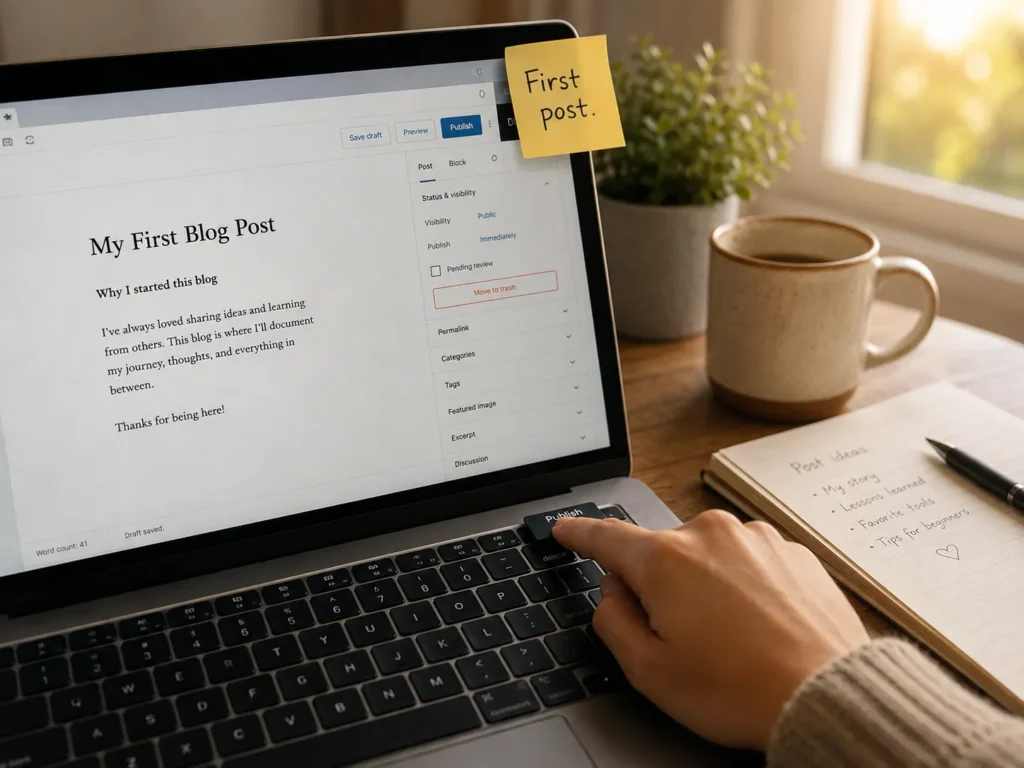
At the end of 30 days, you have a working blog with real content, an email list started, a few readers, and a base to build on. That’s all you need to keep going.
Frequently Asked Questions
How much does it cost to start a blog in 2026?
A self-hosted WordPress blog costs roughly $50–$150 in the first year (hosting at $3–$15/month, a domain at $10–$15/year, and a premium theme or plugins if you choose them). Free platforms like Wix or WordPress.com let you start at $0, but you trade off ownership and flexibility.
How long does it take to make money blogging?
For most people, the realistic timeline is 12–24 months to meaningful income. A small percentage of bloggers hit income in their first 6 months, usually because they had an existing audience, a high-paying niche, or a strong product to sell. Treat the first year as the investment phase.
Do I need to know how to code?
No. WordPress, Wix, and Squarespace are all built so a non-technical person can run a full blog. Knowing basic HTML is a nice-to-have, not a requirement. If you want to add custom features later, you can always hire a developer or learn as you go.
How often should I publish?
Whatever you can keep doing for two years. For most people starting out, that’s 1–2 posts a week. Consistency matters more than frequency. One post every Tuesday for a year beats 30 posts in a month followed by silence.
Is blogging still worth it in 2026?
Yes — but it’s different from a decade ago. AI has flooded the internet with generic content, which makes original, experience-based writing more valuable, not less. The blogs winning today are the ones with a clear point of view, real expertise, and a direct relationship with their readers (usually through email). If you bring those three things, you can carve out a real space.
Should I use AI to help me write?
It depends on how you use it. AI is great for outlines, research summaries, headline ideas, and editing. It’s bad as a substitute for your own voice, experience, and judgment. Google has been clear that AI content is fine if it’s useful and people-first; it’s not fine if it’s mass-produced filler designed to game rankings. Use AI like a smart intern, not a ghostwriter.
Final Thought
Starting a blog is one of those things that’s simple to begin and genuinely hard to do well. The act of clicking “publish” for the first time is the smallest part. Showing up to write the second post, the tenth, and the fiftieth — when nobody is reading — is the actual work.
If you take one thing from this guide, let it be this: don’t wait until everything is perfect. Buy the domain tonight. Install WordPress this weekend. Write and publish one post before the month is out. The rest you can figure out as you go, just like the rest of us did.
You don’t need a better plan. You need a first post.
Now you have everything it takes to write exceptional content, including my personal and advanced tips for writing, if you follow the steps correctly, you can write the content without any trouble and it is my guarantee.
But you can only become good at writing when you start writing it daily and build the habit, now take a pledge to write daily and improve your skill.
Let me know in the comment section how many you are taking a pledge to write daily and focus on improving your content writing skills.
Another thing – If you still have any queries or concerns regarding writing the blog post for SEO, please that as well in the comment section…