I burned an entire Saturday once, clicking through roundup after roundup of “100 best free SEO tools.” Half of them hadn’t been updated in years. A few weren’t even free anymore. By the end of the day I had 14 browser tabs open, three half-installed Chrome extensions, and a vague feeling that I’d been had.
After testing dozens of options, these are the best free SEO tools that actually deliver results without costing a rupee. Whether you need keyword research, site audits, or rank tracking, the best free SEO tools on this list cover every essential SEO task.
That list you don’t want to read. This one is the opposite.
Over the last few years running SEO for my own sites and a handful of client projects, I’ve cut my tool stack down to a tight group of free tools I actually open on a weekly basis. None of them are perfect substitutes for a $200/month Semrush subscription, but stacked together they cover about 80% of what most people need – and they don’t cost a cent.
Here’s the short list up front (so you can skip ahead if you want), then I’ll walk through every one of them, the honest limits, and how I’d build a stack if I were starting from zero today.
Quick list – the 15 free SEO tools covered in this guide:
- Google Search Console
- Bing Webmaster Tools
- Google Analytics 4
- Ahrefs Webmaster Tools
- Google Keyword Planner
- Keyword Surfer (Chrome extension)
- Keywords Everywhere
- Google PageSpeed Insights
- Lighthouse
- Screaming Frog SEO Spider (free)
- Google Rich Results Test + Schema.org Validator
- Ubersuggest (free tier)
- AnswerThePublic (free tier)
- Yoast SEO or Rank Math (WordPress)
- Soovle + Mangools AI Search Grader
Let’s get into the why and the how.
Why “Free” SEO Tools Are Worth Your Time
A lot of “free” tools in the SEO world are stripped-down demo versions of paid products. They exist to get you in the door. That’s fair – the companies have to eat – but it means you have to know what each free tool is actually good at, and where it cuts off.
The tools on this list fall into two camps:
- Genuinely free, with no catch. Google Search Console, Bing Webmaster Tools, Google Analytics 4, Google PageSpeed Insights, Lighthouse, Rich Results Test, Schema.org Validator, Screaming Frog (under 500 URLs), Keyword Surfer, and Soovle are all free in the way Gmail is free. No credit card. No upgrade nags every third click.
- Free tier of a paid product. Ahrefs Webmaster Tools, Ubersuggest, AnswerThePublic, Keywords Everywhere, and the WordPress SEO plugins all have a free version that’s useful but capped. Knowing the cap is the whole game.
In my experience, the sweet spot is mixing one or two of each. You use the truly free tools as your daily backbone and lean on the freemium tools when you need a specific data point.
How I Picked the Tools on This List
A short honesty note before we go on. I didn’t include a tool just because it appeared in five other roundups. Each one had to clear three bars:
- I (or someone I trust) has actually used it on a real site. No theoretical picks.
- The free version still does the core job. If the free tier is so crippled it’s basically a demo, it’s not on the list.
- The data it shows is real and useful. Some free tools recycle third-party clickstream estimates and label them as fact. I’m calling those out where it matters.
One tool I deliberately left off: Moz’s domain analysis tool. It’s a classic, but the free version is so restricted (and the brand has been lapped by free alternatives) that it doesn’t earn a spot in a 2026 stack.
The 15 Best Free SEO Tools That Earned a Spot in My Stack
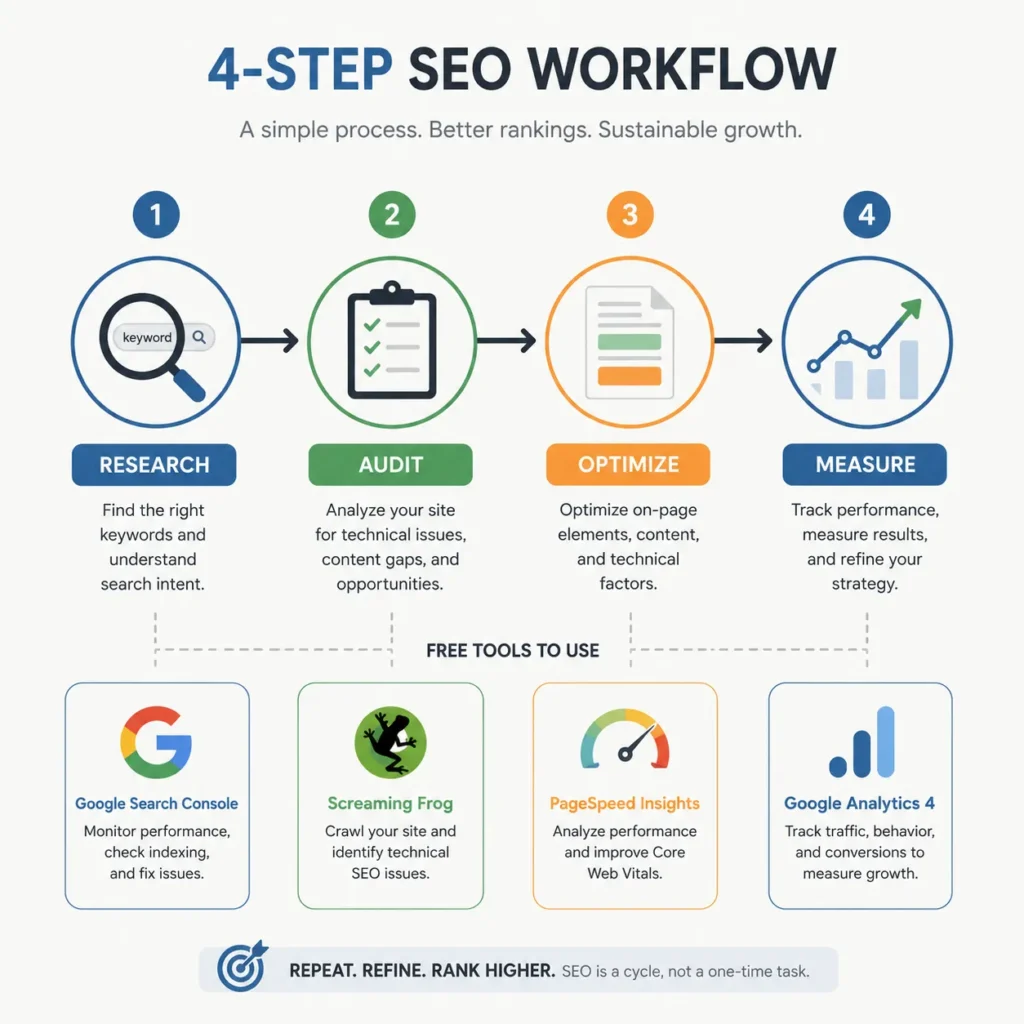
1. Google Search Console – the only data Google gives you directly
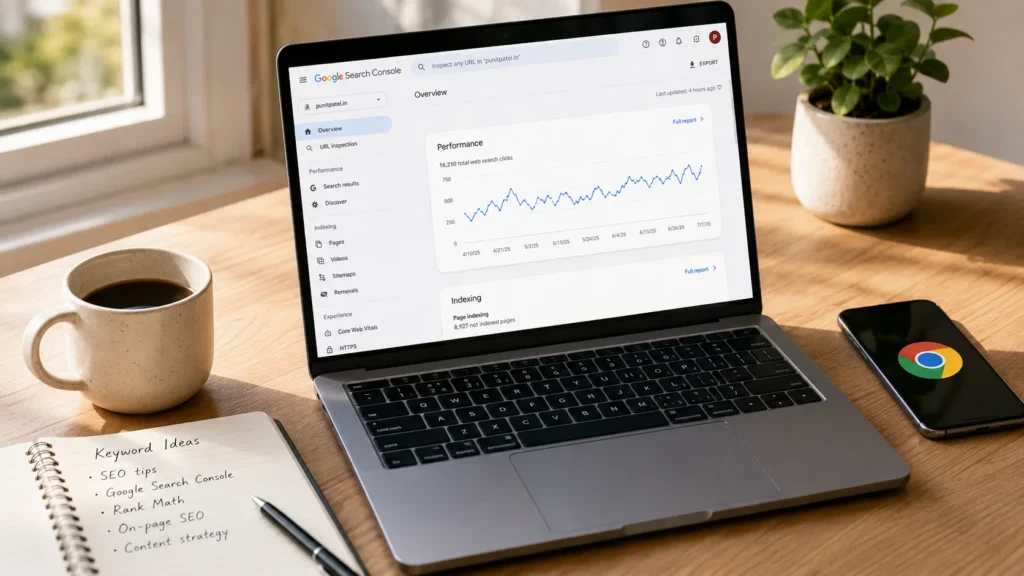
If you take one tool from this list, take this one. Google Search Console (GSC) is the only place on the internet where you can see exactly what Google sees about your site: real impressions, real clicks, real average position, and real indexing issues.
What you get for free:
- Performance report – every search query your pages appear for, with clicks, impressions, CTR, and average position. This is gold for finding pages stuck on page 2 that just need a small bump.
- URL Inspection tool – see exactly how Google renders a specific page, and request indexing for new or updated content.
- Index Coverage report – know which pages are indexed, which are excluded, and exactly why.
- Sitemaps – submit and monitor your XML sitemaps.
- Core Web Vitals – real-user (CrUX) data on how fast your pages actually feel to real visitors.
- Manual actions and security alerts – if Google has a problem with your site, this is where they tell you before your traffic drops.
The honest downside: GSC only shows queries your site already ranks for, and the data only goes back 16 months. So it’s useless for finding brand-new keyword opportunities. That’s why you pair it with a separate keyword tool (more on that below).
Setup time: About 20 minutes including DNS verification. Worth every minute.
2. Bing Webmaster Tools – the second search engine people forget about
Bing drives somewhere around 6–10% of US search traffic (more in some niches, especially B2B and older demographics) and the index is genuinely different from Google’s. Microsoft also runs IndexNow, which lets you ping them about new or updated pages for instant crawling.
You also get:
- A site scan that flags technical issues.
- Backlink data that occasionally catches links Google missed.
- Keyword research built into the dashboard.
- SEO reports that are surprisingly detailed.
Bing Webmaster Tools is the most underused free tool in this whole list. The interface is dated, and the data isn’t as clean as GSC, but the IndexNow feature alone makes it a must-add for any publisher who cares about speed of indexing.
3. Google Analytics 4 – for understanding what people do after they land
GSC tells you what happened in search. GA4 tells you what happened after the click. If you treat them as one tool split into two parts, you’ll get a clearer picture of your site than most paid dashboards give you.
The free version gives you:
- Real-time user tracking
- Acquisition channels (organic, direct, social, referral, email)
- Engagement metrics (scroll depth, engaged sessions, conversions)
- Audience builder and basic segmentation
- Event-based tracking instead of the old session-based model
The downside is well documented: GA4 has a learning curve, the UI can feel cluttered, and getting simple reports often takes more clicks than it should. But it’s still the only free tool that connects search performance to on-site behavior, and the data is yours to keep.
4. Ahrefs Webmaster Tools – your free technical audit + backlink snapshot
Ahrefs’ paid product is famously expensive (starting at $129/month). Their free tool, Ahrefs Webmaster Tools (AWT), is one of the best-kept secrets in SEO.
Once you verify your site, AWT gives you:
- A Site Audit that crawls up to 5,000 pages for free – broken links, redirect chains, slow pages, missing meta tags, duplicate content, the works.
- A backlink report showing your referring domains, anchor text, and new vs. lost links. It’s a sample of Ahrefs’ full link index, which is the second-largest in the industry after Google’s.
- An overview of your organic keywords with estimated search volume and difficulty.
- A list of issues to fix, ranked by impact.
When I first set up AWT on a new site, I usually find 30 to 80 small issues that took 10 minutes each to clean up. Add them up, and it’s a real ranking bump.
The honest limit: AWT only works on sites you verify. You can’t use it to peek at competitors unless you pay for Ahrefs proper. Pair it with GSC, and you have a near-complete view of your own site for $0.
5. Google Keyword Planner – the original keyword database
The catch: Google Keyword Planner (GKP) is technically part of Google Ads, and you need an Ads account to use it. You don’t have to run ads. You don’t even have to enter a credit card. Just sign up for a free Google Ads account, and you get access to GKP.
What you get:
- Search volume ranges (not exact numbers unless you have an active ad campaign, but the range is enough for most decisions)
- Keyword ideas grouped by topic
- Forecasts for clicks and conversions if you did want to run ads
- Competition metrics
The big caveat: GKP’s volume data is heavily grouped for low-volume terms, so you’ll often see “1K–10K” when a keyword really gets 200 searches a month. For exact numbers, pair it with a freemium tool like Keywords Everywhere or Ubersuggest.
6. Keyword Surfer – free keyword data right in the Google results
Keyword Surfer is a Chrome extension from the Surfer team that puts keyword data directly on the Google search results page. No login, no daily limits, no credit card.
You see:
- Search volume for every keyword you search
- Estimated traffic for the top-ranking pages
- Keyword suggestions in a sidebar
- A content editor you can open up if you pay (the extension is still 100% useful without it)
I’ve used it almost daily for years, and it’s the single fastest way to size up a keyword before deciding to write about it. It’s also great for “stumble-upon” research: type anything into Google and see related queries you’d never have thought of.
7. Keywords Everywhere – volume, CPC, and competition on every page
Keywords Everywhere is similar to Keyword Surfer but with more detail: it adds volume, CPC, competition score, and on-page SEO metrics (like how many times a keyword appears on a page) to Google, YouTube, Amazon, and a bunch of other sites.
The free tier gives you a small number of credits per month, enough for casual research. If you publish a lot of content, the $7–$10/month paid plan pays for itself the first week.
When I was working on a niche site that needed 50 articles in a month, Keywords Everywhere was the difference between getting volume data and flying blind.
8. Google PageSpeed Insights – the speed test Google actually uses
PageSpeed Insights (PSI) combines real-user CrUX data with a Lighthouse-style lab test, and it’s the only speed tool that uses the same data Google uses for ranking.
You get:
- Core Web Vitals scores (LCP, INP, CLS)
- A list of specific issues slowing your page down
- Lab vs. field data side by side, so you know if your problem is real for users or just a test artifact
- Pass/fail on each metric
Pro tip: focus on the field data, not the lab score. A score of 78 in the lab can still mean your real users are having a fine experience. The “Real-User Experience” summary at the top is the one to watch.
9. Lighthouse – the open-source audit built into Chrome
Lighthouse is what PageSpeed Insights runs under the hood, and you can run it yourself directly in Chrome DevTools (F12 → Lighthouse tab). It audits four things:
- Performance
- Accessibility
- Best Practices
- SEO
The SEO category is what most people use it for, but I find the accessibility audit just as useful. Free tools that catch missing alt text and contrast issues are worth their weight in gold.
Lighthouse is built by Google, it’s open source, and it runs entirely in your browser. Zero cost, zero lock-in.
10. Screaming Frog SEO Spider (free) – the desktop crawler
Screaming Frog is the tool I open when something on a site feels off, and GSC isn’t telling me why. The free version crawls up to 500 URLs, which covers most small sites, blog archives, and single product categories.
What you get for free:
- Broken link detection
- Missing or duplicate meta titles and descriptions
- Hreflang validation
- Redirect chain mapping
- XML sitemap generation
- Page title and heading analysis
- Structured data validation
The paid version (about £199/year) lifts the URL cap and adds JavaScript rendering, custom extraction, and integration with GSC/GA/PSI. For most solo publishers and small agencies, the free version is genuinely enough.
In my agency days, I watched a junior install three overlapping audit tools and ignore all of them. The lesson: one tool, used twice a month, beats five tools you never open. Screaming Frog is the one I’d keep.
11. Google Rich Results Test + Schema.org Validator – for structured data
If you publish anything with star ratings, FAQs, articles, products, recipes, or events, structured data is what gets you into Google’s rich results. The Rich Results Test tells you which rich result types your page is eligible for, and the Schema.org Validator checks your JSON-LD for syntax errors.
Both are free, both are run by Google, and both should be in your pre-publish checklist for any page that uses schema.
I caught a typo in a client’s JSON-LD last month that was silently disqualifying 200 product pages from rich results. Ten minutes of fix, measurable lift in CTR. That’s the kind of thing the free tools catch.
12. Ubersuggest (free tier) – Neil Patel’s freemium keyword tool
Ubersuggest has a free tier that’s generous compared to most freemium tools: 3 searches per day, 1 project, 25 rank-tracked keywords, 1 competitor, and a 150-page site audit. If you publish fewer than 2–3 articles a week, the free tier is workable.
It’s not the deepest dataset in the world (Ubersuggest’s database is around 1.25 billion keywords vs. Ahrefs’ 28+ billion), but the UI is friendly, and the AI Writer is a fun side feature for quick outlines.
The honest limit: the 3-searches-per-day cap is the single biggest bottleneck. If you publish daily, you’ll burn through your daily quota in 15 minutes.
13. AnswerThePublic (free tier) – questions people are actually asking
AnswerThePublic scrapes Google Autocomplete and visualizes the questions, prepositions, and comparisons people search for around a topic. It’s a content ideation machine.
The free tier gives you 3 searches per day, which is enough if you’re doing a research sprint once a week. Each search returns dozens or hundreds of question-based keyword ideas that are great for blog outlines and FAQ sections.
If you hit the daily limit, AlsoAsked gives you 3 free “PAA trees” without an account, and Answer Socrates is another 100% free option that pulls similar data. I rotate between the three depending on what I need.
14. Yoast SEO or Rank Math (WordPress plugins)
If your site runs on WordPress, you need an SEO plugin. Period. The two serious free options are Yoast SEO (the OG) and Rank Math (the fast-growing challenger).
Both give you:
- Meta title and description control
- XML sitemap generation
- Schema markup (article, FAQ, product, etc.)
- Readability analysis
- Internal linking suggestions
- Breadcrumb controls
- Social preview cards (Open Graph + Twitter)
My take after using both: Rank Math is more generous in its free version (it includes 404 monitoring, redirect manager, and basic schema types that Yoast hides behind paid upgrades). Yoast has the longer track record and bigger install base. You can’t really go wrong with either.
15. Soovle + Mangools AI Search Grader – for the edge cases
These two don’t fit neatly into a category, but they’re free, fast, and useful in specific situations.
- Soovle scrapes autocomplete suggestions from Google, YouTube, Bing, Yahoo, Amazon, and Wikipedia all at once. It’s a 10-second way to see how a topic gets searched across platforms. Great for product research and content repurposing.
- Mangools AI Search Grader is a brand-new free tool that scores how your brand shows up across AI search engines like ChatGPT, Gemini, Claude, and Perplexity. As AI search keeps eating into Google’s market share, this kind of tool is going to matter more every month. Right now it only grades three AI models on the free plan, but the data is genuinely interesting.
Best Free SEO Tools Comparison (At a Glance)
Here’s a quick table for the scanner-minded. The “free tier” column calls out the real limit so you don’t get surprised mid-project.
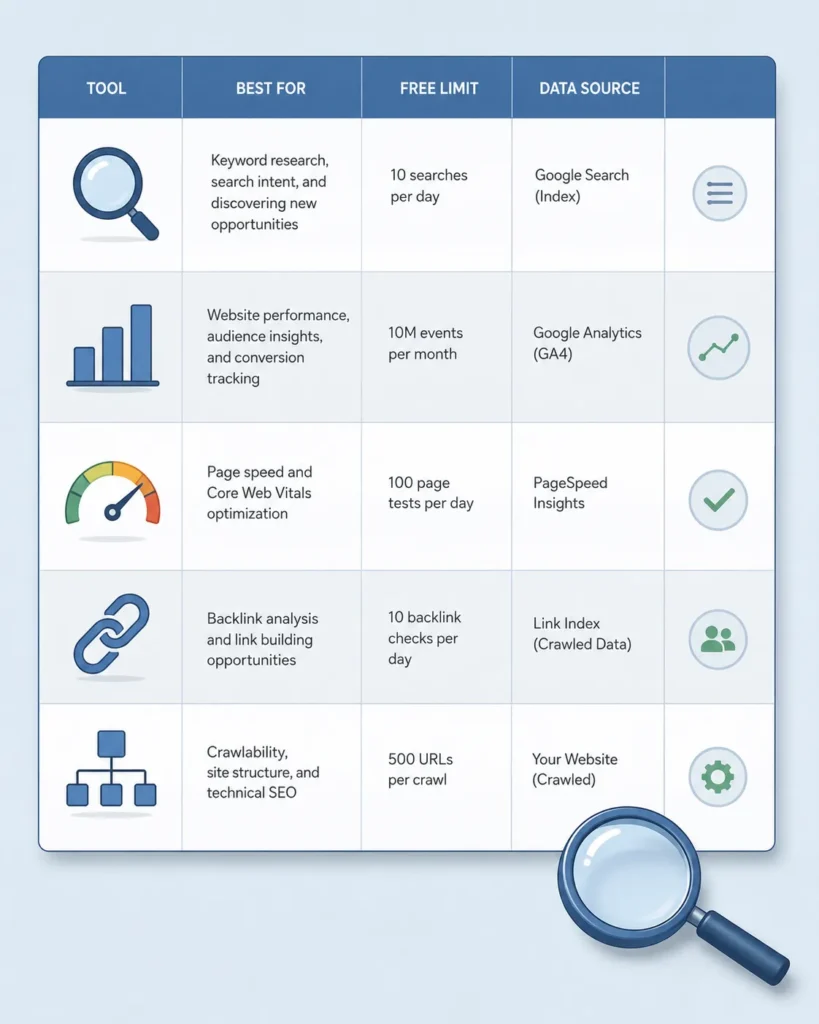
| Tool | Best for | Free tier limit | Real data? |
|---|---|---|---|
| Google Search Console | Indexing, queries, CTR | None | ✅ From Google |
| Bing Webmaster Tools | IndexNow, Bing traffic | None | ✅ From Bing |
| Google Analytics 4 | On-site behavior | None | ✅ From Google |
| Ahrefs Webmaster Tools | Site audit, backlinks | 5,000 pages/site | ⚠️ Ahrefs estimate |
| Google Keyword Planner | Volume ranges | Needs Ads account | ✅ From Google |
| Keyword Surfer | Volume in SERPs | None | ✅ Clickstream-based |
| Keywords Everywhere | Volume + on-page metrics | ~10k credits/mo | ✅ |
| PageSpeed Insights | Core Web Vitals | None | ✅ CrUX + Lighthouse |
| Lighthouse | Performance + a11y + SEO | None | ✅ Lab test |
| Screaming Frog (free) | Technical crawl | 500 URLs/crawl | ✅ Your own site |
| Rich Results Test | Schema eligibility | None | ✅ From Google |
| Ubersuggest | Keywords + audit (basic) | 3 searches/day | ⚠️ Estimated |
| AnswerThePublic | Question keywords | 3 searches/day | ✅ From autocomplete |
| Yoast / Rank Math | WordPress on-page | None | ✅ |
| Soovle / Mangools AI Grader | Cross-platform + AI search | None / 3 models | ✅ |
How to Build Your Free SEO Stack with the Best Free SEO Tools (the Order I’d Do It In)
If I were starting a brand-new site today with zero budget, this is the order I’d install the tools in:
Day 1 (must-haves):
- Google Search Console – verify your site, submit your sitemap.
- Bing Webmaster Tools – verify, submit sitemap, enable IndexNow.
- Google Analytics 4 – install via GTM or your CMS plugin.
- Rank Math or Yoast – install on WordPress, configure defaults.
- Schema.org Validator + Rich Results Test – bookmark both for any page with structured data.
Week 1 (do this once): 6. Ahrefs Webmaster Tools – verify and run your first site audit. Fix the top 10 issues. 7. Screaming Frog – crawl your site, look for broken links, duplicate titles, redirect chains. 8. PageSpeed Insights + Lighthouse – run on your top 5 pages, fix anything failing Core Web Vitals.
Ongoing (open weekly):
- Keyword Surfer – keep installed; use it whenever you’re in Google.
- Google Keyword Planner – use it before any new article.
- Ubersuggest or AnswerThePublic – for new content ideas, 3 searches a day is enough.
- Keywords Everywhere – credits add up fast; use sparingly.
When you publish more than 3 articles a week: 13. Consider Keywords Everywhere paid ($7/mo) or Ubersuggest Individual ($12/mo). At that point you’ve outgrown pure free tools and a tiny spend makes sense.
The Honest Limits of Free Tools (And When to Upgrade)
Free tools are great until they aren’t. The places they consistently fall short:
- Competitor research. GSC and AWT only show you your data. If you need to know what keywords your competitors rank for, which links they’ve earned, and where the gaps are, you need a paid tool (Ahrefs, Semrush, or SE Ranking).
- Historical data. GSC keeps 16 months. AWT varies. If you need year-over-year trend data going back 3+ years, paid tools are the only way.
- Scale. Screaming Frog’s 500-URL cap and Ubersuggest’s 3-searches-per-day cap matter a lot when your site is 5,000+ pages.
- Accurate keyword volume at scale. Google’s volume ranges are fine for big terms, but if you’re hunting 50+ long-tail keywords per article, the grouping is too coarse.
- AI search tracking. Right now, no free tool (other than Mangools’ limited AI Search Grader) gives you meaningful data on how your brand shows up in ChatGPT, Perplexity, or Gemini. This is the next big gap in the free ecosystem.
When any of these start hurting, that’s your signal to spend. But for a first-year site, a niche blog, or a local business, free tools cover the work that actually moves the needle.
Common Mistakes I Made With Free Tools (so you can skip them)
A few things I’d undo if I could:
- Skipping the setup. I left GSC and Bing Webmaster unconfigured for the first six months of one site. By the time I checked, I had hundreds of indexing errors and a sitemap that wasn’t being read. The fix took 20 minutes. The lost traffic took six months to recover.
- Reading the lab score on PageSpeed Insights as gospel. A perfect 100 in the lab doesn’t mean your real users are happy. Always check the field data first.
- Using three keyword tools and zero analytics tools. I kept refreshing Ubersuggest and ignoring GA4. The opposite is what actually drives decisions.
- Trusting freemium backlink data as if it were complete. AWT shows a sample of Ahrefs’ index. It’s big, but it’s not the whole picture. Don’t use it to count your total backlinks.
- Forgetting to set up redirects before changing URLs. Screaming Frog catches these in seconds, but only if you actually run it. Set a calendar reminder to crawl your site every quarter.
Frequently Asked Questions About Best Free SEO Tools
Are free SEO tools actually enough to rank a site?
Yes, for most small and mid-size sites, the free tool stack I covered above is enough to do the work that actually moves rankings: technical audits, keyword research, on-page optimization, and Core Web Vitals. Where free tools fall short is competitive research and historical trend analysis – that’s where paid tools earn their keep.
What’s the single most important free SEO tool?
Google Search Console. It’s the only place to get real impression, click, and position data straight from Google, plus indexing diagnostics, Core Web Vitals field data, and manual action alerts. Every other free tool on this list is a complement to GSC, not a replacement.
Can I do a full SEO audit without paying anything?
Yes. A comprehensive free audit combines GSC (indexing and queries), Ahrefs Webmaster Tools (technical issues and backlinks), Screaming Frog (in-depth crawl), PageSpeed Insights (Core Web Vitals), and the Rich Results Test (schema). That stack catches 90%+ of the issues a paid audit would surface.
Is Ubersuggest actually free?
It’s free with a 3-searches-per-day cap on the free tier, no time limit on the free plan. If you publish 1–2 articles a week, that’s workable. Anything more frequent and you’ll either need a paid plan or to rotate between Ubersuggest and free alternatives like AnswerThePublic and Keywords Everywhere.
Which free tool is best for keyword research?
The most useful combination is Google Keyword Planner (volume ranges, needs a free Google Ads account) + Keyword Surfer (real-time volume in the SERPs) + AnswerThePublic (question-based ideas). None of them are perfect alone, but together they cover the three things keyword research needs: volume, related ideas, and question angles.
Are free backlink checkers accurate?
They’re useful but not complete. Ahrefs Webmaster Tools shows a sample of Ahrefs’ index (the second-largest in the industry). Bing Webmaster Tools shows a smaller, different sample. Neither shows every link pointing to your site – only Google has the full picture, and Google doesn’t share it. Treat free backlink tools as directional, not as ground truth.
How do I do SEO with zero budget?
Set up the free tools in the order I listed above, fix the issues they surface, publish useful content targeting keywords you’ve validated, and check your GSC data every week. That’s the entire free SEO playbook. The budget only matters once your site is large enough that the freemium caps start hurting.
Will AI search engines replace the need for these tools?
Not yet. AI search is still early enough that traditional Google rankings drive most traffic. But the same principles apply: know what your audience is asking, create content that answers it well, and make sure search engines (human or AI) can actually find and parse your pages. Free tools like Mangools’ AI Search Grader are starting to fill the new gap.
Final Thoughts: The One Tool I’d Pay For First
If this list made you realize you don’t need a $200/month subscription, great. Stay free until you actually feel the limits.

If it made you realize you do need one paid tool, my vote is Ahrefs or Semrush, and the moment to buy is when you can answer “yes” to one of these:
- You’re publishing 3+ articles a week and need real keyword volume at scale.
- You’re doing serious competitor research and the free samples aren’t enough.
- You’re managing backlinks as a deliberate strategy and need full link index data.
- Your site is over 5,000 pages and Screaming Frog’s free 500-URL cap is genuinely limiting.
Until then, the 15 free tools above are your stack. They’re not glamorous. They don’t have slick AI dashboards. But they’re the tools the people who actually do SEO for a living open every single day.
Start with GSC this week. Everything else flows from there.