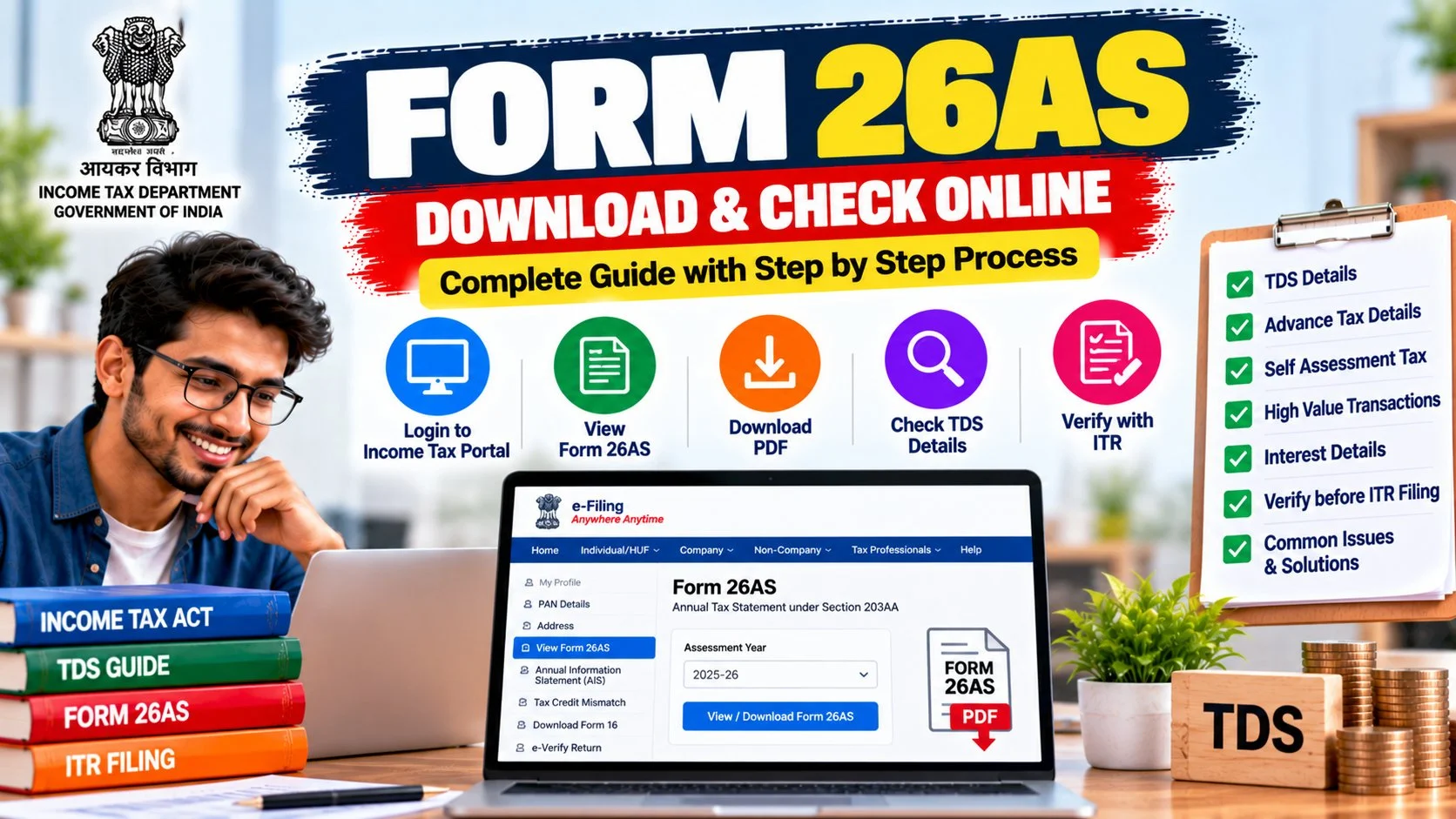

Every year, lakhs of taxpayers file their ITR without ever opening their form 26as — and then wonder why they got a tax notice six months later. Here’s the thing most people don’t realise: Form 26AS is the income tax department’s record of every rupee of tax deducted or paid against your PAN. If the TDS your employer deducted doesn’t match what’s in your form 26as, you lose that tax credit. This guide shows you exactly how to do a form 26as download, how to read it, how it differs from AIS and TIS (the confusion that trips up everyone), and how to fix mismatches before they become notices.
✅ This guide is based on official income tax portal procedures. Last verified: October 17, 2026. Portal menus and procedures change from time to time — always cross-check on incometax.gov.in before filing.
What Is Form 26AS?
Form 26AS is your consolidated tax credit statement. Think of it as the income tax department’s ledger for your PAN — it records every instance where tax was deducted at source (TDS) from your income, tax collected at source (TCS), advance tax or self-assessment tax you paid, and any refunds issued to you.
Why does it matter? Because when you file your ITR, you can only claim credit for tax that’s actually reflected in your form 26as. If your employer deducted ₹50,000 as TDS but only ₹45,000 shows in 26AS (because they filed their TDS return late or wrong), you can only claim ₹45,000 right now. The missing ₹5,000 becomes a fight — with your employer, not the tax department.
This is also why checking 26AS before filing is non-negotiable. File first and reconcile later, and you’re practically inviting a defective-return notice.
Form 26AS Download: Step-by-Step

There are two ways to get your form 26as — through the income tax e-filing portal (most common) or via net banking. Here’s both:
Method 1: Through incometax.gov.in
- Log in to incometax.gov.in using your PAN as user ID and your password (or Aadhaar OTP).
- Go to e-File → Income Tax Returns → View Form 26AS.
- You’ll be redirected to the TRACES website. Accept the disclaimer to proceed.
- On TRACES, click View Tax Credit (Form 26AS).
- Select the Assessment Year (for income earned in FY 2025-26, choose AY 2026-27).
- Choose View as HTML to read on screen, or PDF to download and save.
Method 2: Through net banking
Most major banks (SBI, HDFC, ICICI, Axis, and others) offer Form 26AS access inside their net banking portal under tax services. Log in to your bank, look for “Tax” or “Form 26AS” in the menu, and it’ll redirect you to the same TRACES view without needing a separate income tax login. Handy if you’ve forgotten your e-filing password.
Form 26AS password
This confuses everyone, so let’s settle it: the TRACES text/PDF download is protected with your date of birth in DDMMYYYY format (so 10 August 1985 becomes 10081985). The HTML view opened directly through the e-filing portal usually needs no password at all. If a file won’t open, first check which version you downloaded before assuming the password is wrong.
How to Read Your Form 26AS
Form 26AS is divided into parts. Here’s what each section tells you:
| Part | What it shows |
|---|---|
| Part A | TDS deducted by your employer and others (salary, interest, professional fees) |
| Part A1 | TDS for Form 15G/15H cases (where you submitted exemption forms) |
| Part A2 | TDS on sale of immovable property (Form 26QB) |
| Part B | TCS collected (car purchase, foreign remittance, etc.) |
| Part C | Advance tax, self-assessment tax, and regular assessment tax paid by you |
| Part D | Refunds paid to you during the year |
| Part E | High-value transactions (SFT) — property, mutual funds, etc. |
| Part F/G | TDS on rent, other specified transactions |
Before filing, cross-check: does Part A match the TDS on your Form 16? Does Part C show the advance tax challans you actually paid? If anything’s missing, don’t file yet — read the mismatch section below.
Form 26AS vs AIS vs TIS: The Confusion, Cleared
This is where 90% of taxpayers get lost. The income tax department now gives you three statements, and they are not interchangeable:
| Basis | Form 26AS | AIS | TIS |
|---|---|---|---|
| Full form | Tax credit statement | Annual Information Statement | Taxpayer Information Summary |
| Shows | TDS, TCS, tax paid, refunds | Every financial transaction linked to your PAN | Category-wise summary of AIS |
| Detail level | Medium | Very high (transaction-level) | Summary |
| Feedback/correction | Not available | Yes — flag wrong entries | Reflects AIS feedback |
| Use it for | Claiming TDS/TCS credit | Checking all income the dept. sees | Pre-filled ITR snapshot |
| Where to find | e-File → View Form 26AS | Services → Annual Information Statement (AIS) | |
The one-line rule to remember: for TDS credit, Form 26AS is authoritative; for income completeness, check AIS and TIS. Capital gains, dividends, and mutual fund redemptions don’t appear in 26AS — they live in AIS. So if you’re hunting for a large bank deposit or a property sale, look in AIS, not 26AS.
One more thing: AIS entries can be wrong (banks do misreport). Unlike 26AS, AIS lets you submit feedback on individual transactions — use it. Wrong AIS data that you ignore becomes the department’s “processed value” in TIS, which then pre-fills your ITR with wrong numbers.
TDS Mismatch: What to Do When 26AS Is Wrong
Found a mismatch? Don’t panic — but don’t file either. Here’s the fix-it checklist:
The most common cause of mismatch is the deductor filing late or quoting a wrong PAN/TAN. Your first call should always be to the deductor (employer, bank, client) — only they can revise their TDS return. The tax department cannot fix deductor errors for you.
If you’ve already filed with a mismatch, you may get a notice under Section 143(1) adjusting your credit. You can then file a rectification or revised return once the 26AS is corrected. For the complete filing walkthrough with all compliance checks, see our ITR filing guide.
Common Form 26AS Problems and Fixes
“No data available” or blank 26AS
Usually means no TDS was deducted against your PAN for that year — common for students, homemakers, or first-time earners. It’s not an error by itself. But if TDS was deducted, check that you selected the right Assessment Year.
26AS shows less TDS than Form 16
Your employer likely hasn’t filed their quarterly TDS return yet (or filed it with errors). Ask your payroll team for the TDS return acknowledgement. Don’t file your ITR until 26AS matches — or file and be ready to revise.
Wrong PAN in 26AS entries
If someone else’s TDS is showing under your PAN (or vice versa), the deductor quoted the wrong PAN. Only the deductor can correct this by revising their return. This one needs follow-up — it won’t fix itself.
26AS not updated after deductor correction
TRACES updates take 7–10 working days after the deductor files a correction. If it’s been longer, the correction may have errors — ask the deductor to verify the revised return was accepted.
Form 26AS for Different Types of Taxpayers
Your relationship with form 26as changes depending on how you earn:
Salaried employees
Your 26AS is dominated by Part A (employer TDS). The critical check: does the TDS in 26AS match your Form 16? Mismatches here are the #1 source of defective-return notices for salaried filers. Also check Part E — if you sold mutual funds or property, those SFT entries should be there.
Freelancers and professionals
Your 26AS will show TDS under section 194J (professional fees, 10%) from every client who deducted. Collect Form 16A from each client and match them line by line against 26AS Part A. Freelancers miss this constantly — clients deduct TDS but delay filing, and the credit doesn’t appear.
Senior citizens
If you submitted Form 15H to avoid TDS on interest, check Part A1 — it should reflect those declarations. Bank interest TDS (194A) is the usual entry. And remember: 15H only works if your total income is below the taxable limit.
NRIs
NRI 26AS entries often include TDS at higher rates (20%+ on NRO interest, property sale TDS under 195). If you’ve returned to India or changed residential status, make sure the correct status was used — wrong status means wrong TDS rates across every entry.
Your Annual 26AS Calendar
Make 26AS checks a habit, not a last-minute scramble:
| When | What to do |
|---|---|
| June | Download 26AS for the finished FY; check all four quarters of TDS are present |
| June–July | Open AIS/TIS; submit feedback on any wrong entries; wait for corrections |
| Before filing ITR | Final 26AS + AIS reconciliation against Form 16 and bank statements |
| After filing | Save the PDFs with your ITR acknowledgement — you’ll need them if a notice arrives |
| Quarterly | Freelancers: check 26AS each quarter so client TDS delays surface early, not in July |
Form 26AS and the New Income Tax Act 2025
India’s Income-tax Act, 2025 took effect on 1 April 2026, replacing the 1961 Act. What does this mean for your form 26as? For now, not much changes in practice: returns for AY 2026-27 (FY 2025-26 income) still reconcile against Form 26AS under the old Act’s framework. From AY 2027-28 onwards (tax year 2026-27 income), a new Form 168 takes 26AS’s place — but AIS and TIS continue unchanged.
During the transition, the e-filing portal supports both forms. The practical advice stays the same regardless of which form number appears on screen: reconcile your tax credits before filing, check AIS for income completeness, and never assume the portal’s pre-filled numbers are correct without verifying against your own documents. Law changes; diligence doesn’t.
What If You Never Checked 26AS and Already Filed?
Already filed without checking? Don’t panic — but do this now:
- Download your 26AS and AIS today and compare against what you claimed in the ITR.
- If everything matches: relax. You’re fine.
- If you claimed credit not in 26AS: expect a 143(1) adjustment notice reducing your refund or raising demand. You can file a rectification once the deductor corrects their return.
- If 26AS shows income you didn’t report: file a revised return (if within the deadline) or an updated return disclosing it. Voluntary correction always beats a notice.
- Keep everything: 26AS PDFs, AIS downloads, Form 16, and ITR-V acknowledgement in one folder for at least 6 years.
Form 26AS: Quick-Reference Summary
Bookmark this section — it’s everything above condensed into a 60-second refresher you’ll actually use every filing season. Form 26AS is your tax credit statement showing TDS, TCS, advance tax paid, and refunds against your PAN. Download it from incometax.gov.in (e-File → View Form 26AS) or your bank’s net banking; the TRACES file password is your DOB in DDMMYYYY format. Reconcile it against Form 16 before filing — never after. For income completeness beyond tax credits, open AIS and TIS from the Services menu. Fix deductor errors by contacting the deductor, and fix AIS errors via the portal’s feedback option. Five minutes of checking beats five months of notice-fighting, every single time.
Frequently Asked Questions
How can I do a form 26as download?
Log in to incometax.gov.in, go to e-File → Income Tax Returns → View Form 26AS. You’ll be redirected to TRACES — accept the disclaimer, select the assessment year, and choose PDF to download. The file password is your date of birth in DDMMYYYY format. Alternatively, access it through your bank’s net banking under tax services.
What is the difference between 26AS, AIS, and TIS?
Form 26AS shows only tax credits (TDS, TCS, tax paid, refunds). AIS shows every financial transaction reported against your PAN (bank deposits, mutual funds, property, etc.) with a feedback option to correct errors. TIS is a category-wise summary of AIS that pre-fills your ITR. For TDS credit claims, 26AS is authoritative; for income completeness, use AIS/TIS.
What is the password for Form 26AS PDF?
The TRACES download uses your date of birth in DDMMYYYY format (e.g., 10081985 for 10 August 1985). The HTML view through the e-filing portal usually opens without a password. The AIS PDF uses a different format: PAN in lowercase followed by DOB (e.g., aaaaa1234a10081985).
Why is my TDS not showing in Form 26AS?
Three likely reasons: (1) the deductor hasn’t filed their TDS return yet, (2) they quoted a wrong PAN or TAN, or (3) you selected the wrong assessment year. Contact the deductor first — only they can fix their return. Allow 7–10 days after their correction for 26AS to update.
Can I file ITR without checking Form 26AS?
Technically yes, but it’s risky. If your claimed TDS credit doesn’t match 26AS, the department will disallow the difference and may send a notice. Always reconcile 26AS (and AIS/TIS) with your Form 16 and bank statements before filing.
Does Form 26AS show my salary income?
No — 26AS shows tax deducted, not income earned. Your salary TDS appears in Part A, but the salary figure itself comes from your Form 16. For a complete income picture including non-TDS income, check your AIS.
How do I correct a wrong entry in AIS?
Log in to incometax.gov.in → Services → Annual Information Statement. Open the AIS portal, find the wrong transaction, and submit feedback (options include “information is incorrect” or “not my transaction”). The TIS processed value updates once feedback is accepted.
Is Form 26AS available for previous years?
Yes — on TRACES you can select any past assessment year from the dropdown. This is useful if you’re filing a belated return or responding to an old notice and need historical TDS records.
What should I do if Form 26AS shows TDS I never received credit for?
If the TDS is genuinely yours (correct PAN, correct deductor), claim it in your ITR — 26AS is the proof. If it belongs to someone else (wrong PAN quoted by deductor), don’t claim it; ask the deductor to correct their return, otherwise you may face questions later.
Do I need Form 26AS for a nil ITR?
If you had no TDS deducted and no tax payable, 26AS will likely be blank — and that’s fine. But still glance at your AIS before filing a nil return; sometimes banks report interest or transactions you forgot about, and a nil return contradicting AIS data can trigger a notice.
Final Word
Form 26AS takes five minutes to check and can save you months of notice-fighting. Make it a habit: before every ITR filing, download your form 26as, open your AIS/TIS alongside it, and reconcile all three against your Form 16 and bank statements. The taxpayers who get notices are almost always the ones who skipped this step.
And remember the golden rule — 26AS for tax credit, AIS for income completeness. Keep both clean, and your filing will be boring in the best possible way. For the full filing process with every compliance check in order, our ITR filing last date guide and Form 16 download guide walk you through the rest.