
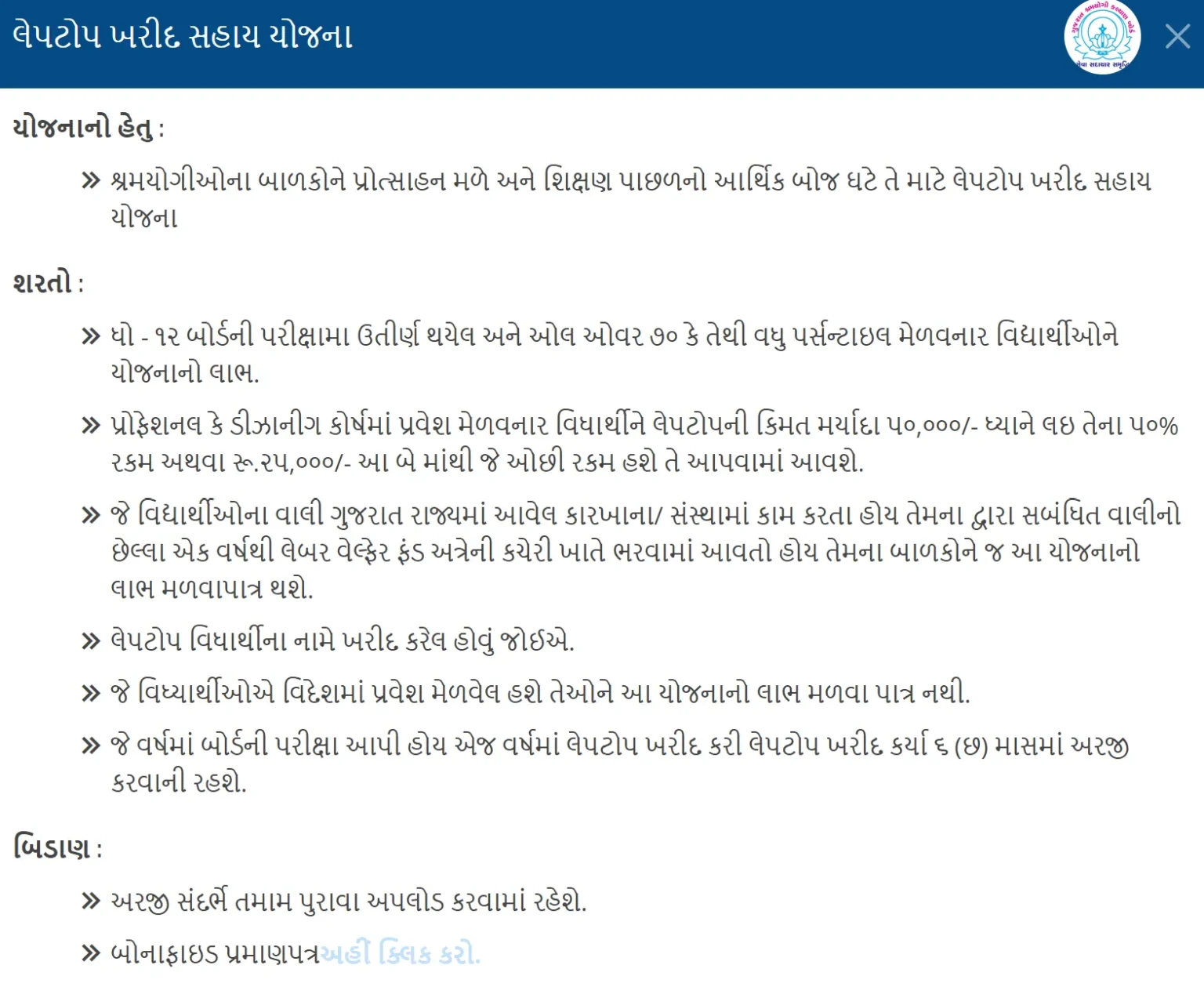
My cousin called me at 11 PM the week his engineering admission came through. “Bhai, laptop kharidvu che pan paisa nathi.” He’s the son of a factory worker in Vatva, scored 78% in 12th boards, and had just gotten into a BE Computer Engineering program in Ahmedabad. His father has been paying into the Labour Welfare Fund for over a decade. None of them knew there was a Gujarat Laptop Sahay scheme sitting right there that would pay for half his laptop.
I spent the next two nights going down a rabbit hole of government PDFs, Sanman Portal forms, and contradictory YouTube videos. Some said ₹25,000, some said ₹50,000, some said you had to be ST, some said SC. I almost gave up twice. Eventually I figured it out, got his application approved, and the money landed in his account via DBT about 45 days later.
This guide is everything I learned in one place, so you don’t lose two nights the way we did. It covers the main Gujarat Laptop Sahay Yojana run by the Labour Welfare Board, plus the related SC and ST schemes run by other Gujarat government bodies, since most articles online mix them up and confuse applicants.
The Laptop Problem That Brought Me Here
I come from a family of four, living in a modest 3BHK in Mehsana. My father runs a small provision store, and my mother is a homemaker. When I got admission into a B.Tech computer science program at a government engineering college, I was over the moon. The celebrations lasted exactly one week – the day I saw the lab assignment that required installing an IDE and a virtual machine. My old desktop at home couldn’t even boot in under ten minutes, and using the overcrowded college lab meant standing in queues for an hour. I needed a laptop. A proper one, not a second-hand netbook.
We looked at prices. A decent configuration for coding and light design was crossing ₹55,000. That was nearly four months of my father’s earnings. I felt a knot in my stomach thinking about asking him for that kind of money. I started searching for education loans, then stumbled on a YouTube comment that simply said: “Bhai, SC category walo ke liye Gujarat sarkar laptop yojana hai, 1 lakh tak milta hai.” I ignored it for two days, thinking it was a scam. Then a senior from my college messaged me on WhatsApp: “Punit, have you checked the Gujarat Laptop Sahay Yojana? I got my laptop last year.” That was the push I needed.
What Exactly Is the Gujarat Laptop Sahay Yojana?
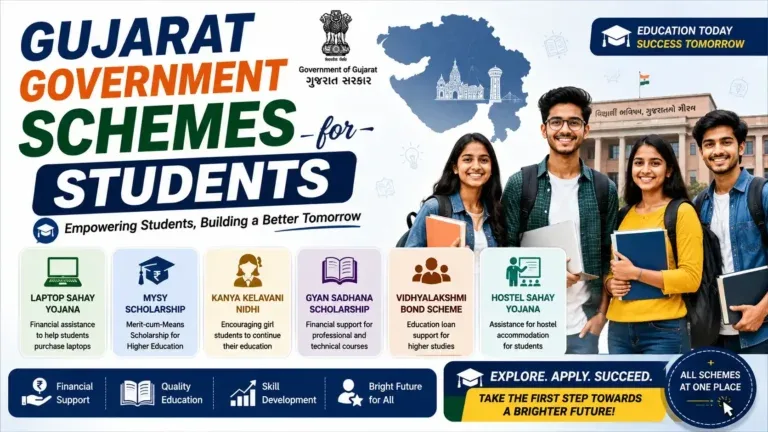
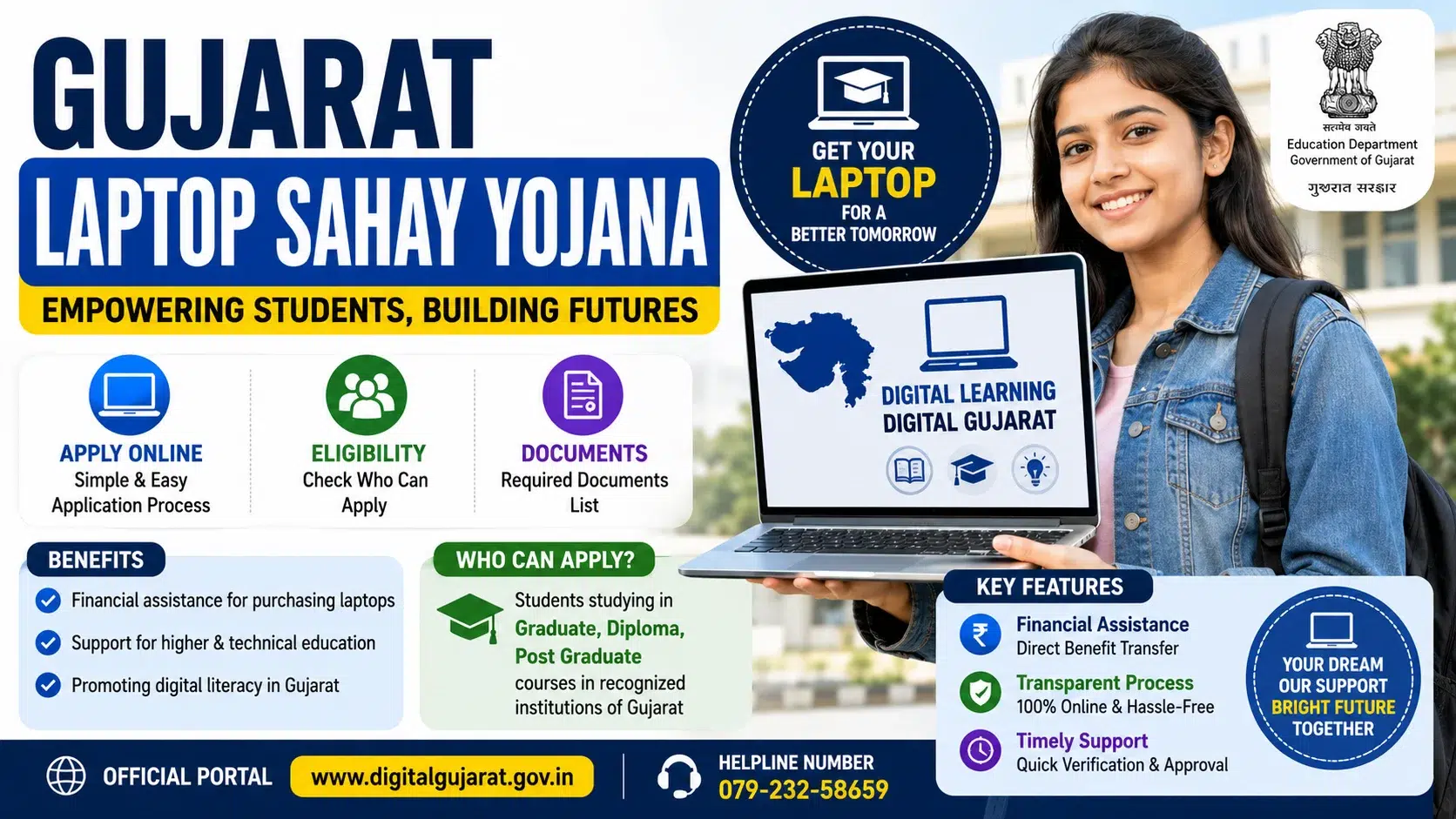
This scheme isn’t a free laptop distribution where the government hands you a machine. It’s a financial assistance scheme where eligible students receive a direct bank transfer (DBT) for purchasing a laptop of their choice. The official name varies depending on which department administers it, but most students simply call it Gujarat Laptop Sahay Yojana or the Laptop Assistance Scheme.
Overview of Laptop Sahay Yojana 2026
| Scheme Name | Laptop Sahay Yojana |
| Launched By | Government of Gujarat |
| Objective | Financial assistance for laptops |
| Eligible Beneficiaries | Students of Gujarat state |
| Official Website | Gujarat Laptop Sahay Portal |
In reality, it falls under two main departments of the Government of Gujarat:
-
Directorate of Scheduled Caste Welfare – for SC students
-
Directorate of Developing Caste Welfare – for SEBC, OBC, EBC, and minority community students
The goal? Bridge the digital divide. A student who can’t afford a personal computing device ends up falling behind in online classes, coding practice, design work, and even competitive exam preparation. The government’s own data, shared in a 2025 review meeting of the Social Justice and Empowerment Department, noted that over 1.2 lakh students had benefited from the SC laptop assistance scheme in the previous three fiscal years. That’s a real number, and it gave me hope.
Eligibility: Who Can Actually Apply for the Gujarat Laptop Scheme?
This is where I messed up first. I assumed any SC student in any course could apply. The reality is tighter. I’ll break it down by category, because the rules aren’t identical for everyone.
For SC Students (Scheduled Caste)
-
Domicile: Must be a permanent resident of Gujarat with a valid caste certificate from a competent authority in Gujarat.
-
Course: Studying in 11th, 12th, ITI, diploma, undergraduate, postgraduate, or PhD programs in recognized institutions. Even students in B.Ed., LLB, and nursing courses are included.
-
Income Limit: Annual family income from all sources must not exceed ₹2,50,000.
-
Attendance: At least 60% attendance in the current academic year (colleges sometimes certify this).
-
No Other Laptop Subsidy: You cannot have previously availed a laptop assistance scheme from the state or central government.
For SEBC / OBC / EBC / Minority Students
-
The income limit is generally ₹1,50,000 for EBC and up to ₹3,00,000 for OBC (unreserved category slabs apply).
-
The assistance amount is often lower, ranging from ₹50,000 to ₹75,000 depending on the budget allocation for that financial year.
-
Hosteller status sometimes adds a preference or a marginally higher amount for SC hostellers, but check the latest Digital Gujarat portal notice for your year.
My personal reality check: Our family income was ₹2,10,000 as per the income certificate I got from the Mamlatdar office. That put me safely inside the SC scheme’s income ceiling. If you’re even slightly above ₹2,50,000 in the SC category, your application will be rejected at the verification stage. I know a classmate whose father’s agricultural income pushed them to ₹2.6 lakh – denied.
The Application Process: Step-by-Step on Digital Gujarat
Everything happens on the Digital Gujarat portal (digitalgujarat.gov.in). There’s no offline form. If someone asks you for money to fill the form, it’s a scam. I’ll walk through the exact screens I saw.
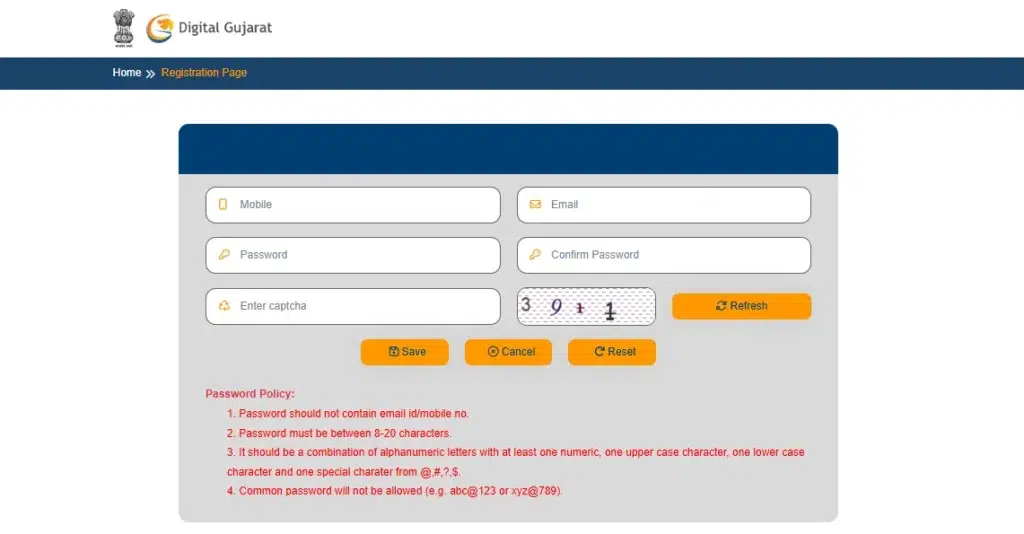
Step 1: Register as a New User
Go to Digital Gujarat, click “Citizen Login,” and then “Register.” You’ll need your Aadhaar number linked to a mobile number because OTP authentication is mandatory. No Aadhaar, no application. I used my own Aadhaar, and the OTP came instantly.
Step 2: Create Your Profile
After registration, complete your “Citizen Profile” with:
-
Personal details (name exactly as on Aadhaar)
-
Address details
-
Caste category
-
Bank account details (must be in your name, linked to Aadhaar, and IFSC verified)
-
Upload a photo and signature (under 15 KB, jpg format – I had to resize mine three times)
Crucial detail: The name on your bank passbook must match the name on your Aadhaar and your application. A single spelling mismatch (like “Jigneshkumar” vs “Jignesh Kumar”) will bounce the DBT. I had to visit the bank and update my passbook spelling before I could even proceed.
Step 3: Select the Service
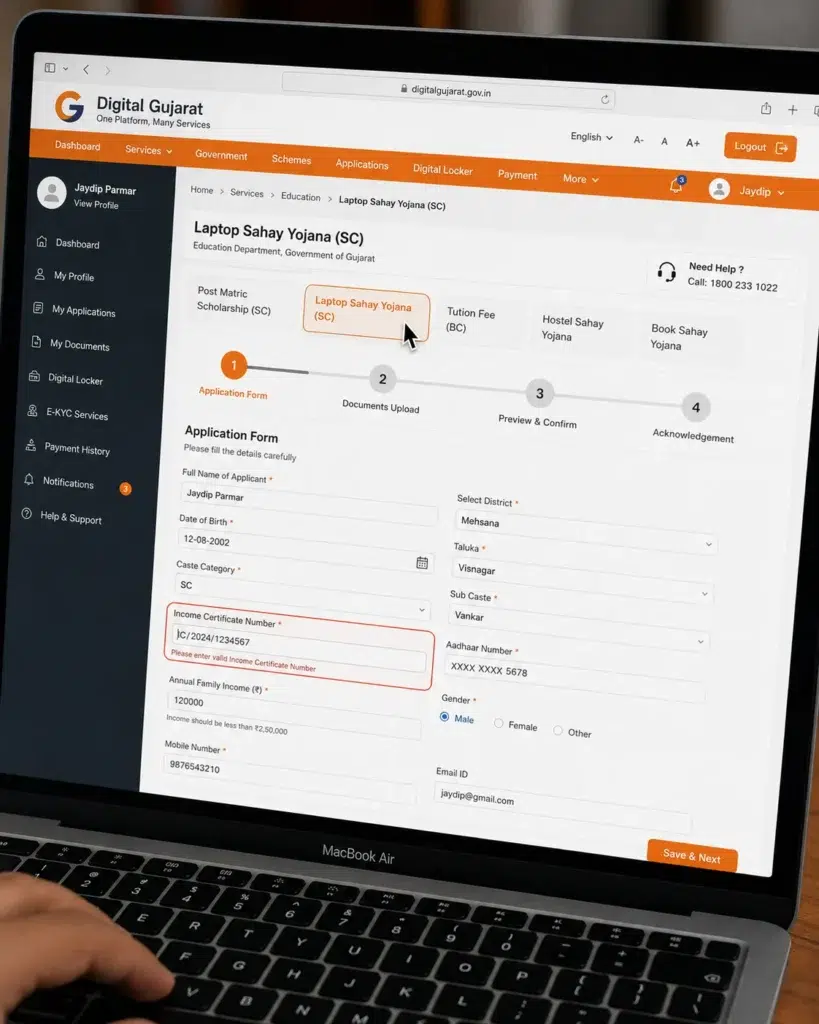
From the dashboard, under the “Social Justice & Empowerment” or “Developing Caste Welfare” tab, find “Laptop Assistance Scheme.” Depending on your category, you’ll see the exact scheme listed. I selected “Laptop Sahay Yojana (SC).” If you don’t see it, the application window might be closed. Usually, the portal accepts applications from July to October each academic year, but extensions happen.
Step 4: Fill the Application Form
The online form asks:
-
Course name, year, duration
-
College name, university, district
-
Admission date
-
Attendance percentage (I entered 82% after getting a bonafide certificate)
-
Income certificate number and issuing authority
-
Caste certificate number
-
Previous examination passing details
I took two hours filling this because I double-checked every field against my documents. The form won’t let you submit if any mandatory field is empty.
Step 5: Upload Documents
Here’s the exact list I uploaded. I’ll give you a checklist because missing even one gets you a “deficient” status.
Documents I uploaded (SC candidate):
-
Aadhaar card (PDF, front and back)
-
Caste certificate (issued by Mamlatdar, in Gujarati, with seal)
-
Income certificate (valid for the current financial year, issued by Mamlatdar)
-
Previous year marksheet (12th marksheet, scanned)
-
Current year admission receipt / fee receipt from college
-
Bonafide certificate from the institute (with attendance percentage, on letterhead)
-
First page of bank passbook (clearly showing IFSC and account number)
-
Passport size photo and signature (same as profile)
-
Self-declaration form (some categories require an affidavit for not availing other laptop subsidies – I downloaded the format from the portal itself)
I’ll share a painful lesson: My first application got rejected because my income certificate was dated March 2025, but the financial year had ended, and I applied in July 2026. The verification team wanted the income certificate for FY 2025-26. I had to get a fresh certificate issued, which took another two weeks.
Step 6: Final Submit & Acknowledgment
After uploading, hit “Final Submit.” The portal generates an application number and an acknowledgment PDF. Print this or save it. It’s the only proof you have. The application number starts with something like “DIGIAPP2026…” and you’ll need it for status checks.
My Application Journey: Rejection, Resubmission, and Waiting
I submitted my first application on 12th August 2025. For ten days, the status showed “Pending at Institute Verification.” Then suddenly, on 22nd August, it turned “Rejected – Income Certificate Invalid.” I felt sick. The rejection note just said “Income certificate not valid for current financial year.” No phone number, no email. I had to cycle 12 km to the Mamlatdar office, stand in a queue, get a new income certificate, come back, and reapply using the “Resubmit” option (the portal allowed one resubmission for deficient cases).
After resubmission, the status moved from Institute Verification (my college verified it in 3 days) to District Social Welfare Office verification. That took a nerve-wracking three weeks. I checked the portal every single morning with my tea. The day it changed to “Approved – Pending DBT,” I couldn’t believe my eyes. The amount shown was ₹1,00,000. Exactly ten banking days later, I got an SMS from my bank: “₹1,00,000 credited by DBT Gujarat.” I sat down and just stared at the screen.
How Much Money Do You Actually Get? (Comparison Table)
Not every applicant gets ₹1,00,000. The amount depends on your category and the prevailing government resolution. Here’s a realistic snapshot based on my research and what my peers received.
| Category | Max Assistance (Approx) | Income Ceiling | Department |
|---|---|---|---|
| SC (General course) | ₹1,00,000 | ₹2,50,000 | Scheduled Caste Welfare |
| SC (Hosteller, Professional course) | ₹1,00,000 (sometimes ₹1,20,000 in special budgets) | ₹2,50,000 | SC Welfare |
| ST (Scheduled Tribe) | ₹1,00,000 | ₹2,50,000 | Tribal Development |
| SEBC / OBC | ₹50,000 – ₹75,000 | ₹1,50,000 – ₹3,00,000 (varies) | Developing Caste Welfare |
| EBC (Economically Backward Class) | ₹50,000 | ₹1,50,000 | Developing Caste Welfare |
| Minority Communities | ₹50,000 | ₹2,50,000 | Minority Welfare |
My own category, SC non-hosteller engineering, got ₹1,00,000. A friend from SEBC category got ₹50,000. Another friend from ST got ₹1,00,000 without any fuss. The scheme’s goal is clear: prioritize those who have historically had less access. The actual amount also depends on the laptop bill you submit post-purchase verification? No – it’s a direct transfer; you don’t submit a purchase bill, but theoretically you must buy a laptop. I kept my invoice safe because I heard that sometimes the department asks for utilization proof later.
Common Rejection Reasons & How I Fixed Them
If you’re going through this right now, watch out for these. I’ve listed the top three from my own and friends’ experiences.
-
Invalid or expired income certificate. Always get a fresh certificate for the running financial year. An income certificate issued in February 2026 for FY 2025-26 is fine, but one from March 2025 will get you rejected if the application is in FY 2026-27.
-
Name mismatch in Aadhaar and bank account. The DBT system aborts if the beneficiary name does not match exactly. Many students have “Kumari” or “Ku” prefix in bank but not in Aadhaar – that’s a mismatch.
-
Attendance below 60% in previous semester. The college verifies this; if you had drop-year or backlogs with low attendance, you’re at risk.
-
Caste certificate not of Gujarat state. Even if you’re SC but your certificate is from Maharashtra or Rajasthan, you cannot apply under Gujarat’s scheme.
-
Duplicate application for another laptop scheme. The portal cross-verifies Aadhaar. If you had taken a laptop scheme under any other name, system flags it.
Tools, Technologies & Entities That Make This Scheme Work
Behind this simple student-facing portal, there’s a stack of systems I got curious about later. The Digital Gujarat platform is built by the Gujarat State Wide Area Network (GSWAN) team under the state’s IT department. The verification flow integrates institute logins, Mamlatdar’s e-Dhara for caste/income validation, and the PFMS (Public Financial Management System) for DBT payments. Knowledge graph entities like Aadhaar (UIDAI), NPCI’s Aadhaar Payment Bridge, and the Social Justice & Empowerment Department (SJED) are all interlinked. When my status moved, it was because an officer logged into the “SJED MIS” dashboard and verified my documents against the DigiLocker-sourced caste certificate. You don’t need to understand all this to apply, but knowing that every step is digitized explains why even a tiny mismatch fails.
What to Do After the Money Is Credited
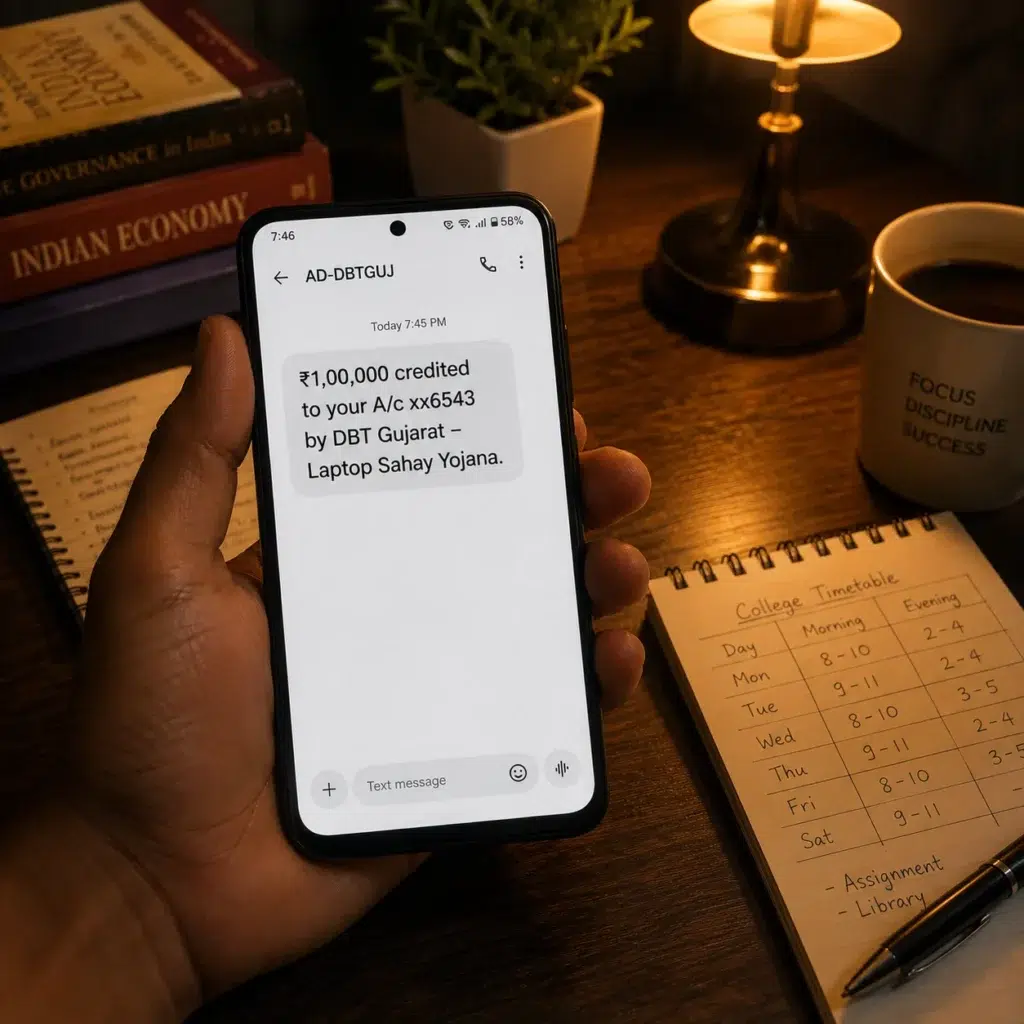
I got ₹1,00,000. I bought an HP Pavilion with an i5 processor, 16GB RAM, for ₹68,000. The remaining ₹32,000 went into my savings account, and I used it to pay for a coding bootcamp online. There’s no rule that you must spend the entire amount on the laptop; it’s an assistance. But I’d strongly recommend buying a machine that serves your course needs, and keeping the invoice and laptop serial number safe. I know someone whose college was randomly inspected for scheme compliance, and they had to show the laptop and bill.
Expert Insight: What Nobody Tells You About This Scheme
A retired Deputy Director from the Directorate of Scheduled Caste Welfare once told me in an informal chat, “Most rejections happen because students upload last year’s marksheet instead of admission receipt, or they skip the bonafide certificate entirely. It’s not that they’re ineligible; it’s that they hurry.” He also stressed that the department regularly updates the income limit slabs in government resolutions (GRs). For 2026, the SC income limit of ₹2.5 lakh has been retained, but there’s a proposal to raise it to ₹3.5 lakh. He couldn’t confirm, but he advised me to always check the latest GR on the SJED website or the portal’s “Scheme Details” PDF before applying.
That lesson stuck with me. Never assume last year’s rules apply.
FAQ Section
Who can apply for Gujarat Laptop Sahay Yojana?
Students belonging to SC, ST, SEBC, OBC, EBC, and minority communities who are studying in recognized institutions in Gujarat and meet the income ceiling can apply.
What is the last date to apply for Gujarat Laptop Sahay Yojana in 2026?
The application window typically opens in July and closes around October–November. Check the Digital Gujarat portal for the exact deadline, as extensions are common.
How can I check my Gujarat Laptop Sahay Yojana application status?
Log into Digital Gujarat with your credentials, go to “View Application Status” under your dashboard, and enter your application number. You’ll see stage-wise updates.
What documents are required for the laptop assistance scheme?
Aadhaar card, caste certificate, income certificate, previous year marksheet, current admission receipt, bonafide certificate with attendance, bank passbook copy, photo, signature, and possibly a self-declaration.
Can I apply if I’m studying in a private college?
Yes, as long as the college is recognized by a university or AICTE and you meet all other eligibility criteria. I applied from a government engineering college, but several private college peers also got approval.
Is this a free laptop or cash for a laptop?
It is cash assistance (DBT) of up to ₹1,00,000 to buy a laptop of your choice. You don’t receive a physical laptop from the government.
How long does it take for the money to come after approval?
Once the status shows “Approved – Pending DBT,” it usually takes 7–10 working days for the amount to be credited to your linked bank account.
What if my application is rejected?
If the rejection reason is correctable (like an outdated document), you can resubmit during the application period if the portal allows. Otherwise, you’ll have to wait until the next academic year’s window.